Introduction
Calendly and Cal.com solve the same problem but they take very different approaches. Calendly is designed to help you get up and running with as little setup as possible while Cal.com gives you far more control over how your scheduling works, making it a popular choice for developers and businesses that want greater flexibility.
In this Calendly vs Cal.com comparison, I tested both platforms to see how they perform in everyday use. I explored everything from creating booking pages and connecting calendars to testing team scheduling, customization, integration, and pricing. I also compared my experience with feedback from real users and each platform's official documentation.
If you are deciding between Calendly and Cal.com, this guide will help you understand where each platform excels and which one is the better fit for your business.
Calendly Vs Cal.com comparison at a glance
Category | Calendly | Cal.com | Warmcal |
|---|---|---|---|
Focus | One-to-one and team scheduling | Flexible, open-source scheduling platform | Branded booking pages and team scheduling |
Best for | Internal teams, freelancers, Sales, recruiting, agencies, service businesses | Developers, startups, SaaS companies, and businesses wanting full control over scheduling | Client-facing teams, sales, marketers, recruiters, founders, consultants, agencies |
Free plan | Yes | Yes | Yes |
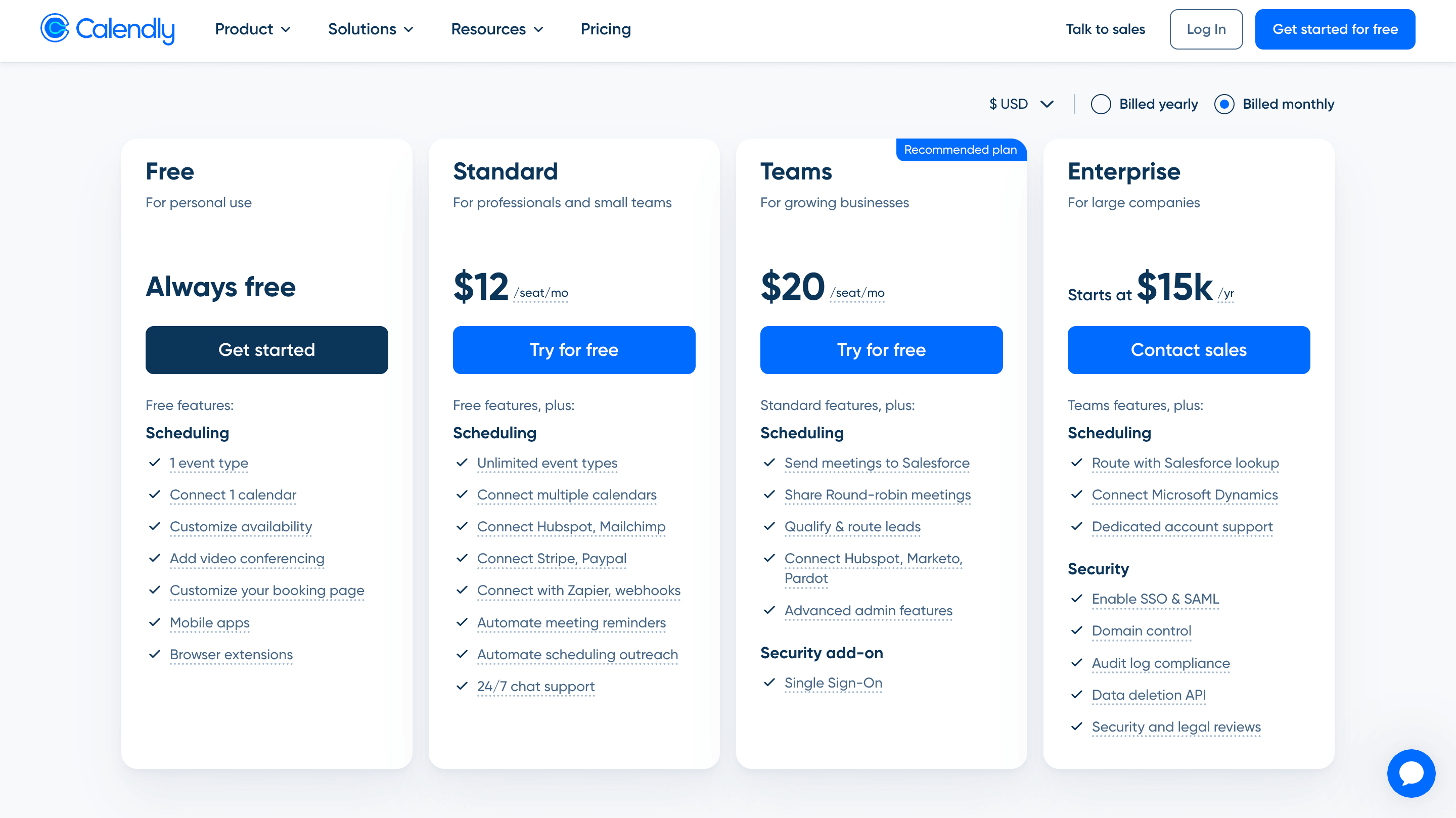
Team Paid Plan Monthly | ~$20/seat/mo | ~ $16/seat/mo | $99/mo Unlimited Seats (No seat pricing) or $35/mo for smaller teams up to 3. |
Team scheduling | Yes. Round-robin, collective scheduling, lead routing | Co-hosting, admin roles, activity reports | Yes, Round robin, collective routing, syncing, designed for business teams |
Group scheduling | Yes. Group event types | Yes. group event types | Not a core focus |
Branding & customization | Limited: Logo, URL, Embed colour | Technical customization (open source, APIs, custom code), not visual customization. | Strongest point: Banners, Wallpapers, intros, videos, social medial posts, much more |
Calendar sync | Google, Outlook, and other major calendars | Google, Outlook, Apple, CalDAV and more | Google and Outlook support |
CRM integrations | HubSpot, Salesforce, and more | HubSpot, Salesforce, and more | HubSpot |
Round robin scheduling | Yes, on the Teams plan | Yes, on the Teams plan | Yes |
Video conferencing integrations | Zoom, Google Meet, Microsoft Teams | Zoom, Google Meet, Microsoft Teams | Zoom, Google Meet, Microsoft Teams |
Automation | Strong reminders, workflows, routing | Workflows, webhooks and API integrations | Strong automation for lead routing, reminders and qualification |
Routing forms | Yes, on the Teams plan | Basic | Yes, qualify before booking page |
Analytics | Booking and workflow insights | Basic | Page views, widget uses, team performance, and advanced booking insights. |
Learning curve | Easy to Medium but advanced features add complexity | Medium to High. | Easy to Medium |
Calendly: In-Depth Review
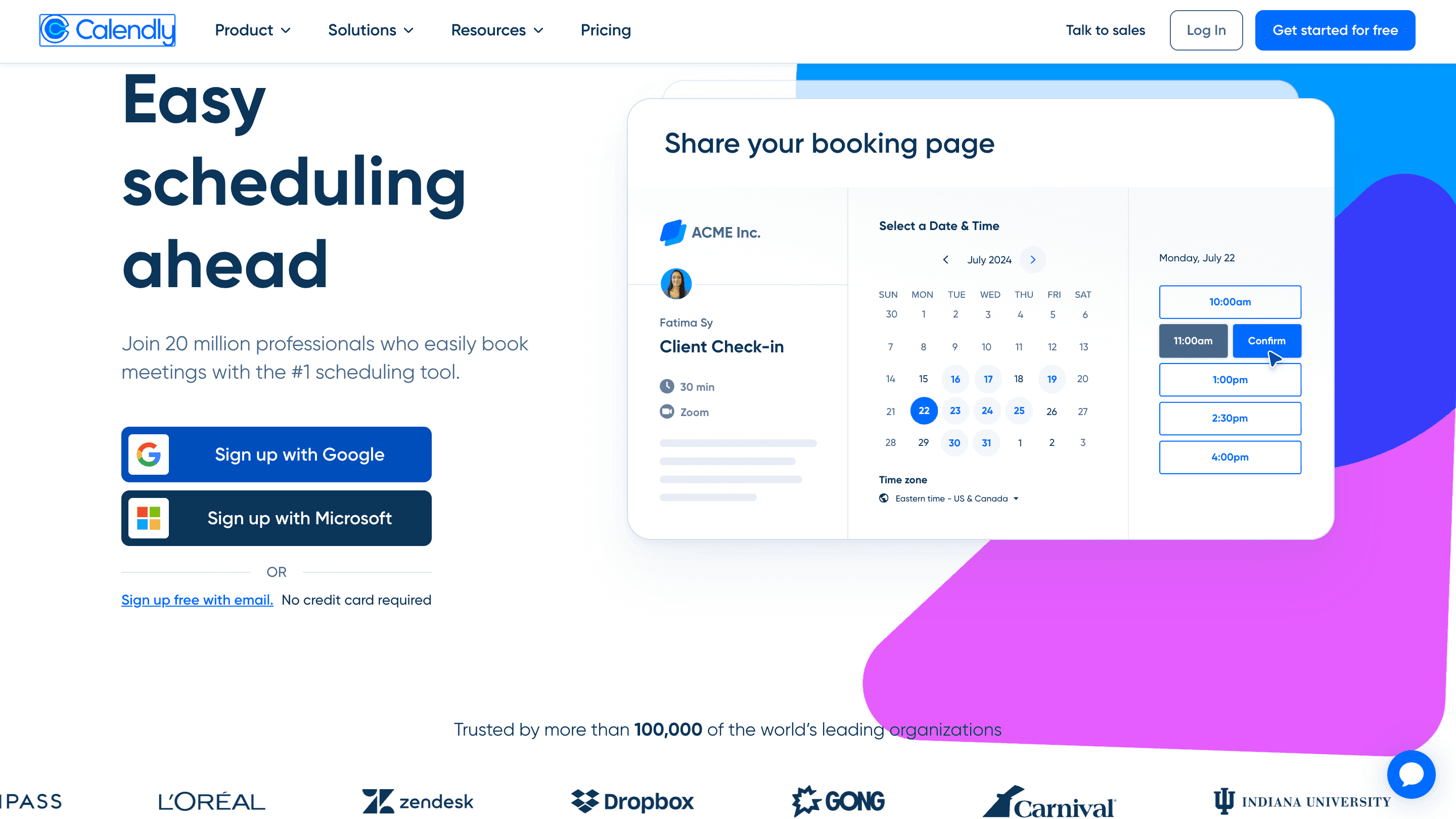
Calendly is a meeting scheduling platform built around simplicity and ease of use. Instead of relying on back-and-forth emails to find a suitable time, users can share a booking link where guests can view available time slots and schedule a meeting in just a few clicks.
The platform's clean interface and straightforward booking experience are what made it stand out. A simple layout, with meeting details and profile information alongside available times, makes the process easy for both the person scheduling and the person booking. Over time, Calendly has expanded beyond basic scheduling with features such as team scheduling, Round Robin distribution, routing, workflows, and integrations, making it a practical choice for individuals and businesses that want a reliable scheduling system without a steep learning curve.
Features
1. Calendar Management
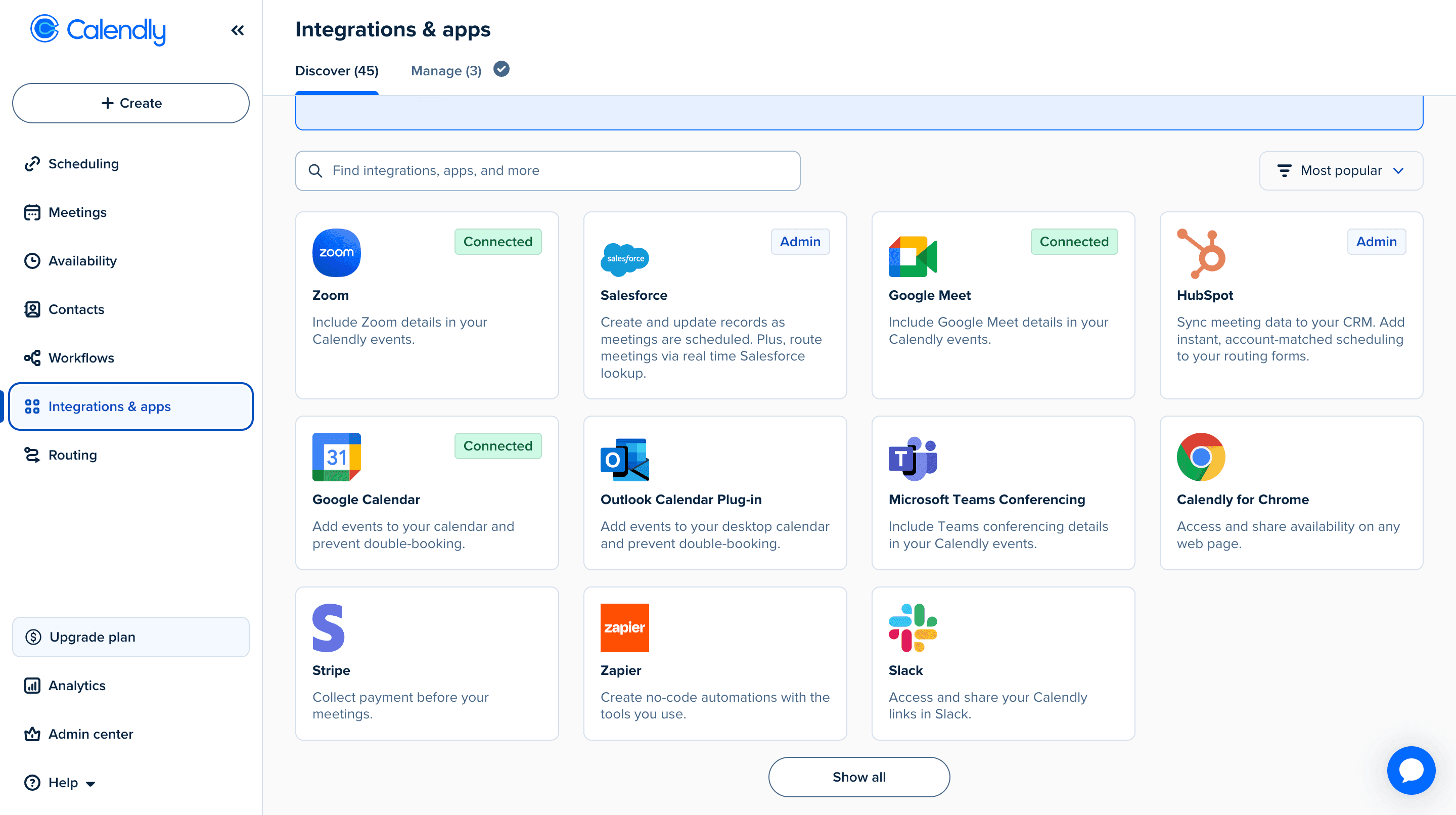
I connected both Google Calendar and Microsoft Outlook without any issues, and the setup only took a few minutes. Calendly handled availability, conflicts, buffers, and scheduling rules well, which is what most teams need when managing multiple meetings.
Apple Calendar was less straightforward. I noticed several Trustpilot reviews mentioning sync issues and I also came across Reddit discussions where users raised concerns around Apple support. If you mainly use Google or Outlook, the experience feels much smoother but Apple users may want to double check compatibility before committing.
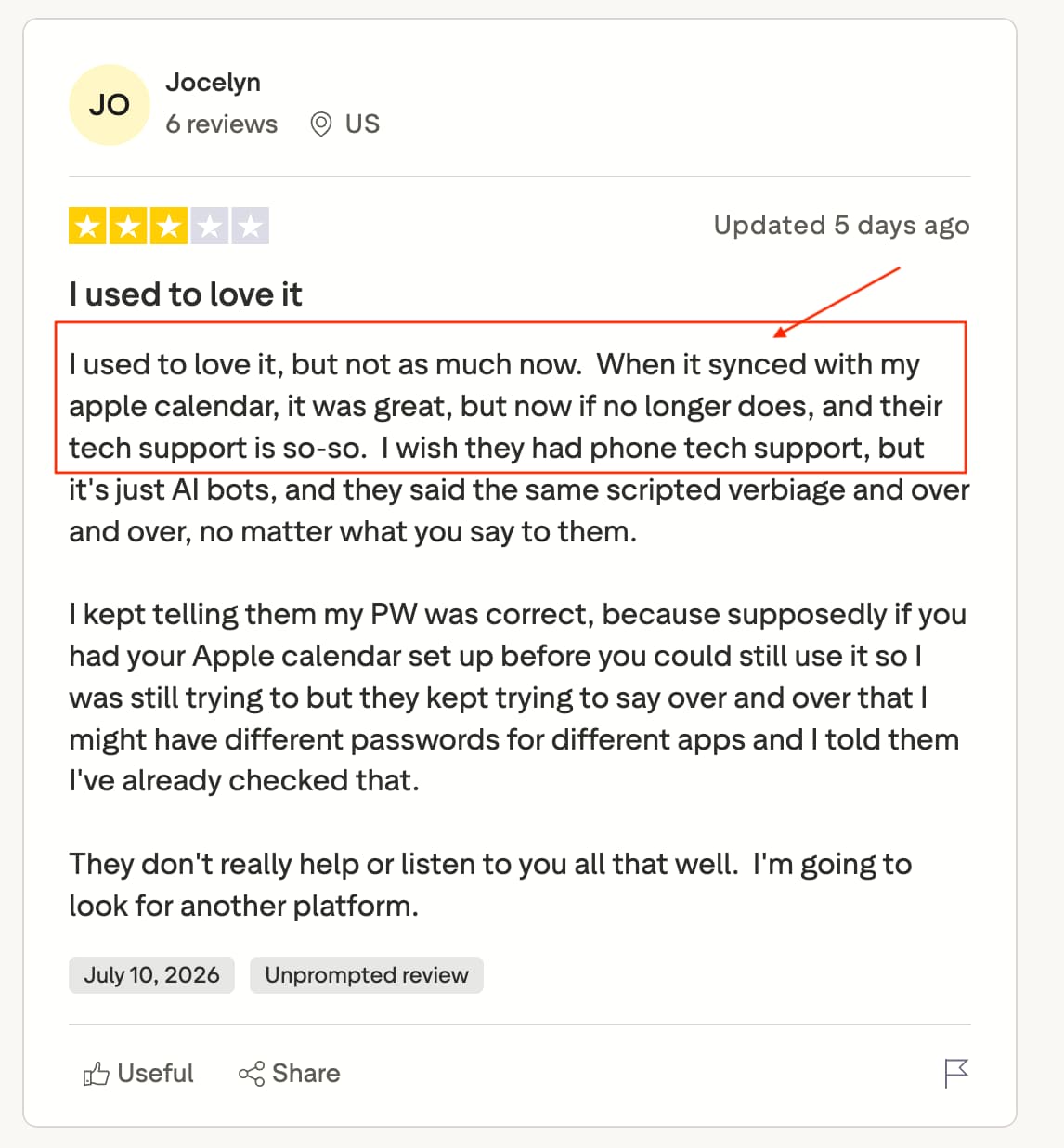
Source: Reddit & Trustpilot
2. CRM Integrations
Calendly offers a strong range of CRM integrations, including popular platforms like HubSpot and Salesforce. These integrations help automatically sync meeting information with your CRM, reducing the need for manual updates.
Connecting HubSpot was straightforward and the contact records updated automatically with details from each meeting I booked. Connecting Salesforce was just as easy to connect and worked well during my testing. I did come across a few G2 reviews mentioning that HubSpot didn't always sync every piece of information correctly. I didn't experience this myself, but it's worth being aware of if your workflows rely heavily on CRM data.
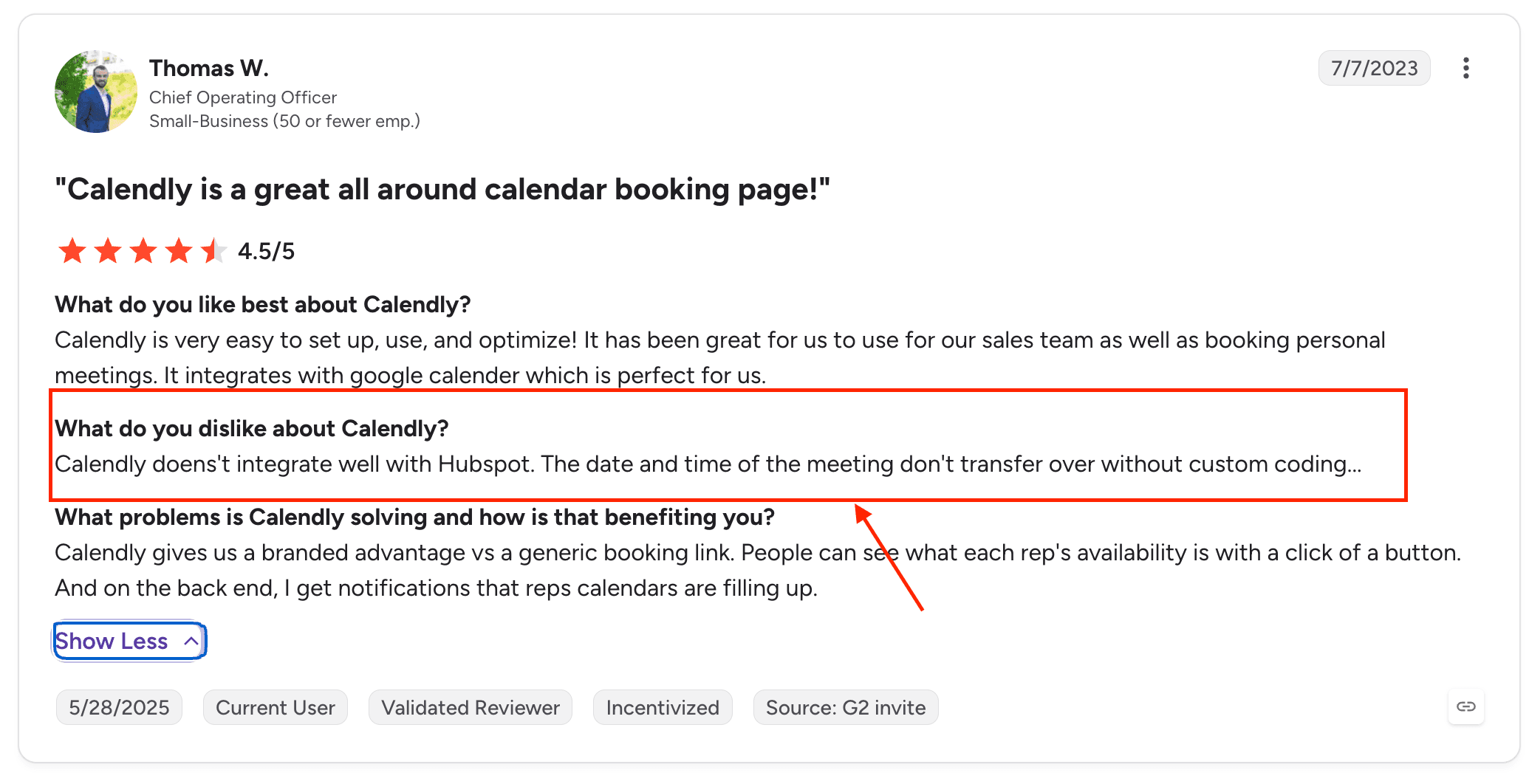
Looking through user reviews on G2, this ease of integration is something that comes up repeatedly. Many users praise Calendly for its simple setup and seamless integrations with popular calendar and video conferencing tools, making it easy to get started without a steep learning curve.

Source: G2
3. Automate Emails & texts
Calendly makes it easy to send confirmation emails, reminder emails and SMS reminders before a meeting. Setting them up only took a few minutes and during testing everything worked as expected.
By default, reminder emails were sent from notifications@calendly.com although they landed in my spam folder. If you prefer, you can connect your own email provider instead.
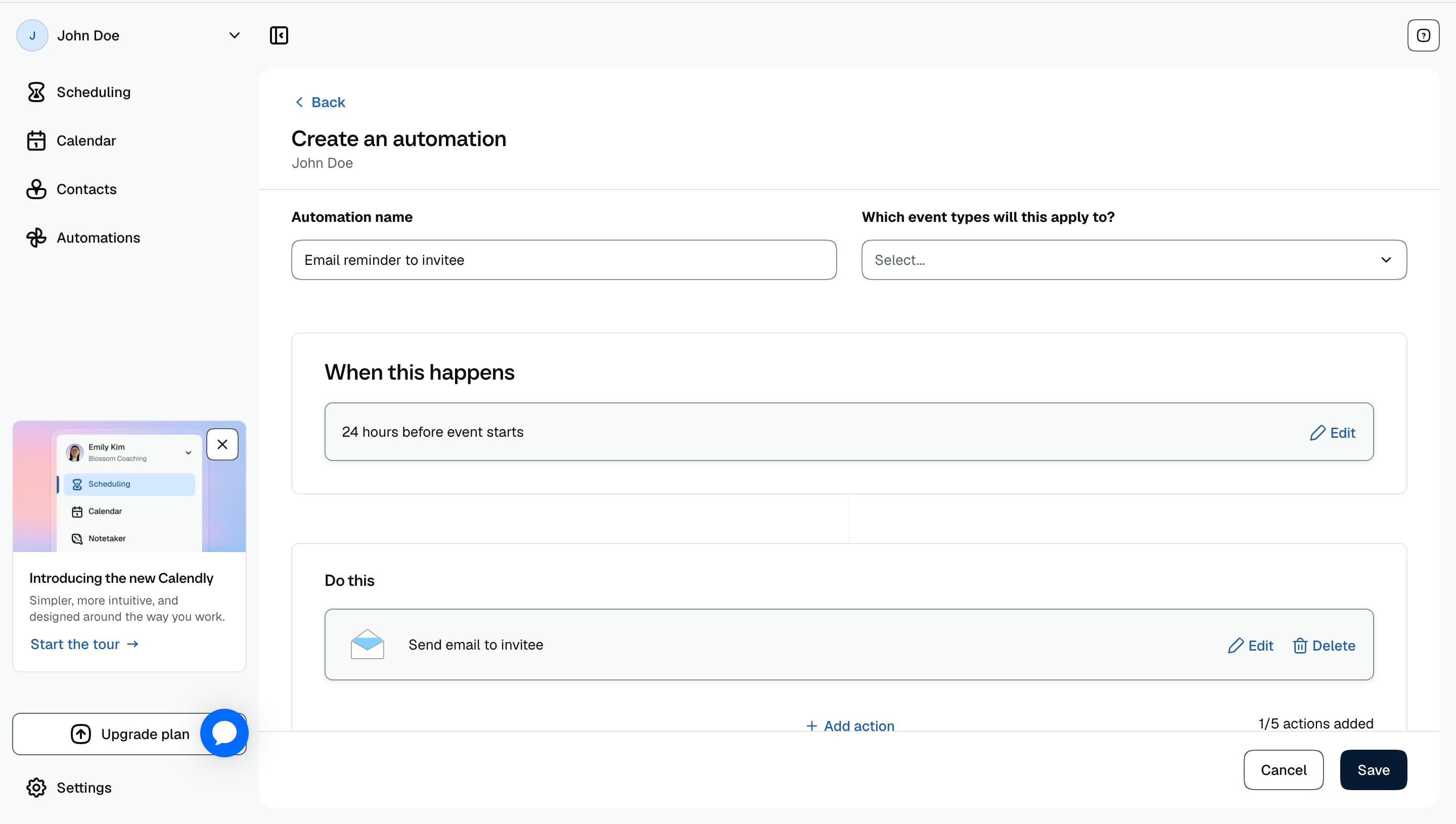
4. Scheduling Workflows
One feature I liked was that i was able to create a workflow. It let me set automated triggers automatically like send an email or SMS reminder when a specific action occurred.
The workflow builder was straightforward to use and gives you much more flexibility than basic reminders, especially if you want to automate repetitive tasks.

5. Team Routing
Calendly's Routing Forms help businesses direct prospects to the right person before they book a meeting. By asking qualifying questions upfront such as company size, requirements or enquiry type, Calendly can automatically send visitors to the most suitable team member or booking page. When testing the feature, I found it took a little time to understand how the routing rules and conditions worked compared to some of Calendly's simpler features. This is also something mentioned by users in G2 reviews, with a few noting that the setup can feel slightly complex at first.
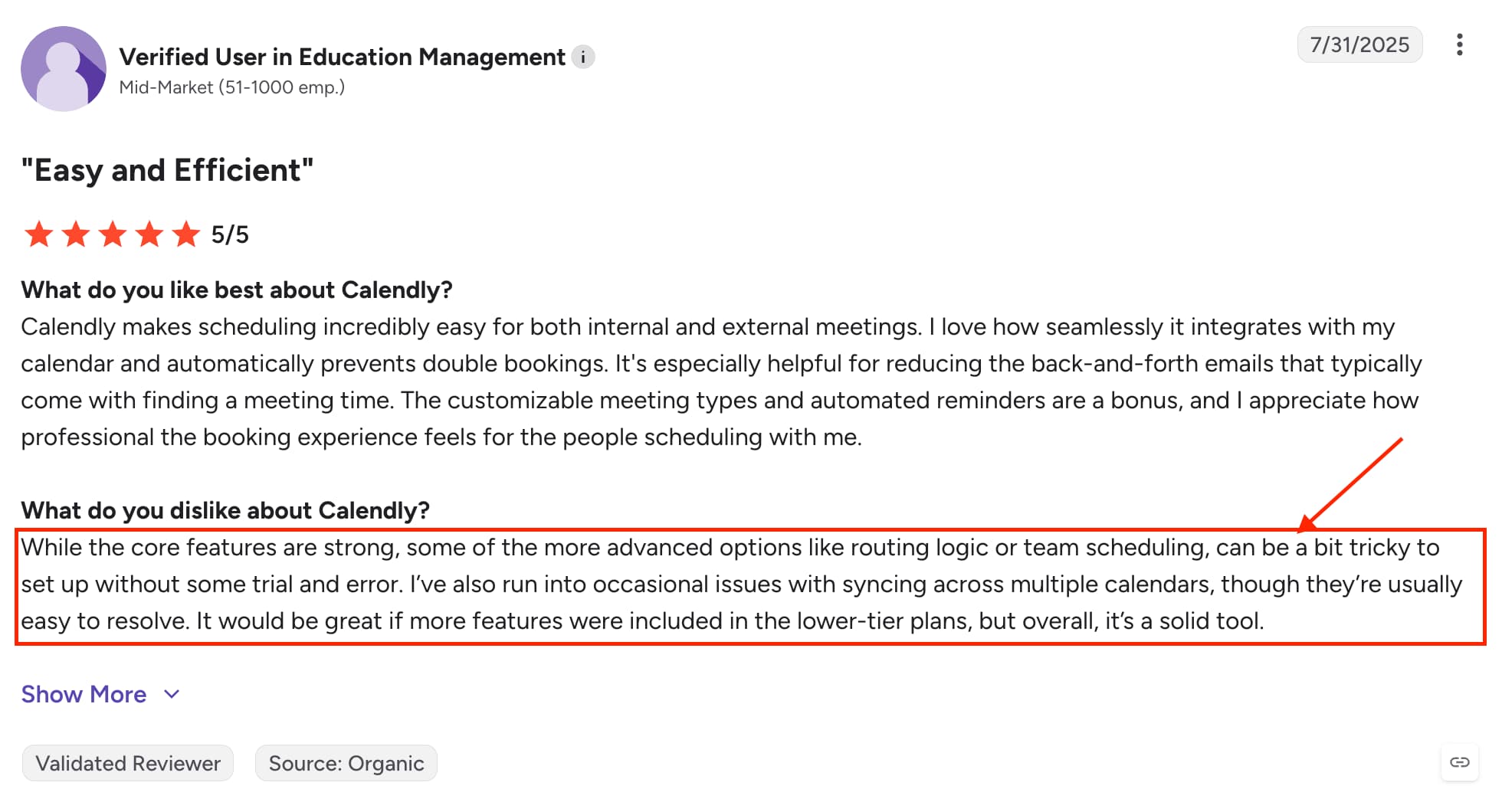
Source: G2
Calendly Pros and Cons
Pros
Simple and intuitive scheduling experience
Wide range of calendar, CRM and video conferencing integrations
Strong team scheduling features including round robin and routing
Powerful workflows and automation options
Reliable availability management and calendar syncing
Cons
Limited booking page customization compared to more flexible platforms
Team pricing can become expensive as more users are added
Some users report CRM sync issues or missing data in integrations
Apple Calendar syncing has received negative feedback from some users
Some reviews mention slow customer support when help is needed
Pricing
Cal.Com
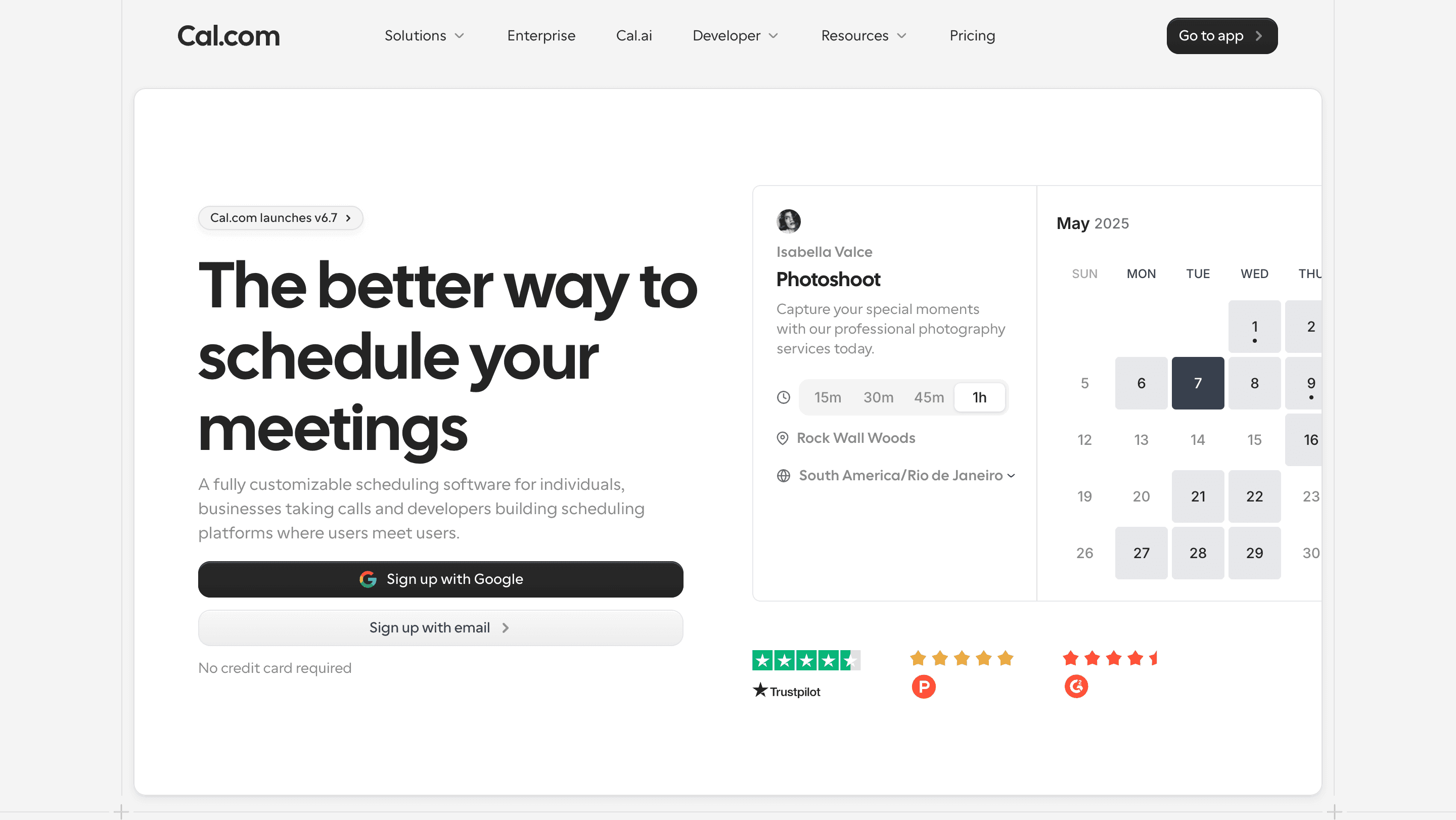
Cal com takes a different approach to scheduling than many traditional booking tools. Rather than focusing solely on simplicity, it gives users more control over how their scheduling system works. Built as an open-source platform, Cal com is designed for businesses and developers who want greater flexibility through custom workflows, APIs, self-hosting and deeper integrations with their existing tools.
Alongside one-to-one scheduling, Cal com includes features such as team scheduling, Round Robin, routing, calendar integrations and workflows. While it may require a little more setup than some competitors, it offers a level of flexibility that appeals to technical teams looking to tailor their scheduling experience.
Features
1. Calendar Integrations
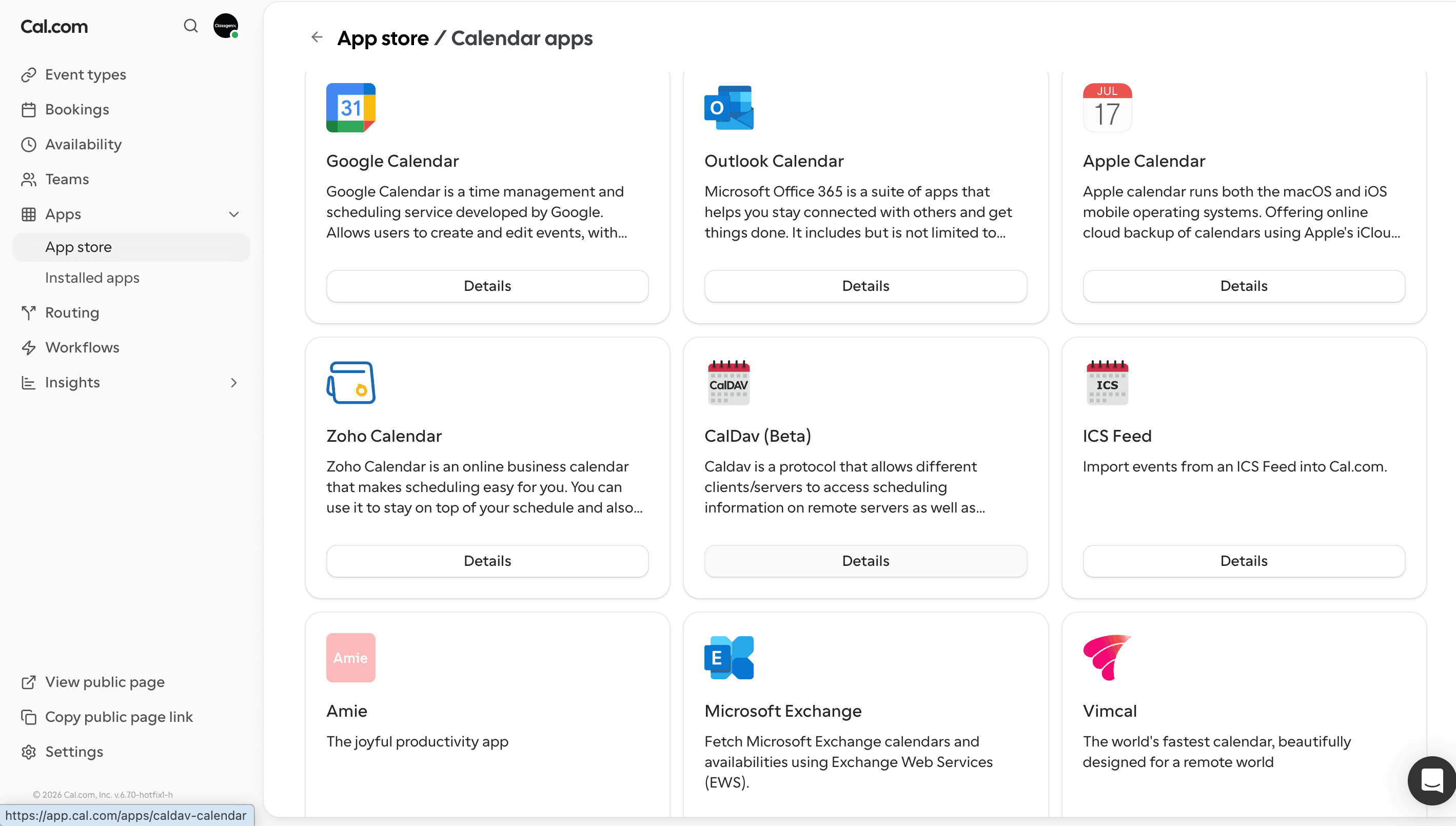
Connecting my calendar to Cal.com was pretty simple. Once connected, it automatically checked my availability and helped prevent double bookings when creating events. I also found it easy to connect video conferencing tools so meeting links were added automatically to bookings.
One thing that stands out about Cal.com is the number of calendar and integration options available. It supports the major calendar providers and offers plenty of integrations for businesses that want to connect their scheduling with other tools.
2. Open Source
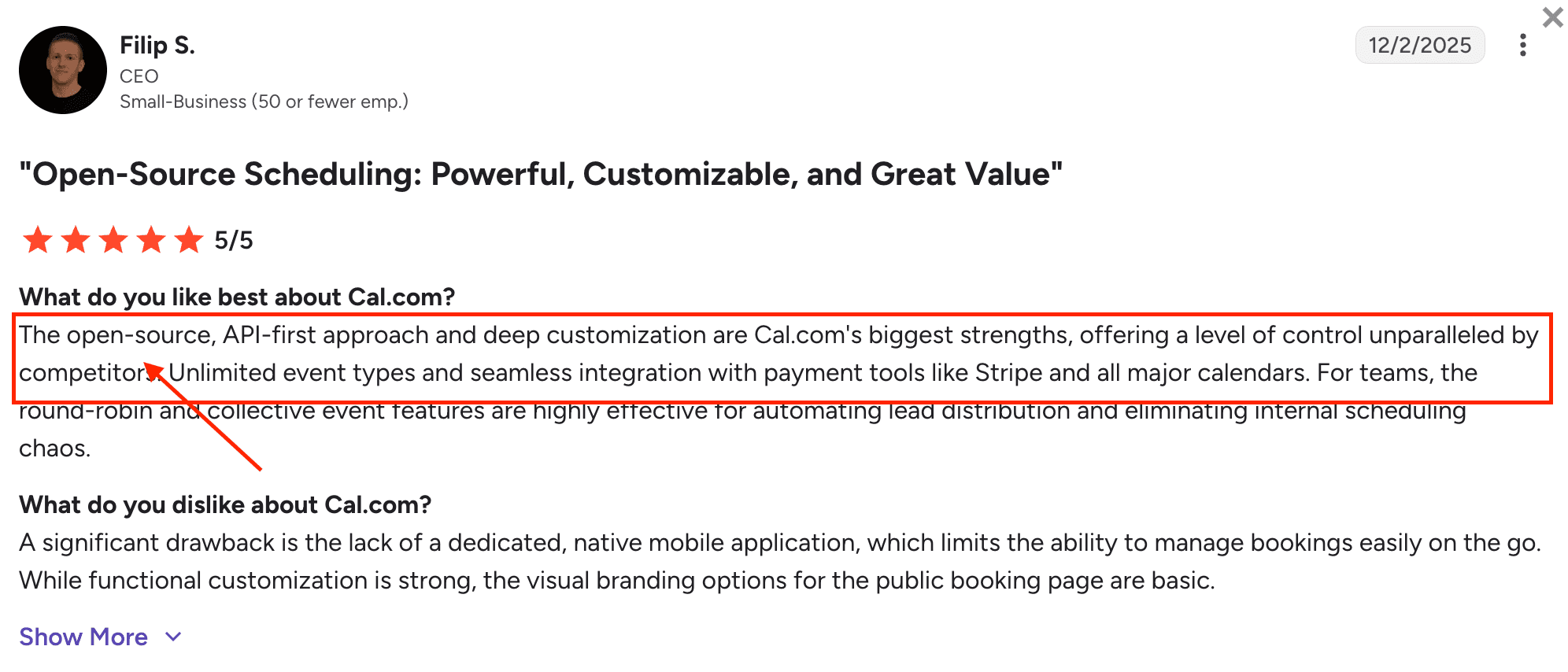
Reading some of G2 reviews about Cal com’s, you quickly realise that open source is one of its strongest selling points and one of the biggest differences compared to traditional scheduling platforms. This means the code is publicly available and businesses have more control over how they use and customise the platform.
For technical teams, this opens up possibilities such as self hosting Cal com, making deeper changes to the platform and integrating it into their existing systems. This level of flexibility can be valuable for companies with specific requirements around data control, security or internal workflows.
However, the open source approach is not necessarily a benefit for everyone. For businesses that simply want to create a booking page and start scheduling meetings quickly, the additional flexibility can also mean more setup and technical decisions compared to a simpler tool like Calendly.
Source: G2
3. Lead Routing & Custom Rules
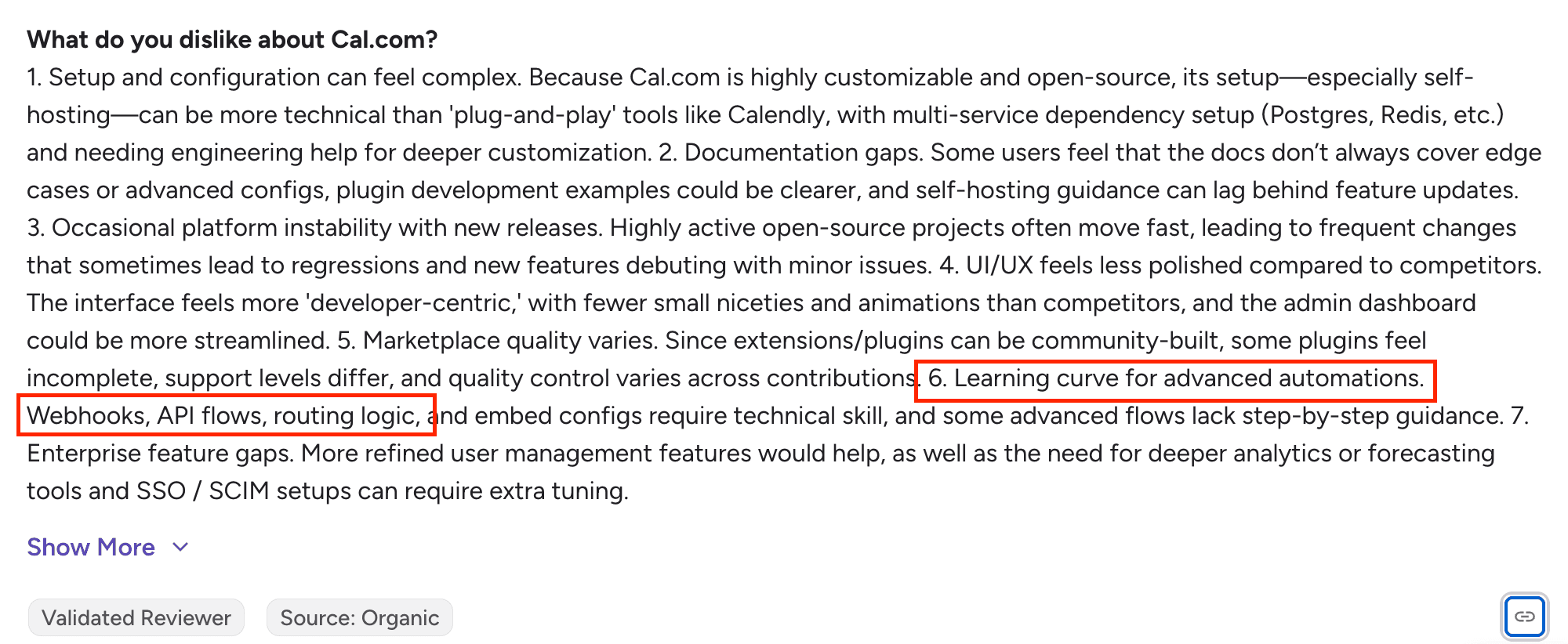
Cal.com's routing features allow businesses to automatically send bookings to the right person based on specific rules. Instead of every visitor following the same booking journey, you can create conditions that decide who receives the meeting based on information collected during the booking process.
For example, a business could route meetings based on team, location, customer type or other custom information. This gives companies more control over how incoming meetings are distributed and reduces the manual work of assigning bookings.
This feature is particularly useful for sales teams or organisations with multiple people handling different types of enquiries. However, because it offers more flexibility, setting up advanced routing rules can come with a steeper learning curve. While testing the feature, I noticed several users also mentioned this in G2 Reviews, highlighting that the setup can take some time to understand.
Source: G2
4. Availability Management
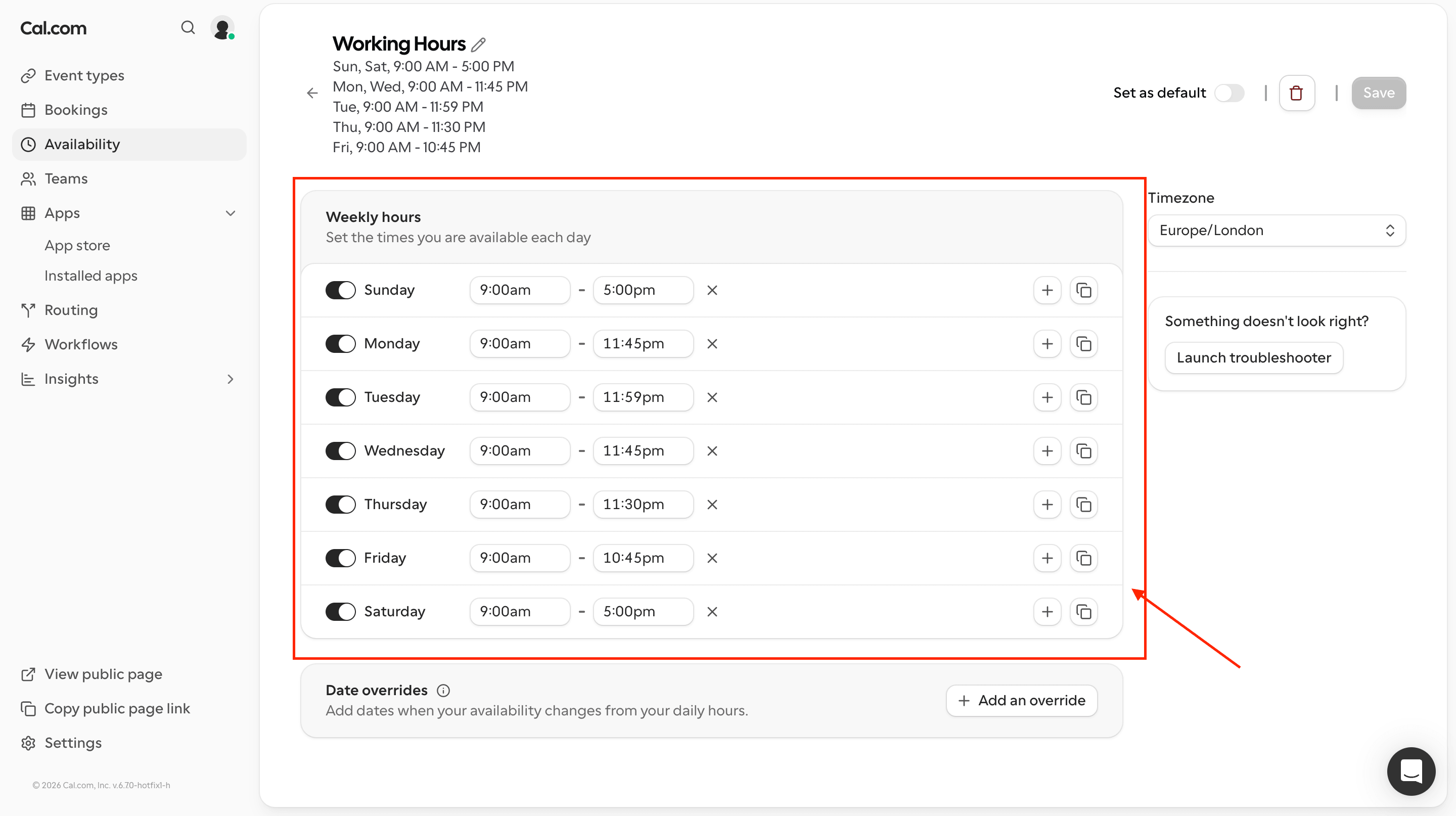
Cal com gives users a good level of control over when they can be booked. You can set working hours, add buffers between meetings, create minimum notice periods and control how far into the future people can schedule.
During testing, I found the availability settings offered more flexibility than a basic calendar setup. This is useful for people who have different schedules, multiple event types or need more control over how meetings fit around their existing commitments.
The downside is that with more options comes more settings to understand. Users who want a quick setup may find it takes longer to configure compared to simpler scheduling tools but businesses that need more control over their availability will benefit from the extra flexibility.
5. Team Scheduling & Round Robin
When testing cal.com team features, I found it gives teams a good level of control over how meetings are assigned. You can decide how bookings should be distributed and make sure customers are connected with the right person without manually managing every request.
However, because Cal com offers more flexibility than simpler scheduling tools, I found the setup more complex and it took longer to understand how everything worked. This was also a common theme I noticed when reading through reviews where users mentioned that the additional flexibility can come with a steeper learning curve. Here are two reviews i added G2 reviews and Trustpilot reviews,
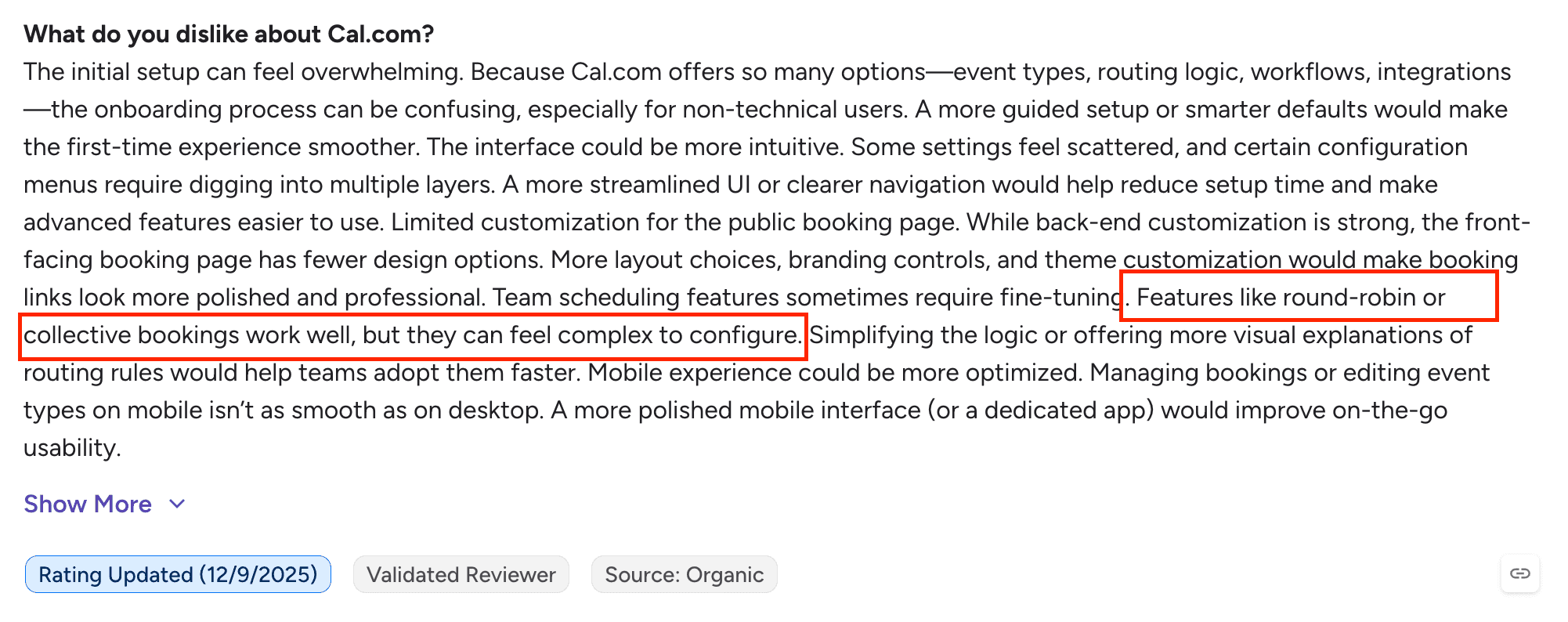
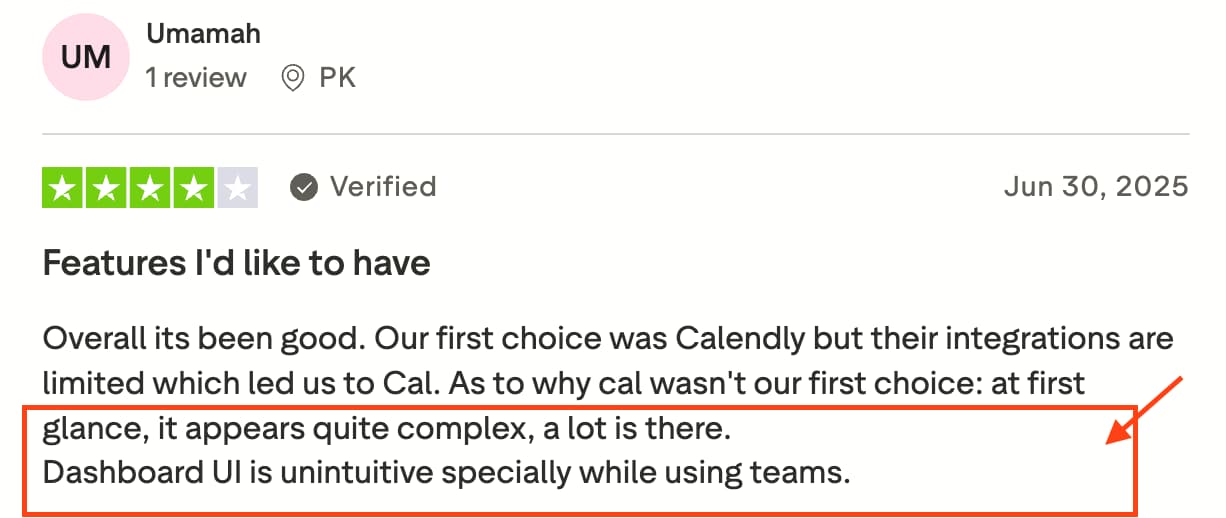
Source: G2 & Trustpilot
Cal.Com Pros and Cons
Pros
Open source platform giving businesses more control and flexibility
Strong meeting customization options for technical teams and developers
Team scheduling and Round Robin features available
Supports self hosting for businesses that want more control over their data
Good range of calendar integrations
Cons
More complex setup compared to simpler tools
Advanced features can have a steeper learning curve
Many functions can take time to understand and configure
Some features require more technical knowledge to get the most value from the platform
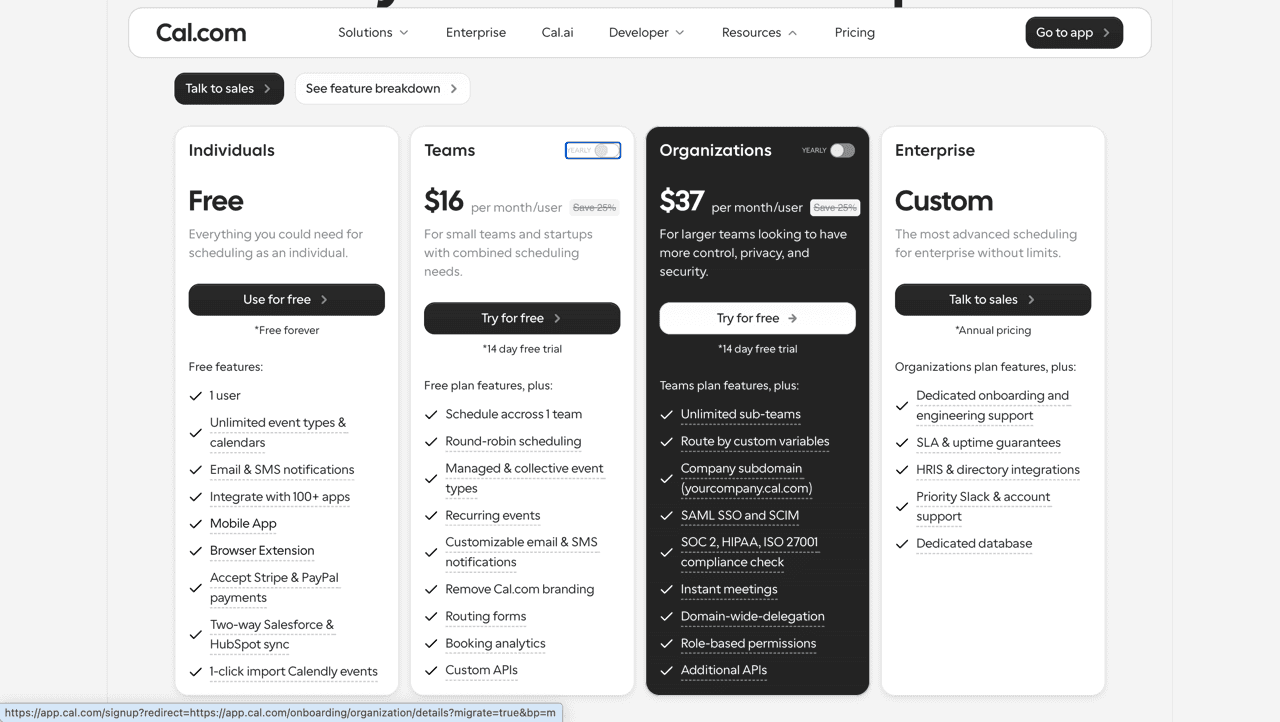
Pricing
Warmcal
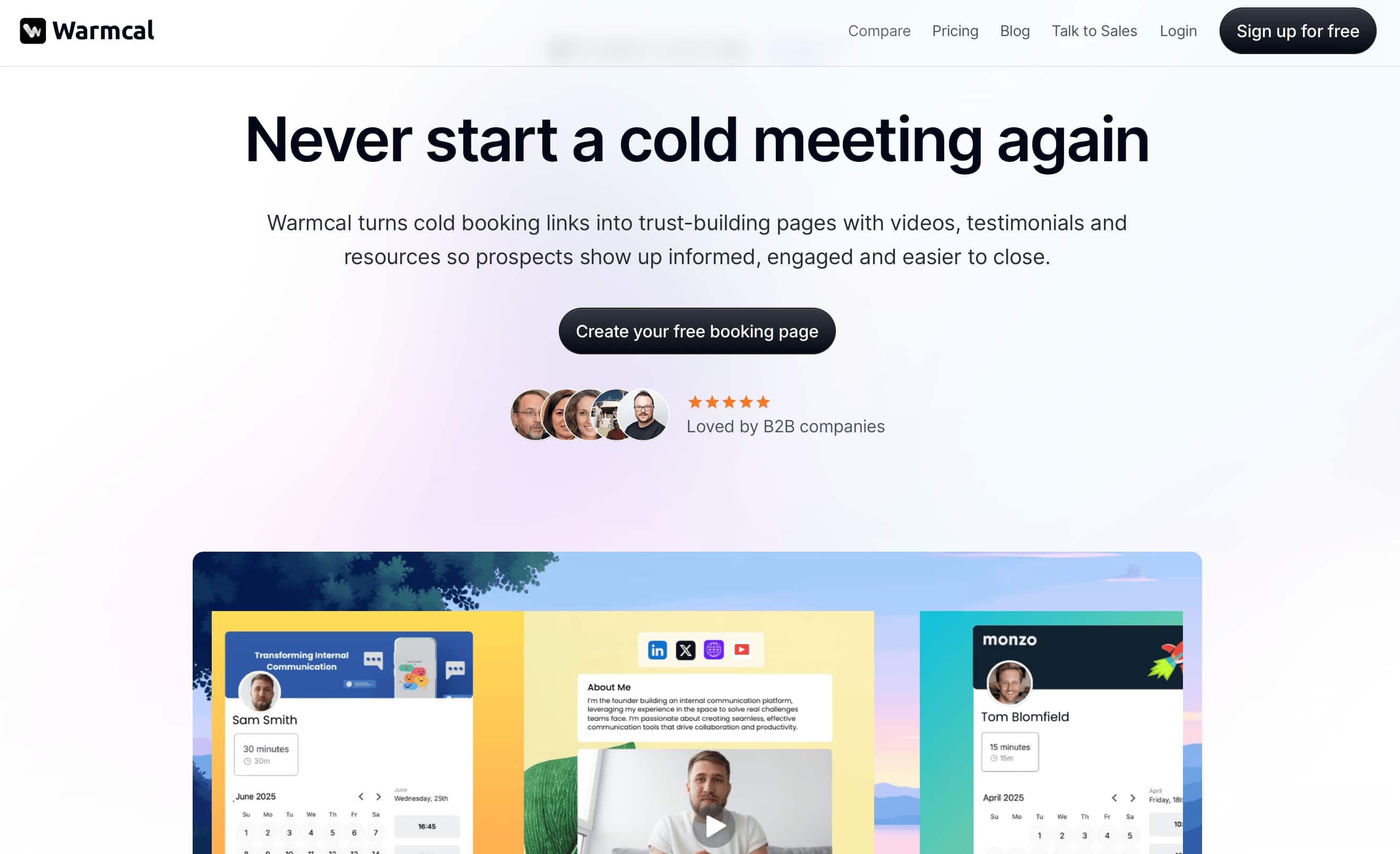
Most scheduling tools start with the calendar. Warmcal starts with the booking experience. When someone clicks a Warmcal link, they don't just see available time slots, they see a personalized booking page that can include a profile, images, videos, banners, social links and other content.
The platform is designed for businesses that want more control over how they present themselves before a meeting is booked. Alongside custom booking pages, Warmcal includes features such as pre meeting questions, team scheduling, Round Robin, reminders and booking analytics.
Features
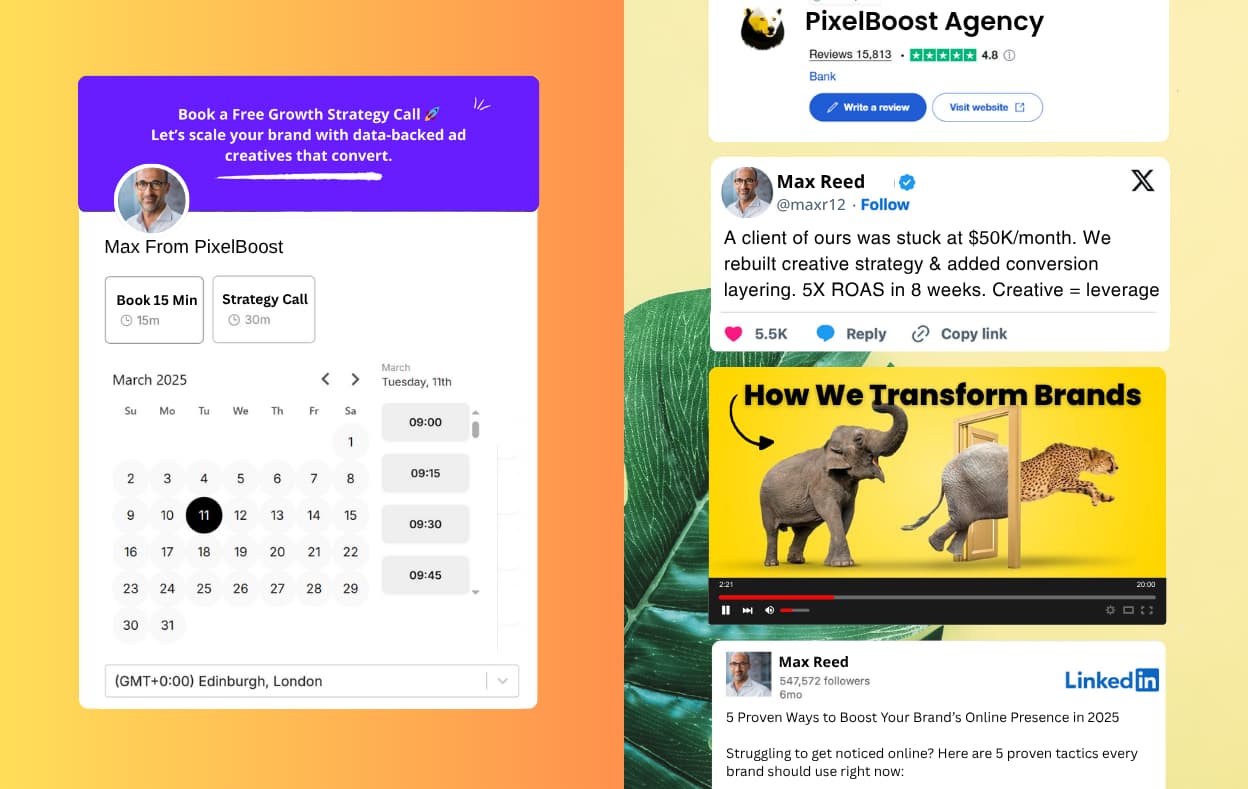
1. Custom Booking Page
The biggest difference between Warmcal and traditional scheduling tools is the booking page experience. Instead of sending visitors to a standard calendar with limited information, Warmcal lets businesses create a more personalized page around their meeting.
While testing Warmcal, the first thing that stood out was the level of customization available. You can add backgrounds, banners, profile images, videos, social media posts and other content to create a booking page that feels more connected to your brand.
Compared to platforms like Calendly and Cal com, which focus more on the scheduling process itself, Warmcal puts more focus on the experience before someone books.
2. Round Robin Scheduling
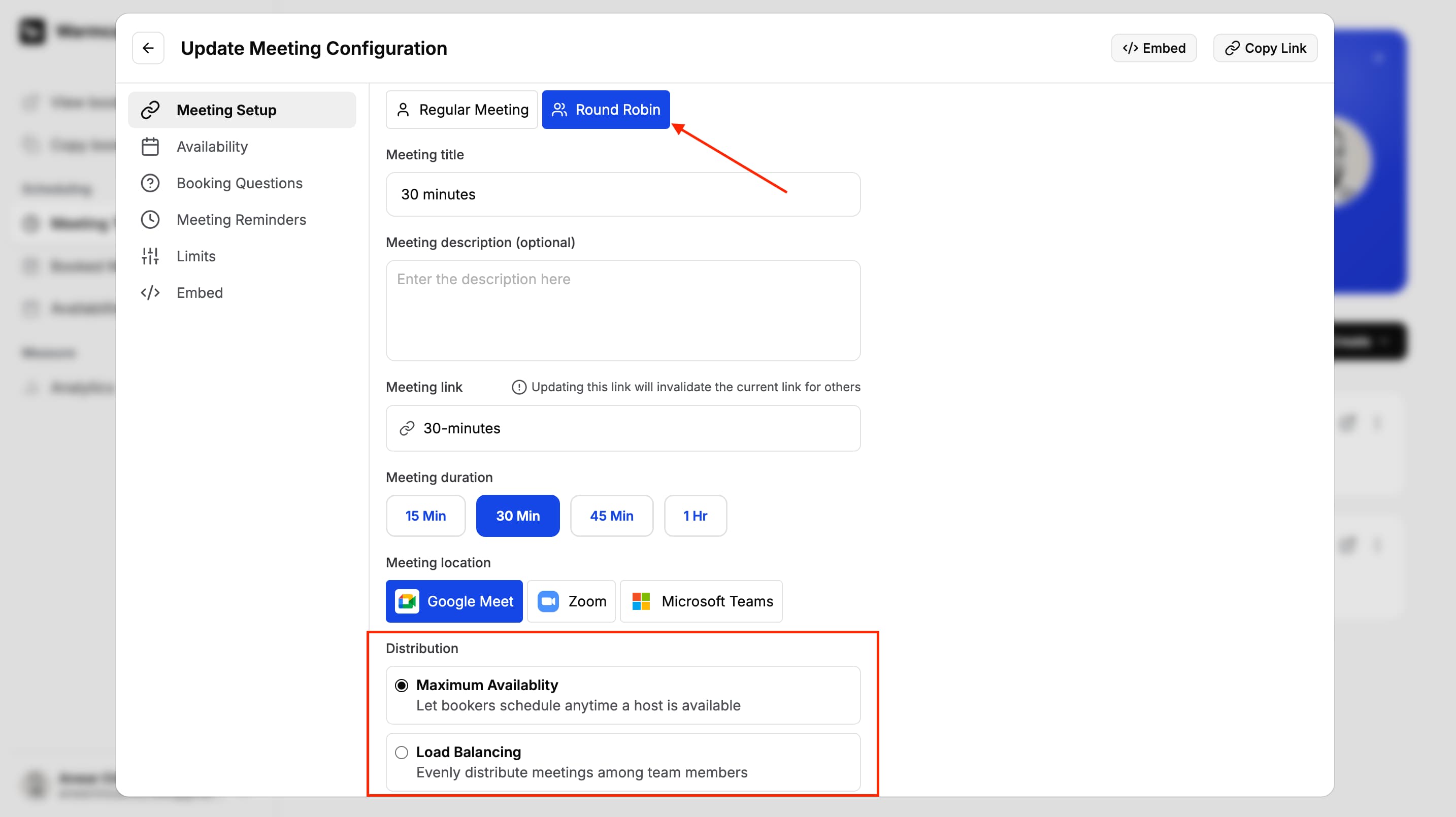
Setting up a team booking page is straightforward and I found it easy to invite team members and create shared booking links. Once everything is connected, Warmcal automatically routes meetings to the next available team member, making it a practical option for sales teams, agencies and businesses with multiple people taking calls.
I also tested Warmcal's unlimited team members by inviting around 20 users and it handled them without any issues. This is a big advantage for growing teams as there's no need to decide who gets access and who doesn't. Everyone can be added without worrying about running out of seats or increasing costs.
3. Qualifying Meeting Questions
During testing, I found this particularly useful for businesses that receive a high volume of meeting requests. Rather than jumping on every call with little context, you can gather key details upfront and decide whether the meeting is the right fit. It's a simple feature but one that can save time and make meetings more productive.

4. Booking Analytics & Insights
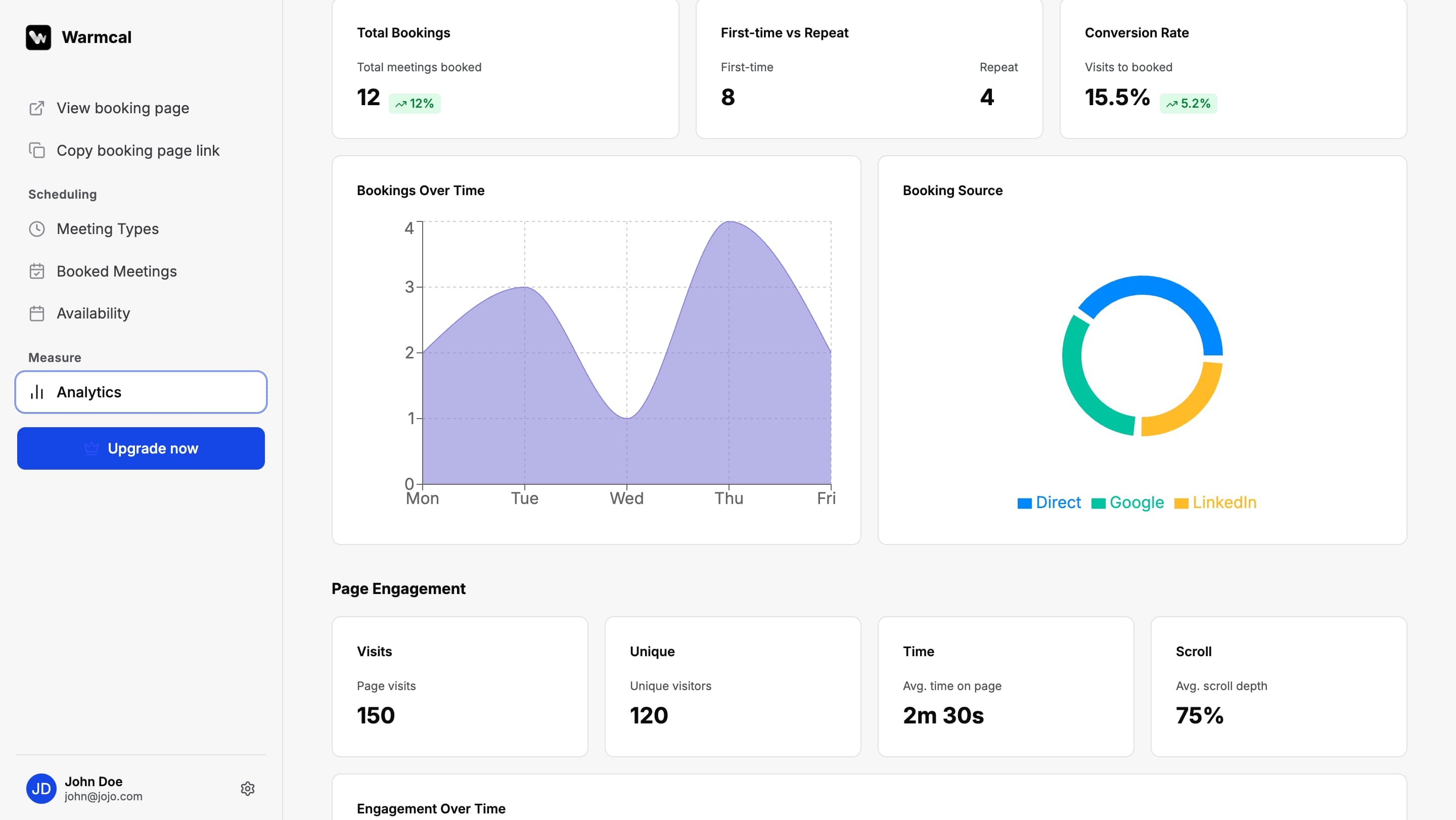
Warmcal goes beyond simply showing how many meetings have been booked by providing insights into how your booking pages are performing. You can track metrics such as page views, bookings, show up rates and team performance to better understand how people interact with your scheduling page.
I also liked that Warmcal includes analytics for individual widgets, allowing you to see which videos, images and other content receive the most engagement. While the analytics aren't as advanced as a dedicated analytics platform, they provide useful insights that many scheduling tools don't offer out of the box.
5. Meeting Reminders
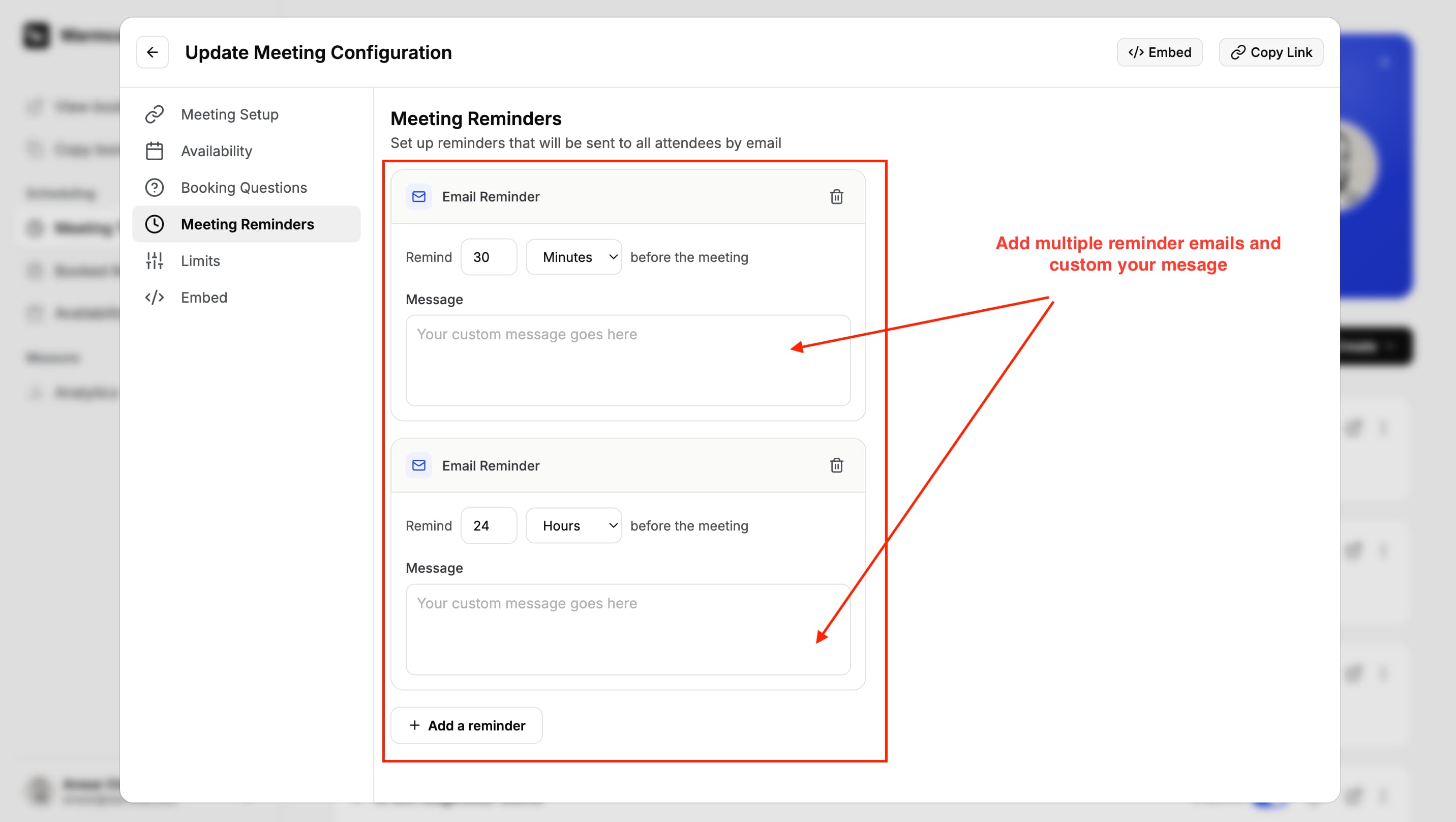
Meeting reminders are available on Warmcal's free plan which is something I noticed is not included in Calendly's free plan. If you want to customize your reminder emails, you will need to upgrade to a paid plan.
Setting them up is quick and once enabled everything runs automatically. You can choose when reminders are sent, allowing you to create a schedule that works for your meetings. It is a simple feature but an important one for businesses that want to keep communication clear and reduce missed appointments.
Warmcal Pros and Cons
Pros
Fully customizable booking pages with videos, images, banners and many more widgets
Unlimited team members without per seat pricing
Team scheduling and Round Robin included
Pre meeting questions help collect information before calls
Booking analytics provide insights into page performance and team activity
Supports key integrations including Google Calendar, Outlook, Zoom, Google Meet and HubSpot
Cons
Less suitable for users who only need a basic scheduling link
Does not offer self hosting or developer level customization
Not an open source platform for businesses that require full control over the underlying software
Larger organizations with strict security or compliance requirements may need to review their internal requirements before adopting
Smaller ecosystem compared with many on the roadmap
Pricing

Which Scheduling Software Should You Choose?
The right scheduling software depends on what you need from your booking experience.
Warmcal is right for you if...
You want your booking page to make a strong first impression
You want to create a personalized booking experience instead of a basic scheduling link
You need Round Robin scheduling without paying per user
You want fixed monthly pricing as your team grows
You want a scheduling platform focused on businesses rather than developers
Calendly is right for you if...
You need a simple and reliable way to share your availability
You want a scheduling platform with a large ecosystem
You need advanced workflows, automations and routing features
You want a generous free plan to get started
You do not need a highly customized booking experience
Cal.com is right for you if...
You want full control over your scheduling platform
You need self hosting or an open source solution
You want to customize scheduling through APIs and developer tools
Your team has the technical knowledge to manage a more flexible platform
You need complex features that give you flexability
How We Evaluated Each Platform
To make this comparison as fair as possible, I tested Calendly, Cal.com and Warmcal using the same evaluation process. Rather than relying on feature lists or marketing pages, I created accounts, connected calendars, built booking pages and tested the complete scheduling experience from start to finish.
During testing, I compared each platform based on:
How easy it is to create and manage booking pages
The overall booking experience for both the business and the person booking
Calendar connections and availability controls
Team scheduling features including Round Robin
Pre meeting questions and lead qualification
Reminders and meeting notifications
Branding and customization options
Pricing and how costs scale as your team grows
To support my own testing, I also reviewed user feedback across G2, Trustpilot and Reddit. Comparing my experience with real customer reviews helped identify recurring strengths and common frustrations that only become obvious after using each platform.
FAQs
Which is the best Cal.com alternative?
The best Cal.com alternative depends on what you are looking for. Calendly is a great choice if you want a simple and reliable scheduling platform with a large integration ecosystem. Warmcal is a better fit if you want a more personalized booking experience with branded booking pages and fixed monthly pricing.
Calendly vs Cal.com: Which one should you choose?
Choose Calendly if you want a polished scheduling platform that's easy to set up and manage. Choose Cal.com if you need an open source solution with self hosting and developer customization. If your priority is creating a branded booking experience, Warmcal is worth considering.
Is Cal.com free?
Yes, Cal.com offers a free plan with core scheduling features. However, some advanced features, team functionality and enterprise capabilities require a paid plan.
Is Cal.com better than Calendly?
Neither platform is better for everyone. Calendly is designed for businesses that want a simple and mature scheduling platform, while Cal.com is better suited to developers and technical teams that want greater flexibility and control.
Which scheduling software is best for growing teams?
The best scheduling software depends on your team's needs. Warmcal is a strong choice for businesses that want fixed monthly pricing and personalized booking pages. Calendly is well suited to teams that need advanced scheduling features and integrations. Cal.com is ideal for teams that need developer flexibility and self hosting.