Introduction
Choosing between Calendly and Doodle usually comes down to one question: do you need a polished booking system for one-to-one and team scheduling or do you mostly need a fast way to coordinate a group and find a time that works for everyone?
For most businesses, Calendly is the stronger all-round scheduling platform, while Doodle is the better fit for simple, large-group coordination and polls. Interestingly, we noticed Doodle is especially popular within community groups and volunteer organizations, a use case that rarely comes up in typical B2B comparisons.
This guide compares Calendly vs Doodle across the things that actually matter for a buyer: booking page experience, team scheduling, group scheduling, use cases, integrations and pricing, based on hands-on testing. For this comparison, my team and I created Calendly and Doodle accounts, upgraded both to a team plan, created booking pages, connected our calendars, booked meetings and explored every feature to see and feel the product the way a real team would. We backed that up with verified user feedback from G2, Trustpilot and Capterra, along with each tool's official documentation and help center.
By the end, you will know which tool fits your actual use case, not just which one has a longer feature list.
Calendly Vs Doodle comparison at a glance
Category | Calendly | Doodle | Warmcal |
|---|---|---|---|
Focus | One-to-one and team scheduling | Group scheduling and polls | Branded booking pages and team scheduling |
Best for | Internal teams, freelancers, Sales, recruiting, agencies, service businesses | Educators, Teams, community groups, internal meetings | Client-facing teams, sales, marketers, recruiters, founders, consultants, agencies |
Free plan | Yes | Yes (with Ads) | Yes |
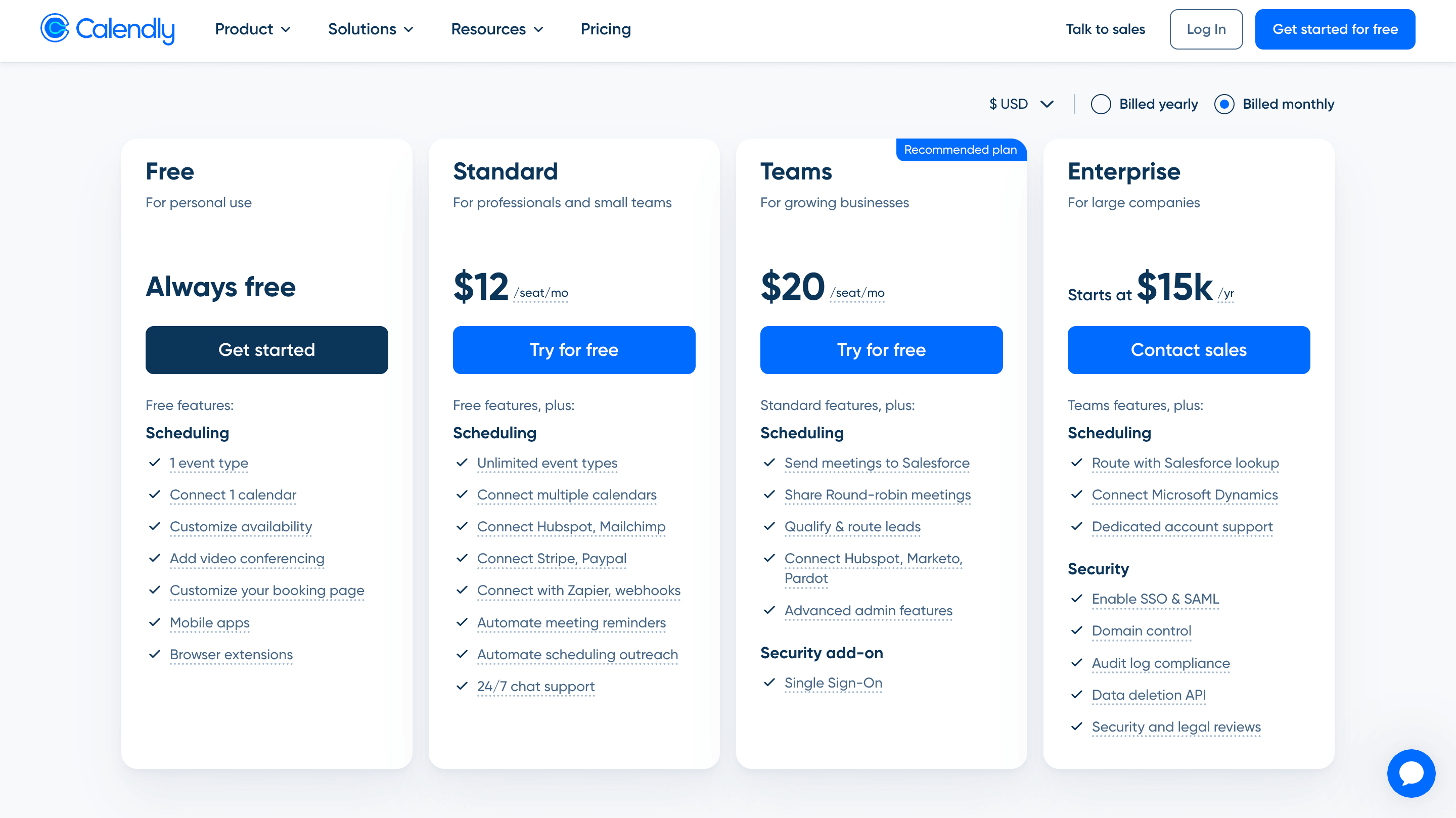
Team Paid Plan Monthly | ~$20/seat/mo | ~ $19.95/seat/mo | $99/mo Unlimited Seats (No seat pricing) or $35/mo for smaller teams up to 3. |
Team scheduling | Yes. Round-robin, collective scheduling, lead routing | Co-hosting, admin roles, activity reports | Yes, Round robin, collective routing, syncing, designed for business teams |
Group scheduling | Yes. Group event types | Core strength, unlimited polls even on the free plan | Not a core focus |
Branding & customization | Limited: Logo, URL, Embed colour | Limited | Strongest point: Banners, Wallpapers, intros, videos, social medial posts, much more |
Calendar sync | Google, Outlook, and other major calendars | Google Calendar, Outlook, Office 365, | Google and Outlook support |
CRM integrations | HubSpot, Salesforce, and more | None | HubSpot |
Round robin scheduling | Yes | Limited | Yes |
Video conferencing integrations | Zoom, Google Meet, Microsoft Teams | Zoom, Google Meet, Microsoft Teams | Zoom, Google Meet, Microsoft Teams |
Automation | Strong reminders, workflows, routing | Basic | Strong automation for lead routing, reminders and qualification |
Routing forms | Yes | Limited | Yes, qualify before booking page |
Analytics | Booking and workflow insights | Basic | Page views, widget uses, team performance, and advanced booking insights. |
Learning curve | Easy to Medium but advanced features add complexity | Easy | Easy to Medium |
Calendly: In-Depth Review
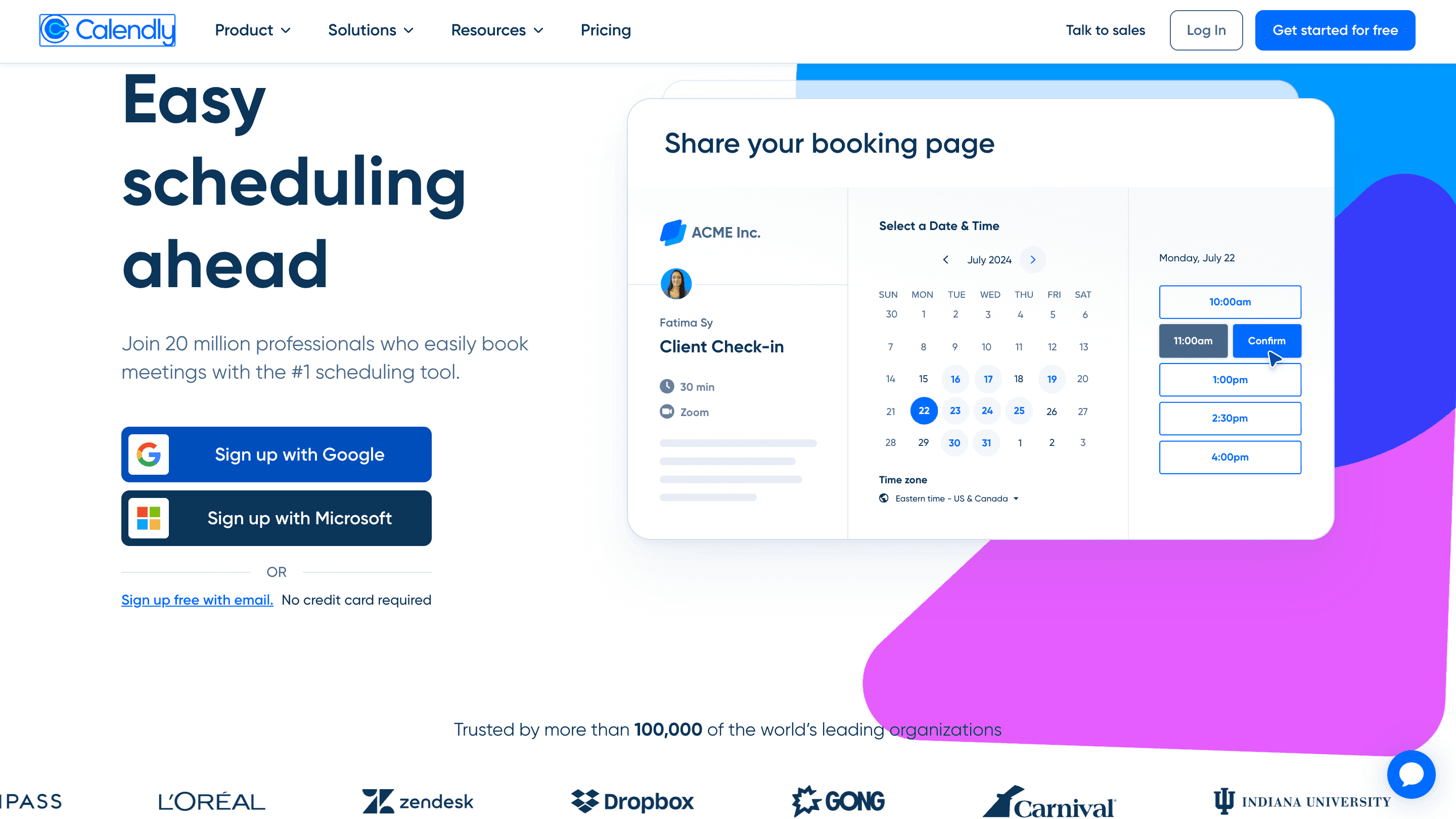
Calendly is one of the most popular meeting scheduling tools on the market, known for its clean and simple booking experience. Instead of long email chains trying to find a suitable time, Calendly lets people book meetings in just a few clicks using a straightforward interface, a profile and meeting details on the left, with available time slots displayed on the right.
Its simplicity is one of the biggest reasons for its success. Calendly focuses on making scheduling as frictionless as possible, which has helped it become a trusted and well-established brand for businesses, freelancers and professionals alike.
Features
1. Booking Experience
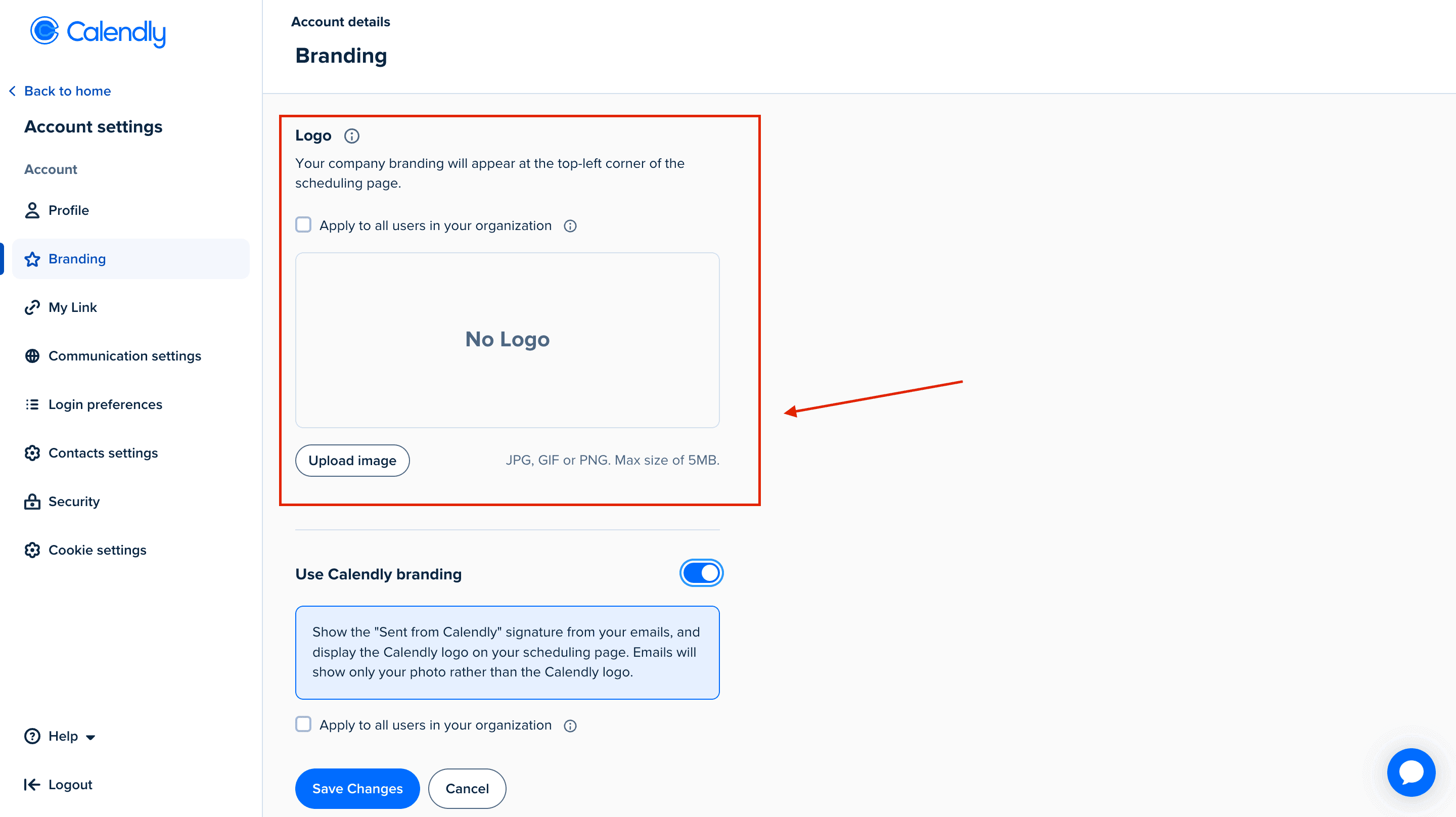
One of the first things I looked at was how much you can customize your Calendly booking page. After exploring the branding options, it became clear that Calendly prioritizes simplicity over extensive customization.
You can upload a profile photo, add your company logo on paid plans, remove the "Powered by Calendly" branding and make a few basic branding changes. However, there are very few options for personalizing the overall look and feel of your booking page. You can't significantly change the layout, add custom sections or create a booking experience that fully reflects your brand.
That said, this isn't necessarily a drawback for everyone. Calendly was designed to make scheduling as quick and straightforward as possible and for many users, a clean, minimal booking page is exactly what they need.
2. Meeting Tool Integrations
Connecting Calendly to Google Meet and Zoom was quick and straightforward. The setup process only took a few clicks and once connected, meeting links were automatically added to new bookings without any extra configuration.
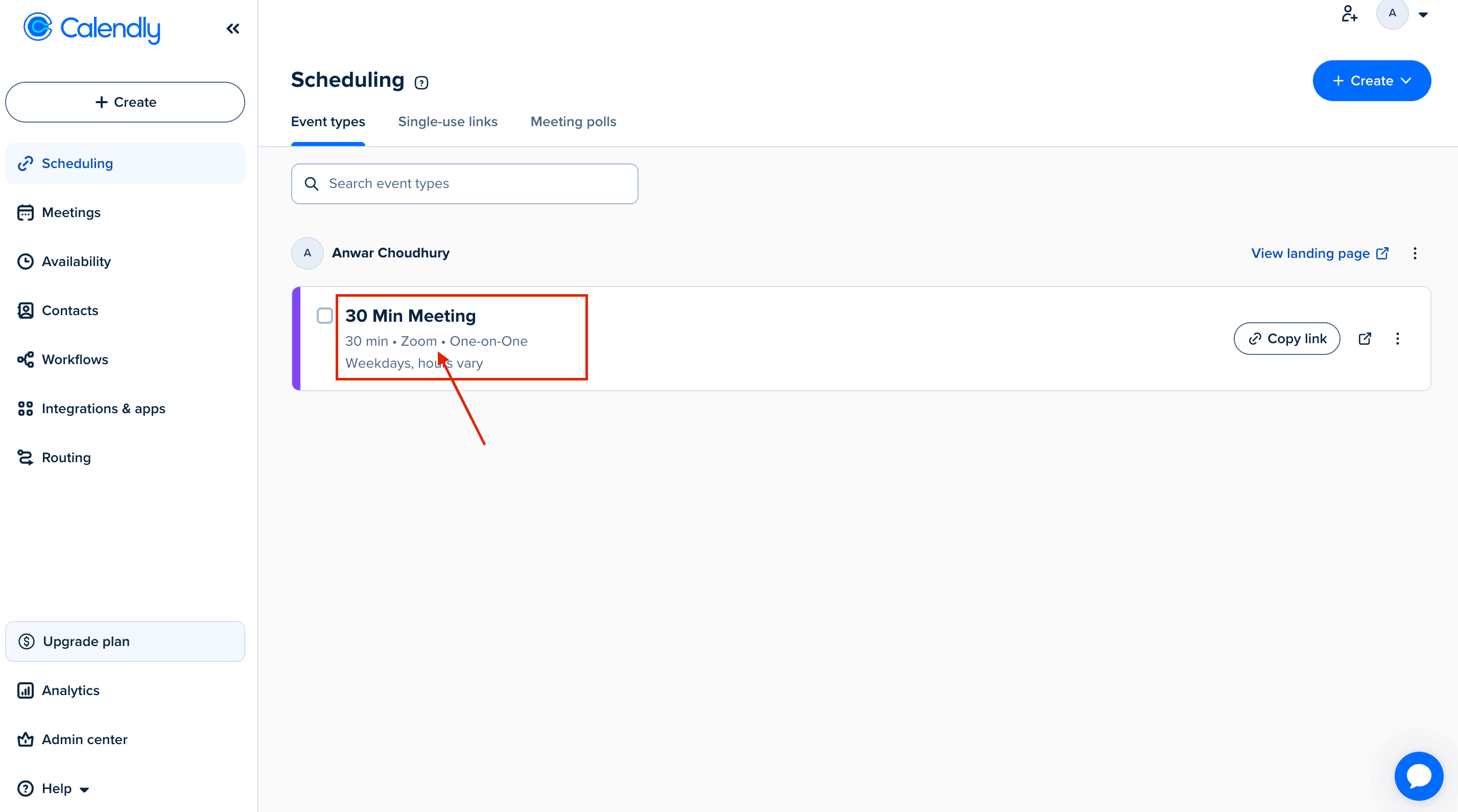
Looking through user reviews on G2 Review, this ease of integration is something that comes up repeatedly. Many users praise Calendly for its simple setup and seamless integrations with popular calendar and video conferencing tools, making it easy to get started without a steep learning curve.

Source: G2
3. Team Scheduling & Round Robin
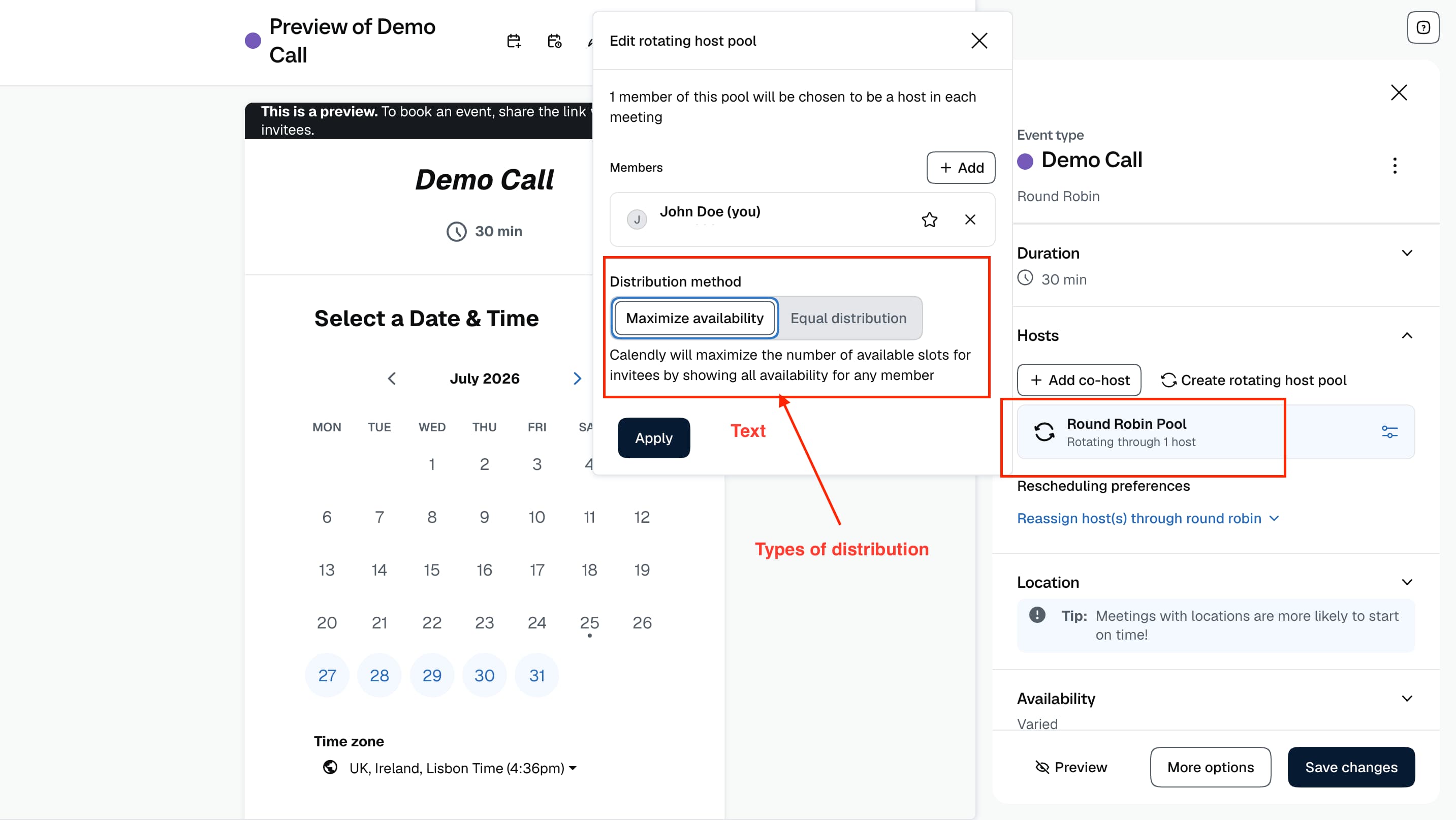
I tested Calendly's Round Robin booking to understand how easy it is to distribute meetings across a team. The setup starts by creating a Round Robin event type and adding the team members who should receive bookings. Once the team is connected, Calendly pools everyone's availability and automatically assigns the meeting to the right person based on the distribution settings.
During the setup, you can choose how meetings are distributed across team members. Calendly can prioritize availability, meaning the booking goes to someone who is available sooner or distribute meetings more evenly across the team. This makes it useful for teams where multiple representatives handle the same type of call and leads need to be connected quickly.
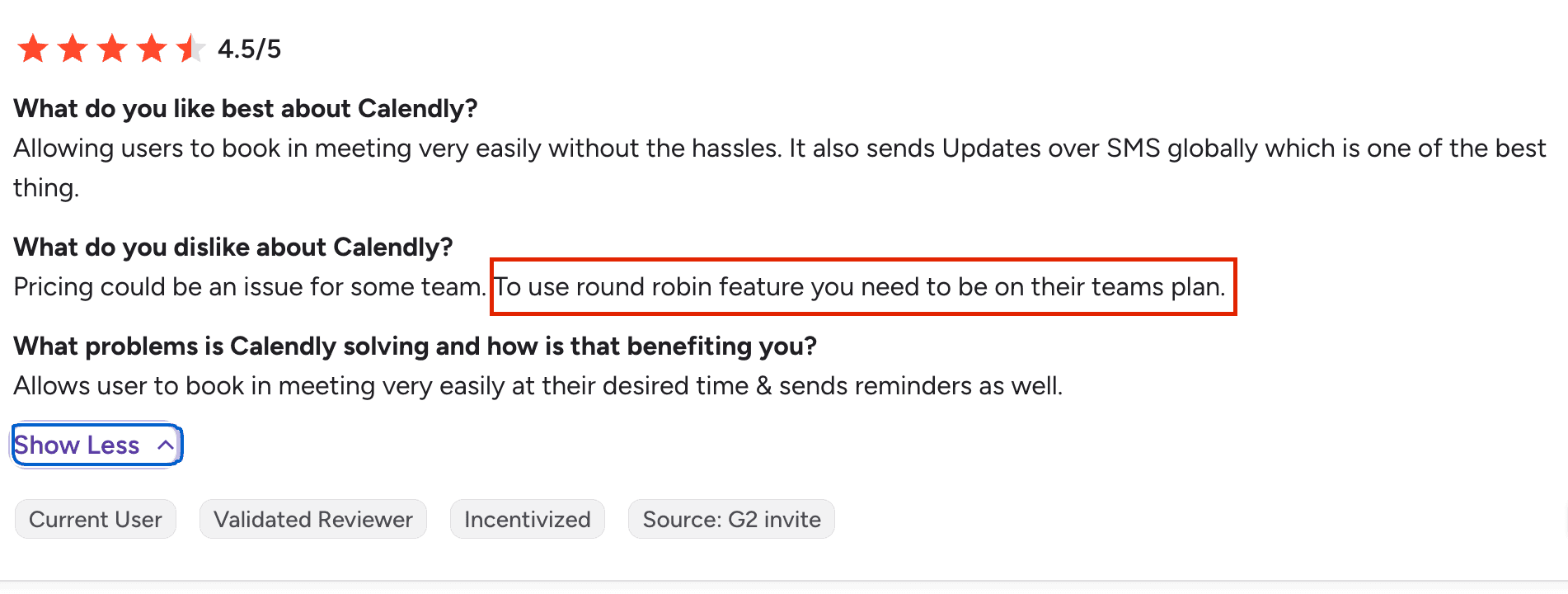
I noticed quite a few user G2 reviews mentioning that the Round Robin feature can become expensive because it is only available on Calendly’s Team plan. The cost can add up quickly, especially for teams, as everyone who needs to receive meetings typically needs to be added to the account for Round Robin to work effectively.
Source: G2
4. Meeting Workflows & Reminders
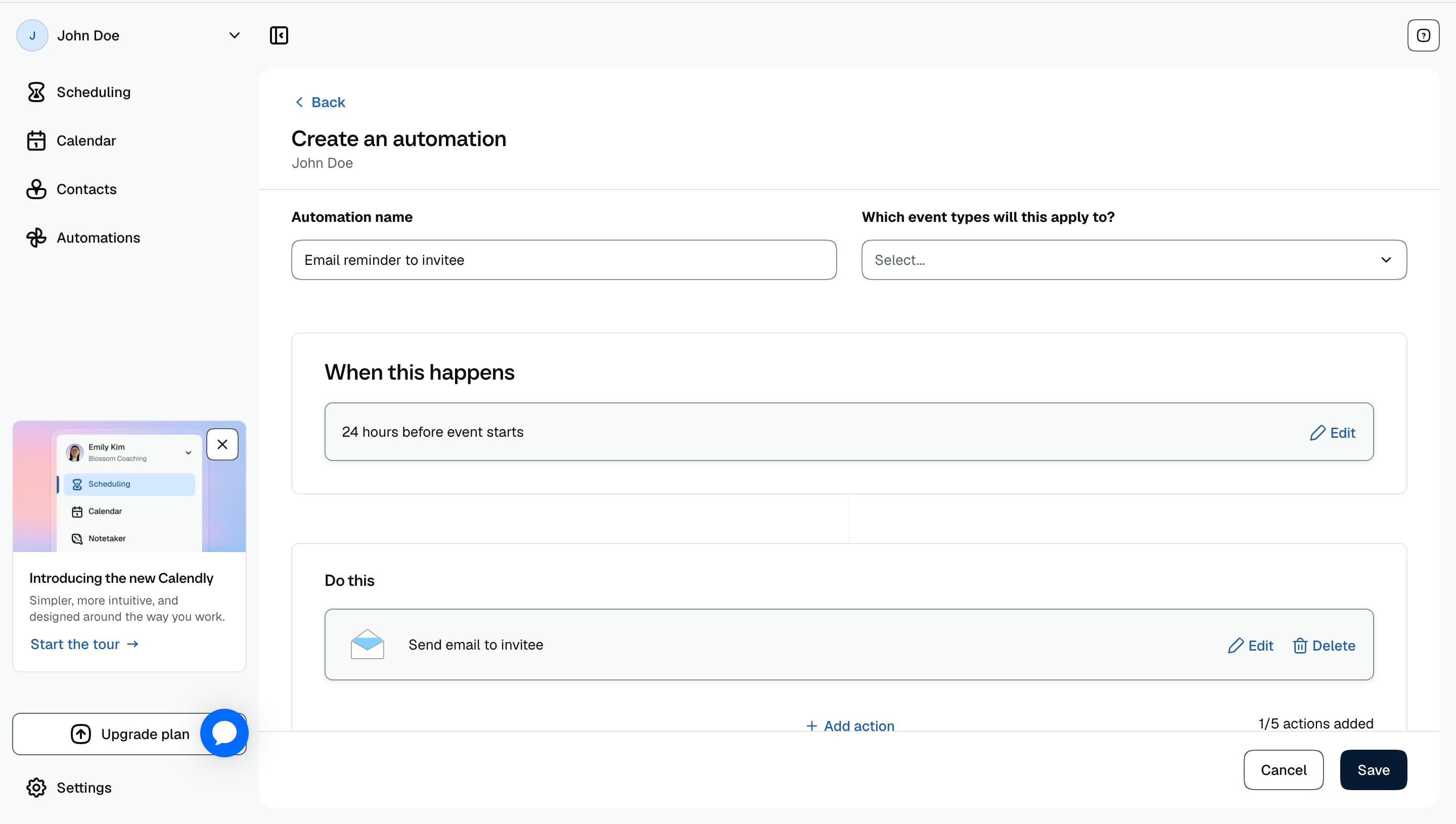
Calendly allows you to create automated emails and text notifications that can be triggered before or after an event, helping keep attendees informed without manually sending reminders.
The setup process was fairly straightforward for basic reminders. You can create workflows around different actions, such as sending a confirmation message after someone books, reminding attendees before a meeting starts or following up after an event has taken place.
However, compared to some scheduling platforms that focus heavily on sales engagement and lead nurturing, Calendly's workflows are primarily designed around meeting communication rather than deeper automation. Businesses looking for more advanced sequences, personalised follow-ups or complex sales workflows may need additional tools alongside Calendly.
I also noticed they have no reminder feature on their free plans which many users have found annoying.
5. Meeting Types and Availability
Calendly gives you plenty of control over how and when people can book meetings. You can create different meeting types with their own availability, durations, buffers, notice periods and booking limits.
I found it easy to create separate schedules for different types of meetings without affecting each other. This is useful if you offer discovery calls, group calls and internal meetings as each can have its own availability rules.
You can also prevent your calendar from becoming overloaded by setting daily booking limits, adding buffer time between meetings and controlling how far in advance people can book. This gives you much more flexibility as your schedule becomes busier.
Calendly Pros and Cons
Pros
Simple and intuitive booking experience with minimal setup required for free plans
Strong brand reputation and widely trusted by individuals, professionals and businesses
Easy integrations with popular tools like Google Calendar, Zoom and Google Meet
Reliable team features such as Round Robin scheduling and shared availability
Automated reminders and workflows help reduce missed meetings
Cons
Limited booking page customization compared to more branding focused scheduling platforms out there
Advanced team features such as Round Robin require higher tier plans
Costs can very expensive as more team members need access
Some advanced features can take time to get your head around
Limited customer support options with some users mentioning in reviews that getting help when needed can be difficult.
Pricing
Doodle
Doodle is a scheduling tool best known for group polls. An organizer proposes a set of time options and shares a link, participants mark which times work, without needing to create an account. Doodle also offers a 1:1 Booking Page for individual scheduling, similar to Calendly.
Features
1. Group Poll
This is what Doodle is all about so i decided to go and try this first. Setting up a poll took less than a minute. I picked a handful of proposed times and shared the link. Participants didn't need an account to respond, they just opened the link and marked each time as available, "if need be," or unavailable. Doodle then highlighted the option with the most votes automatically.
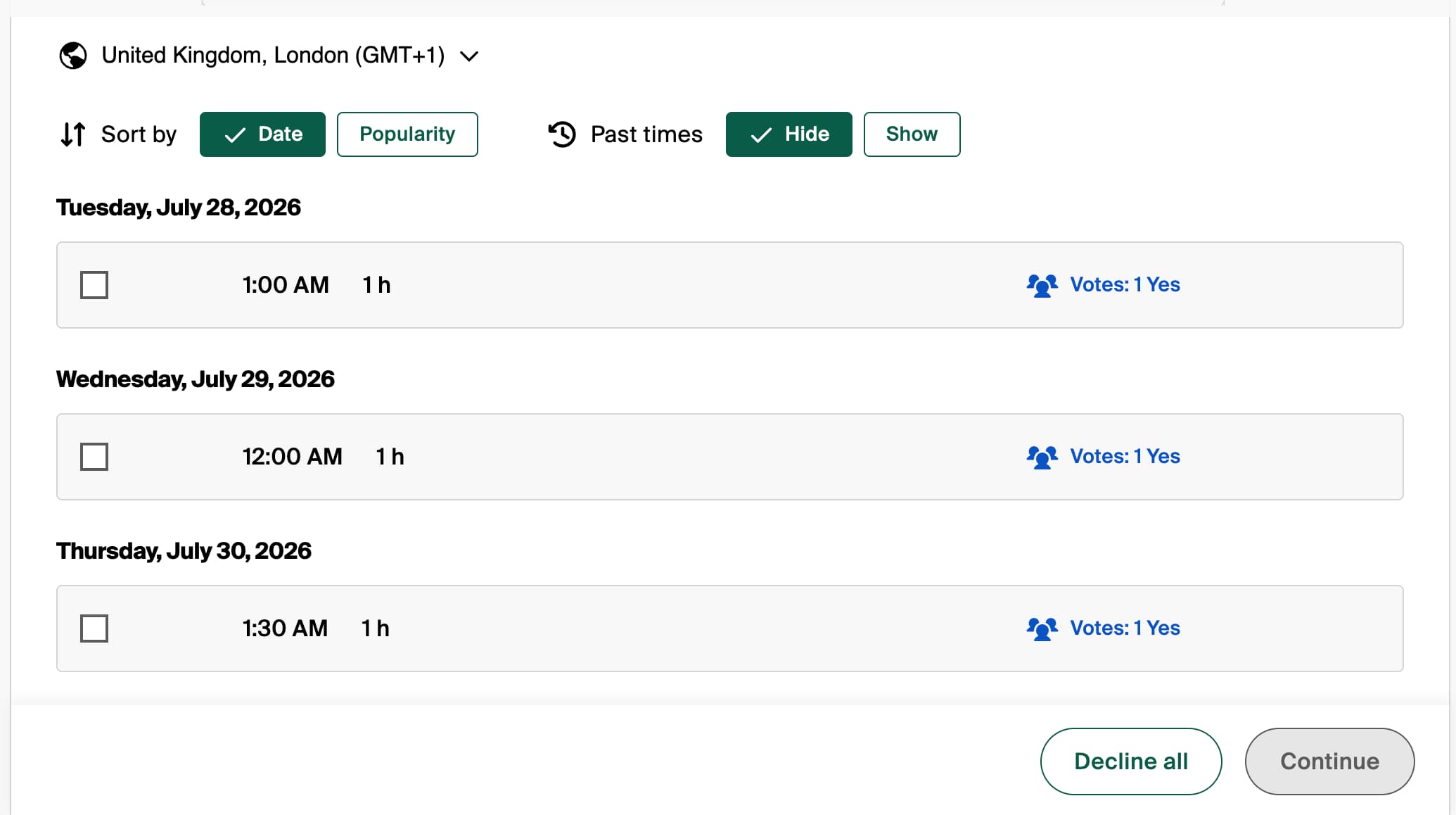
I noticed a lot of positive G2 reviews around the convenience of being able to participate without having to create an account, for organizers coordinating across companies where not everyone is going to sign up for a new tool, that's a real advantage.
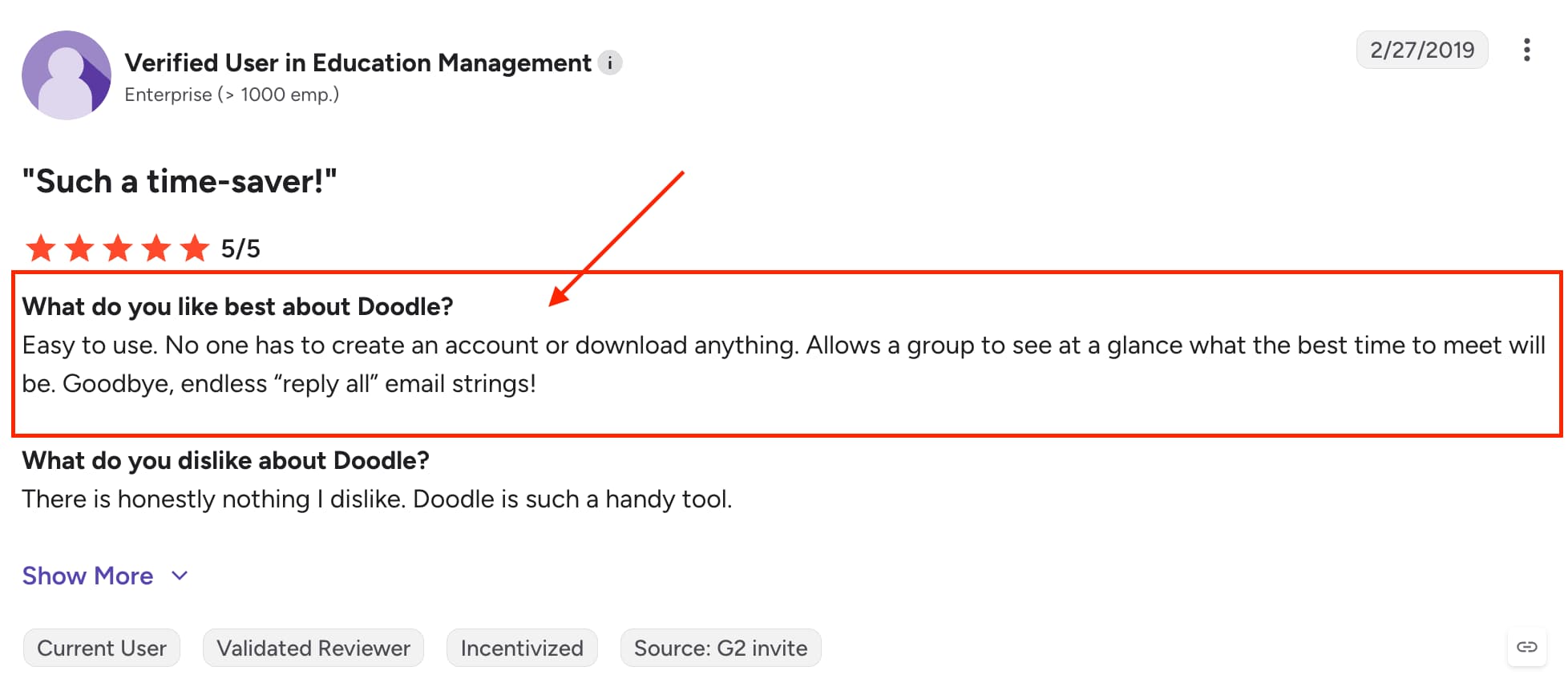
Source: G2
2. Booking Experience
Setting up Doodle's booking page was straightforward. I configured my availability, connected my calendar and had a shareable link within a couple of minutes no real learning curve for a basic scheduling page.
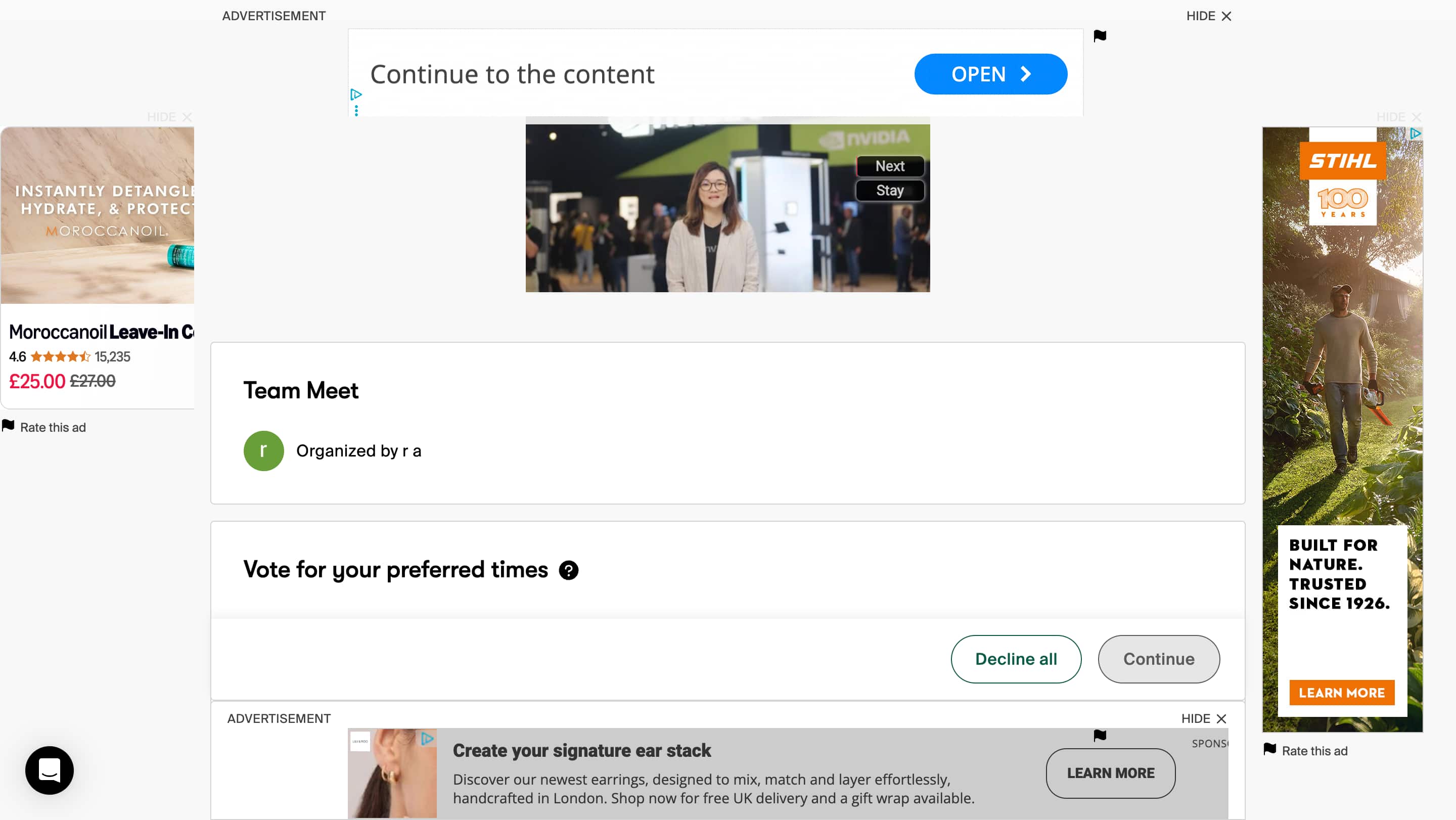
However, one thing that stood out was the amount of advertising displayed on the booking page. While a small banner or subtle promotion may be understandable on a free plan, the number of ads and pop-ups made the booking page feel less professional, especially when sharing it with clients or prospects.
Looking through recent reviews, this is a common frustration several G2 Review and Trustpilot reviews mention the free plan feeling increasingly ad-heavy, with some noting it's gotten worse in recent years rather than better. For businesses using their booking link as part of the customer experience, that's worth factoring in before committing to the free plan long-term.

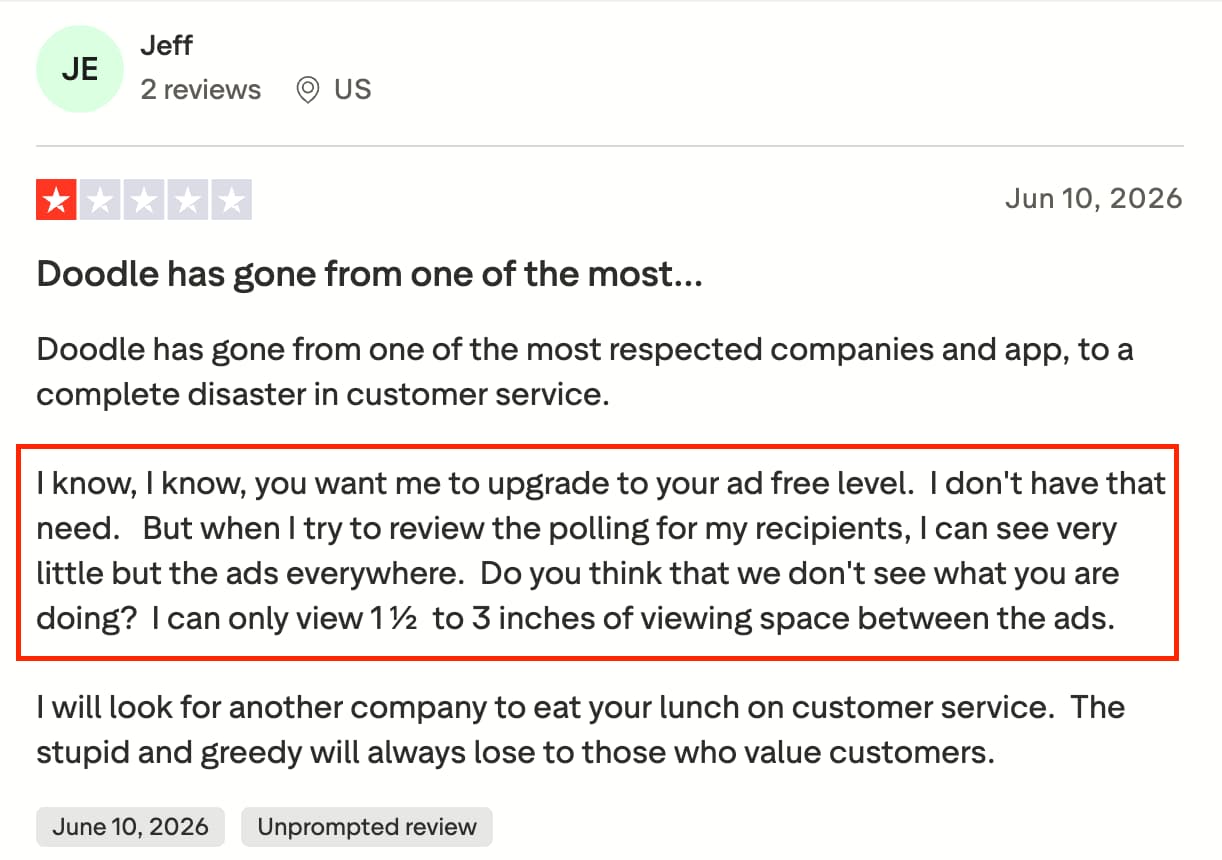
Source: G2 & Trustpilot
3. Multiple Ways To Schedule
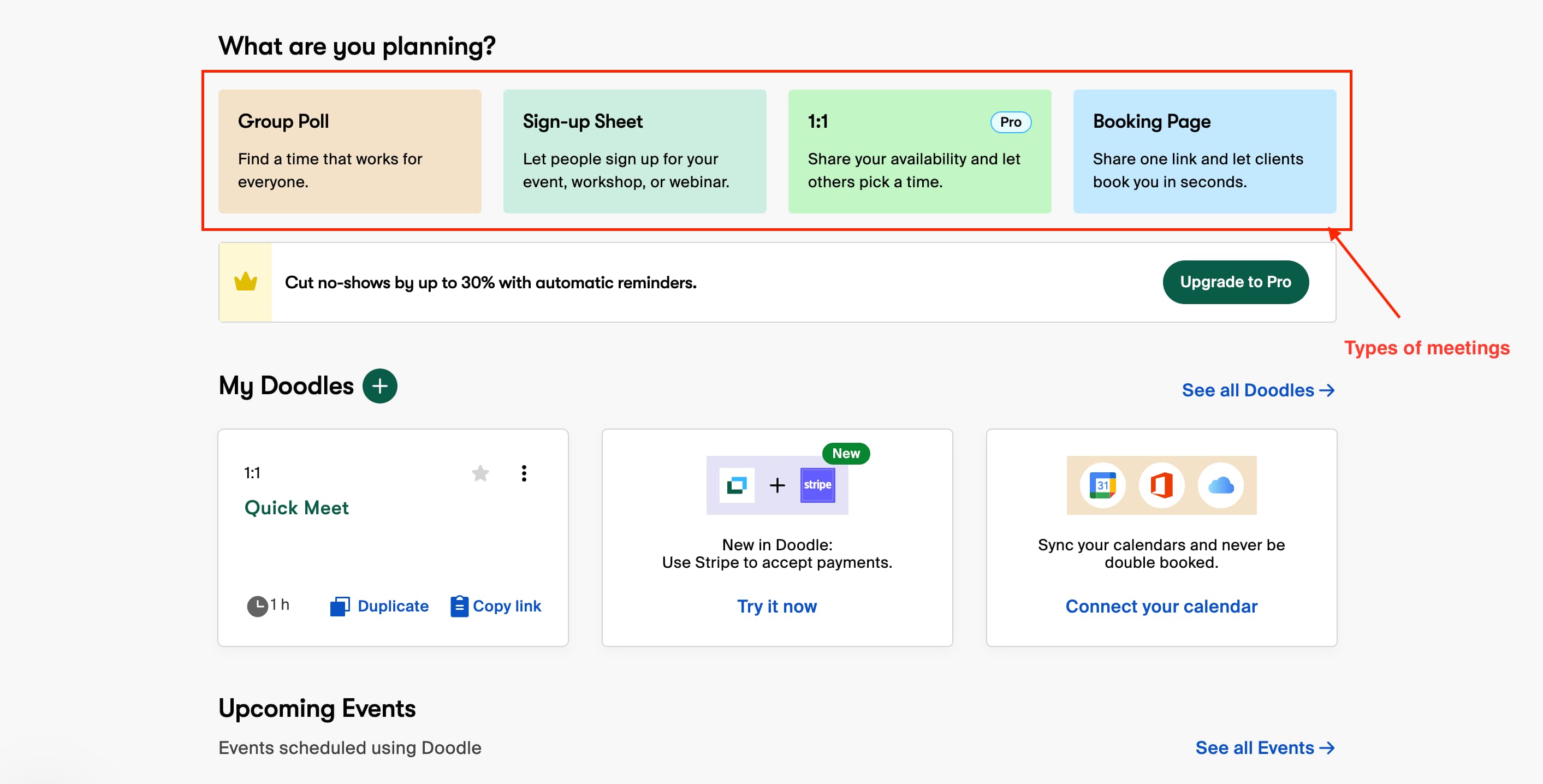
Doodle gives users several ways to schedule meetings depending on the situation. You can create a Group Poll when multiple people need to agree on a time, use a Booking Page for one-to-one appointments, or set up a Sign-up Sheet when you need people to claim individual slots, like for a workshop or event.
I found this flexibility useful because not every meeting requires the same scheduling approach. A team meeting with several attendees works better with a poll, while a client call or consultation is better suited to a booking page where someone can choose an available slot instantly.
Having these options in one dashboard makes Doodle adaptable across different use cases. That said, users who mainly need a straightforward, direct booking tool may find the extra formats unnecessary compared to platforms built around one clean booking flow.
4. Calendar Integrations
Connecting my calendar was quick, Doodle syncs with Google Calendar, Outlook and iCloud so availability stayed accurate across polls and the booking page without extra setup. Video conferencing tools like Zoom, Google Meet and Microsoft Teams connected just as easily.
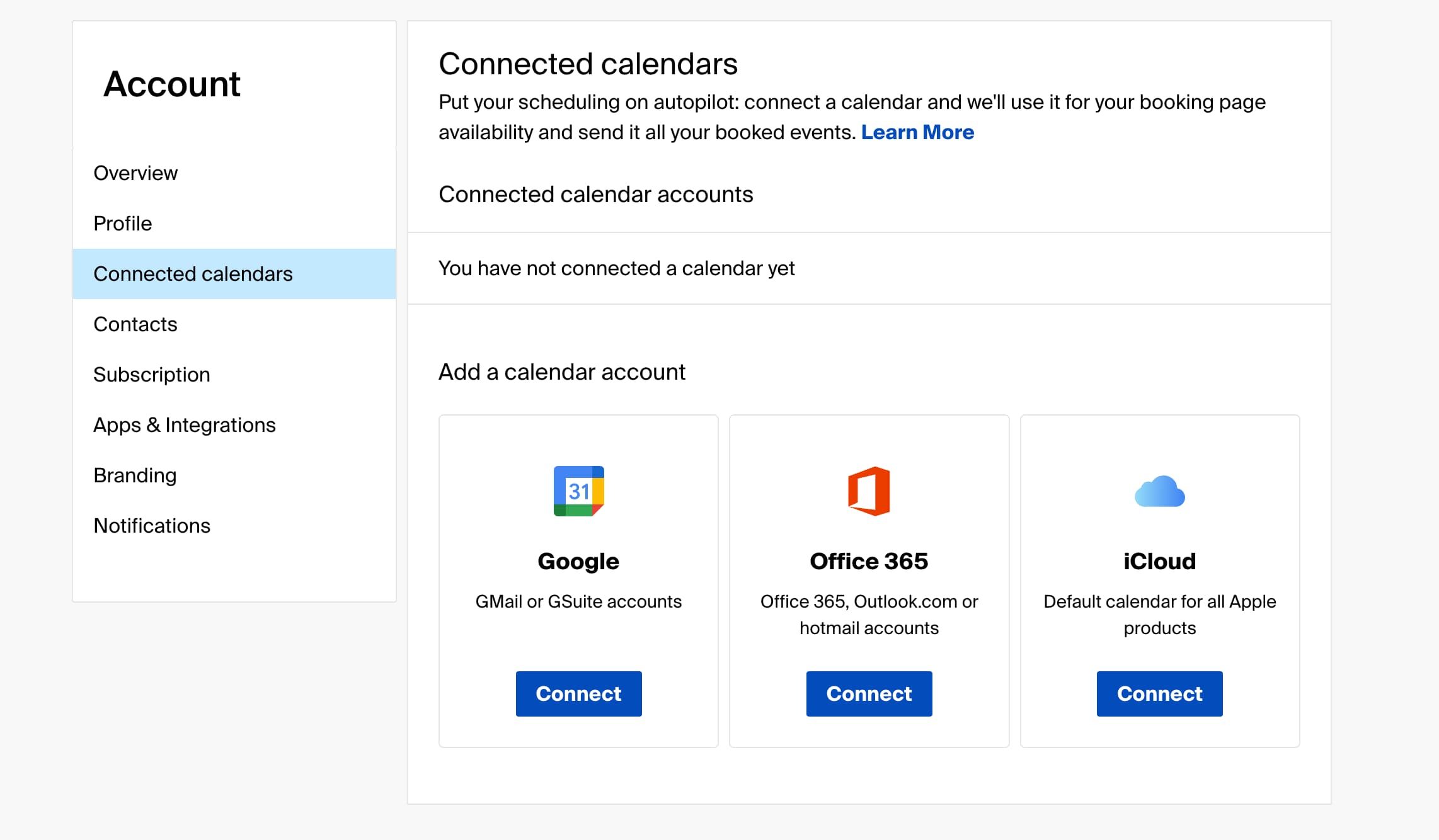
Nothing surprising here, but it did the job without any friction, exactly what you would want from an integration to just work in the background.
5. Team Coordination
Doodle's team features center on co-hosting and an admin console, letting you add members who can help manage bookings or schedule on someone else's behalf. This sits on the Team plan, aimed at organizations with at least 5 people using the tool together, scaling up to 100.
Compared to Calendly's Round Robin, this felt less about automatically distributing meetings across a team and more about shared admin control, useful for larger orgs managing bookings centrally but not a like for like replacement if what you actually need is automatic lead distribution.
Doodle Pros and Cons
Pros
No account needed for participants to vote on polls, makes cross-organization scheduling easier
Genuinely strong at group polling, still the best tool for getting a busy group to agree on a time
Multiple booking formats (polls, 1:1 booking page, sign-up sheets) cover different use cases in one dashboard
Team plan scales flexibly from 2 up to 100 users
Easy calendar and video conferencing integrations (Google, Outlook, iCloud, Zoom, Meet, Teams)
Cons
Free plan is heavily ad-supported, including pop-ups on the booking page, feels unprofessional for client-facing use
Team features lean more toward shared admin control than automatic lead/meeting distribution
Switching between polls, booking page and sign-up sheets feels like three separate tools rather than one unified flow
Limited branding options for businesses wanting a more personalized booking experience
Some features require higher-tier plans, increasing costs for teams
Less suited to businesses that just need a single, direct 1:1 booking flow
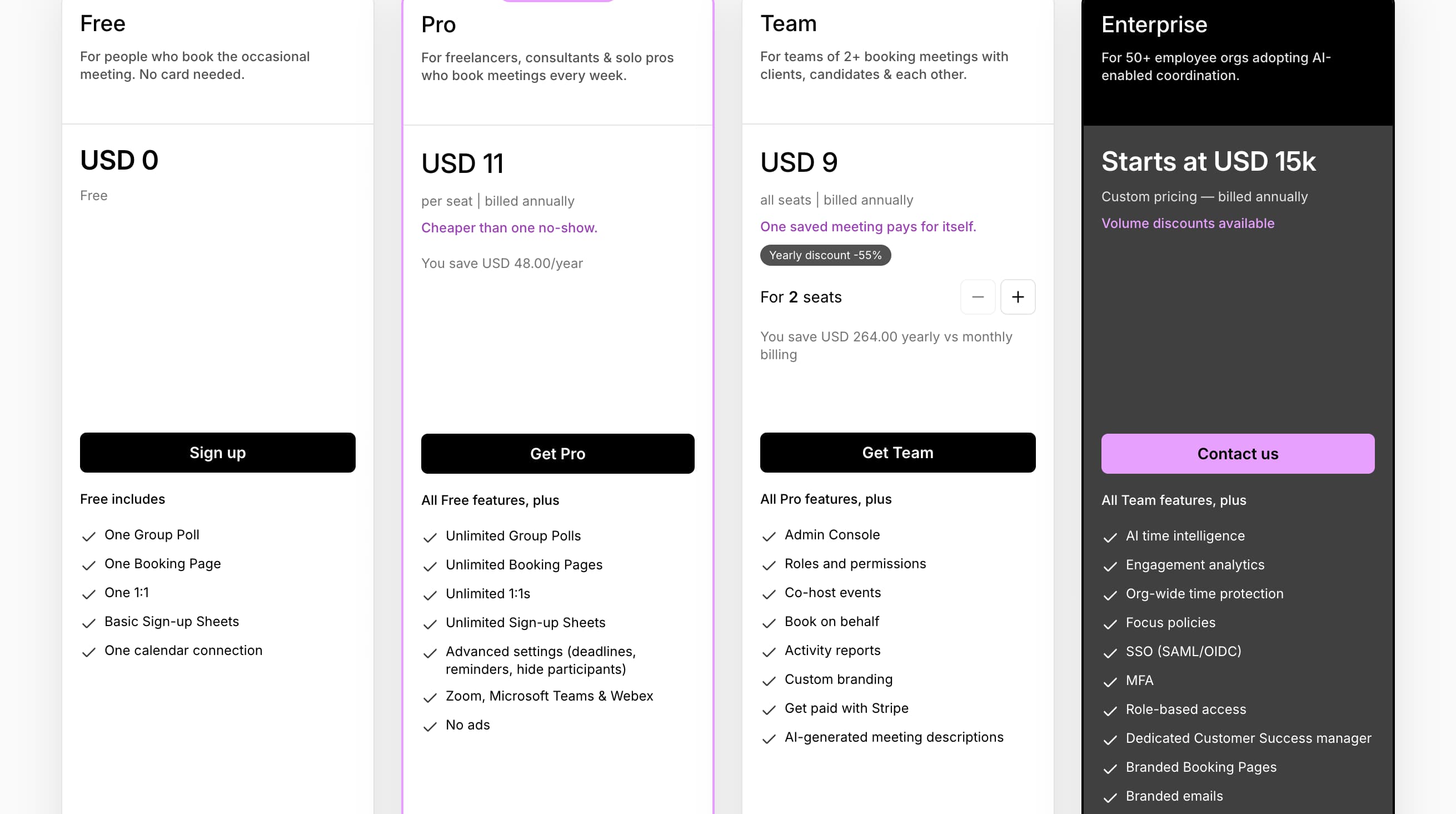
Pricing
Warmcal
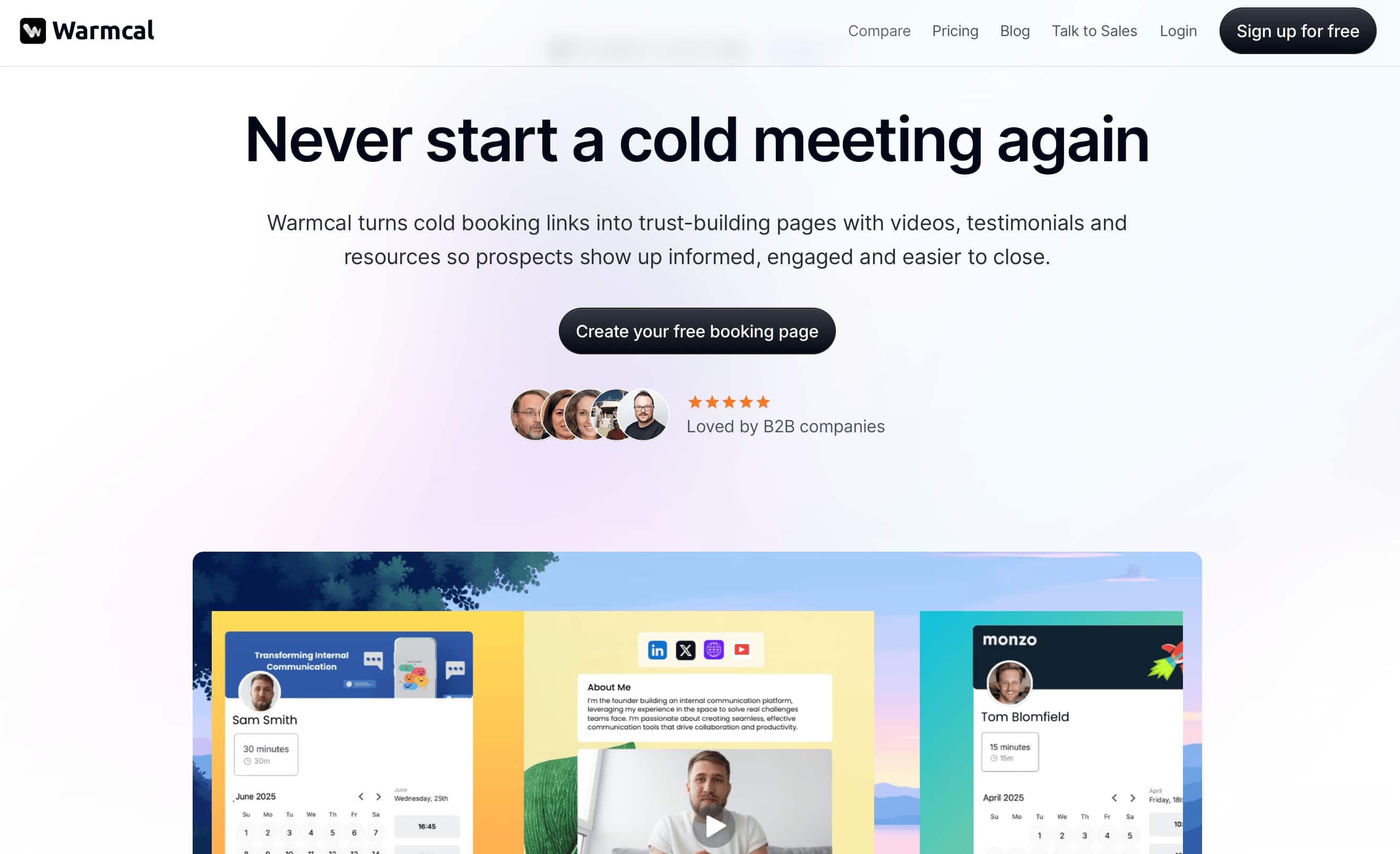
Warmcal takes a different approach to scheduling by focusing on the booking experience itself. When you land on a Warmcal booking page, the first thing that stands out is how much control you have over the design. Instead of a standard calendar layout, businesses can create a more personalized booking experience with custom backgrounds, banners, videos, images and branding elements.
Another difference is Warmcal's flat-fee pricing model, which avoids charging per user. This can make it easier for growing teams to give access to everyone who needs it without having to decide which team members should be included or worry about increasing costs as the team grows.
Alongside customization, Warmcal includes core scheduling features such as calendar integrations, team scheduling and Round Robin booking, making it a complete scheduling solution for businesses that want more control over how prospects experience the booking process.
Features
1. Personalized Booking Page
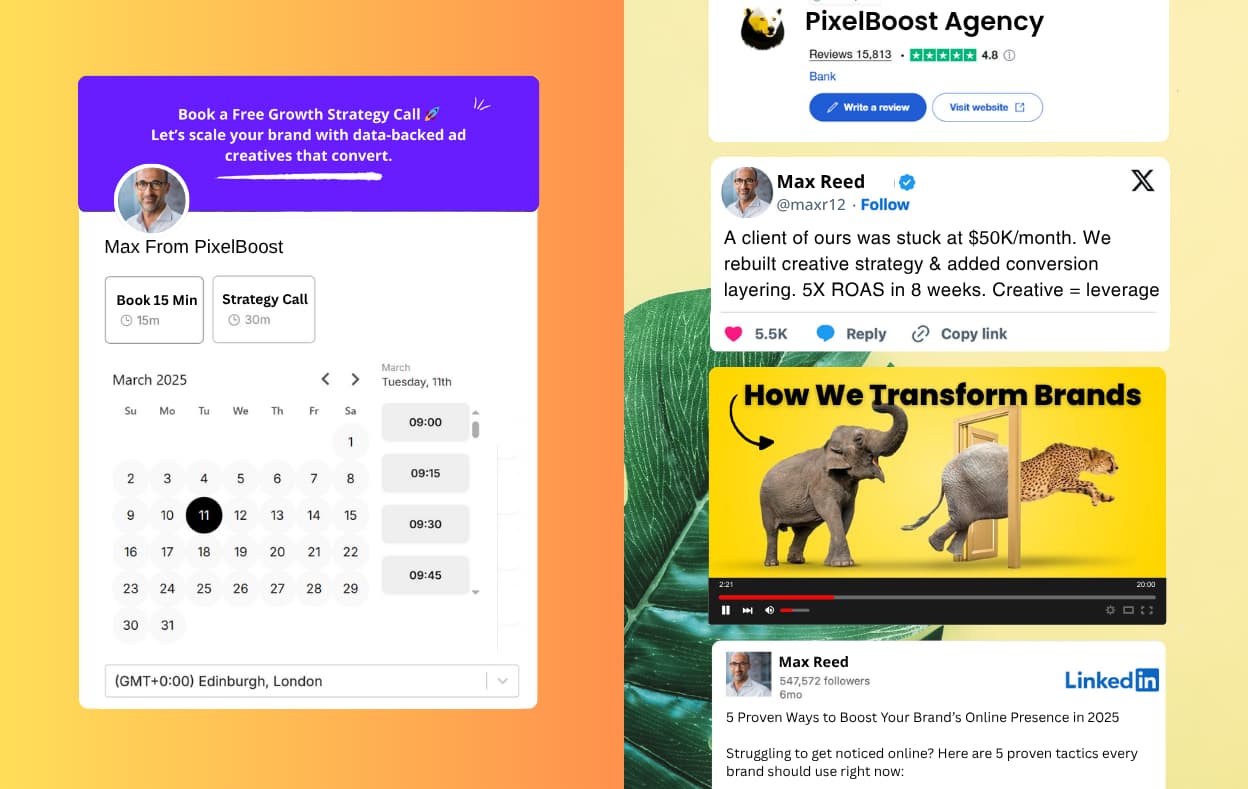
The booking page is where Warmcal stands out the most compared to traditional scheduling tools. Instead of being limited to a simple calendar interface, Warmcal allows businesses to create a fully branded booking experience that feels more like a landing page.
You can customize elements such as backgrounds, banners, images, videos and other branding sections to create a page that matches your business identity. This gives businesses more opportunity to build trust, showcase their services and create a stronger first impression before someone books a meeting.
For businesses that rely on meetings that are booked with external people such as inbound leads, sales calls, interviews, consultations, the booking page becomes more than just a place to choose a time it becomes part of the customer journey.
2. Team Scheduling
Testing Warmcal's team scheduling was straightforward. It makes it easy for multiple team members to manage bookings from a single platform, and adding new team members only took a few clicks.
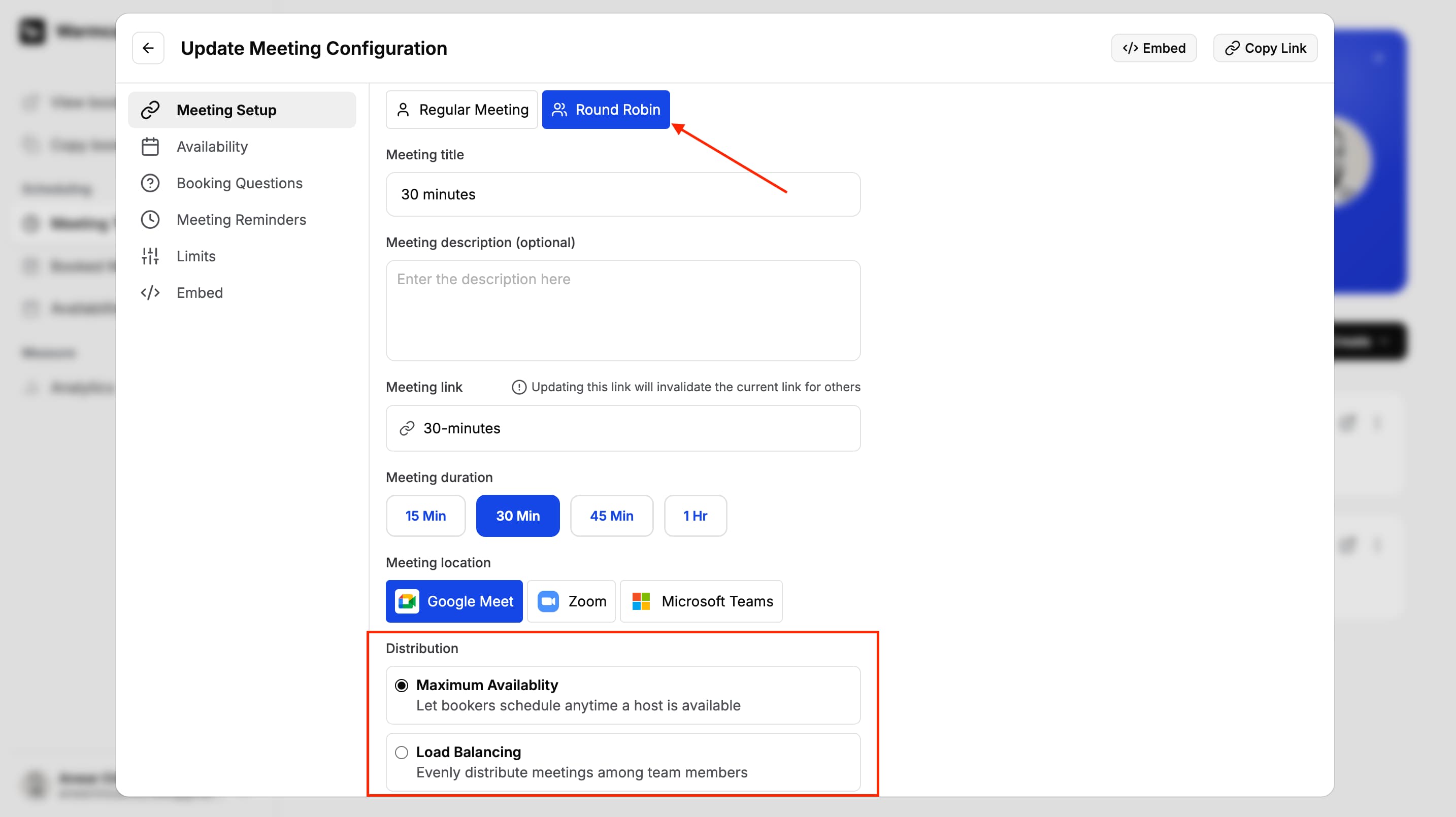
Round Robin worked as expected and offers two distribution options. Meeting Load Distribution spreads bookings evenly across the team, while Maximum Team Availability combines everyone's availability to offer the greatest number of booking slots. This is particularly useful for sales teams, recruiters or any business where responding quickly and maximising availability is important.
One advantage is that Warmcal uses flat-fee pricing rather than charging per user, so businesses don't have to worry about adding extra team members as they grow. This makes it a practical option for teams that want everyone involved in the booking process without increasing subscription costs.
3. Pre-Meeting Question
Warmcal's Pre-Meeting Questions allow you to collect important information before a meeting is confirmed. You can add both required and optional questions to your booking page, helping you understand who is booking and why they want to meet before the call even takes place.
I found this particularly useful for qualifying leads and reducing unsuitable bookings. Instead of allowing anyone to book time on your calendar, you can ask questions about their company, requirements, budget or any other information that's important to you. This helps ensure your time is spent speaking with the right people.
The feature is useful for sales teams, consultants, recruiters and anyone who wants to prepare for meetings in advance or qualify prospects before giving them access to their calendar.

4. Meeting Reminders
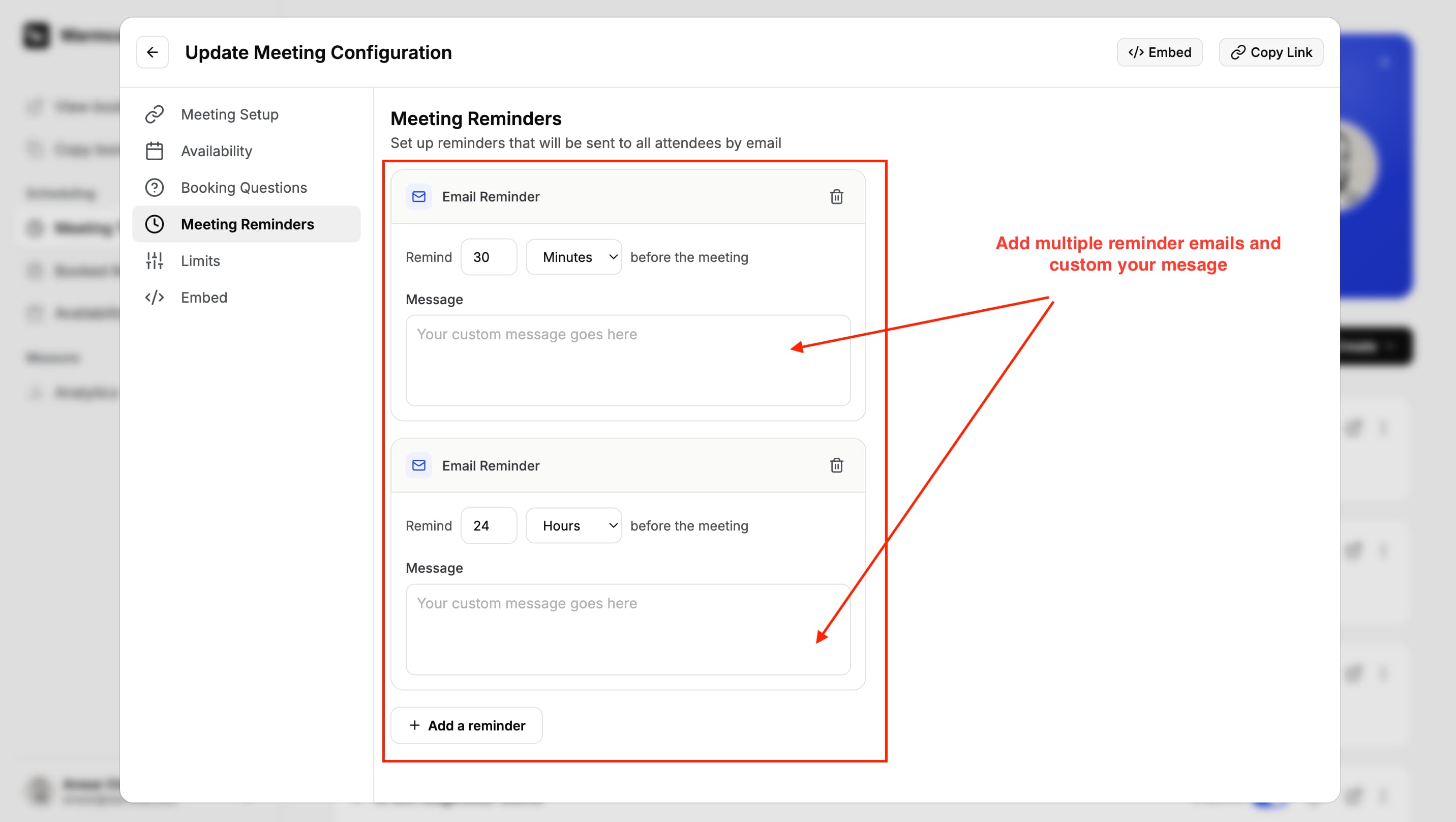
Meeting reminders are one of those features you don't really think about until someone forgets to show up. Warmcal lets you automatically send confirmation emails and reminder notifications so guests are kept informed from the moment they book until the meeting starts.
Setting them up is quick and once they are enabled, everything runs automatically. You can choose exactly when each reminder is sent, giving you the flexibility to notify attendees at different points before the meeting. It's a simple feature but one that can help reduce no-shows and keep meetings running smoothly.
5. Availability
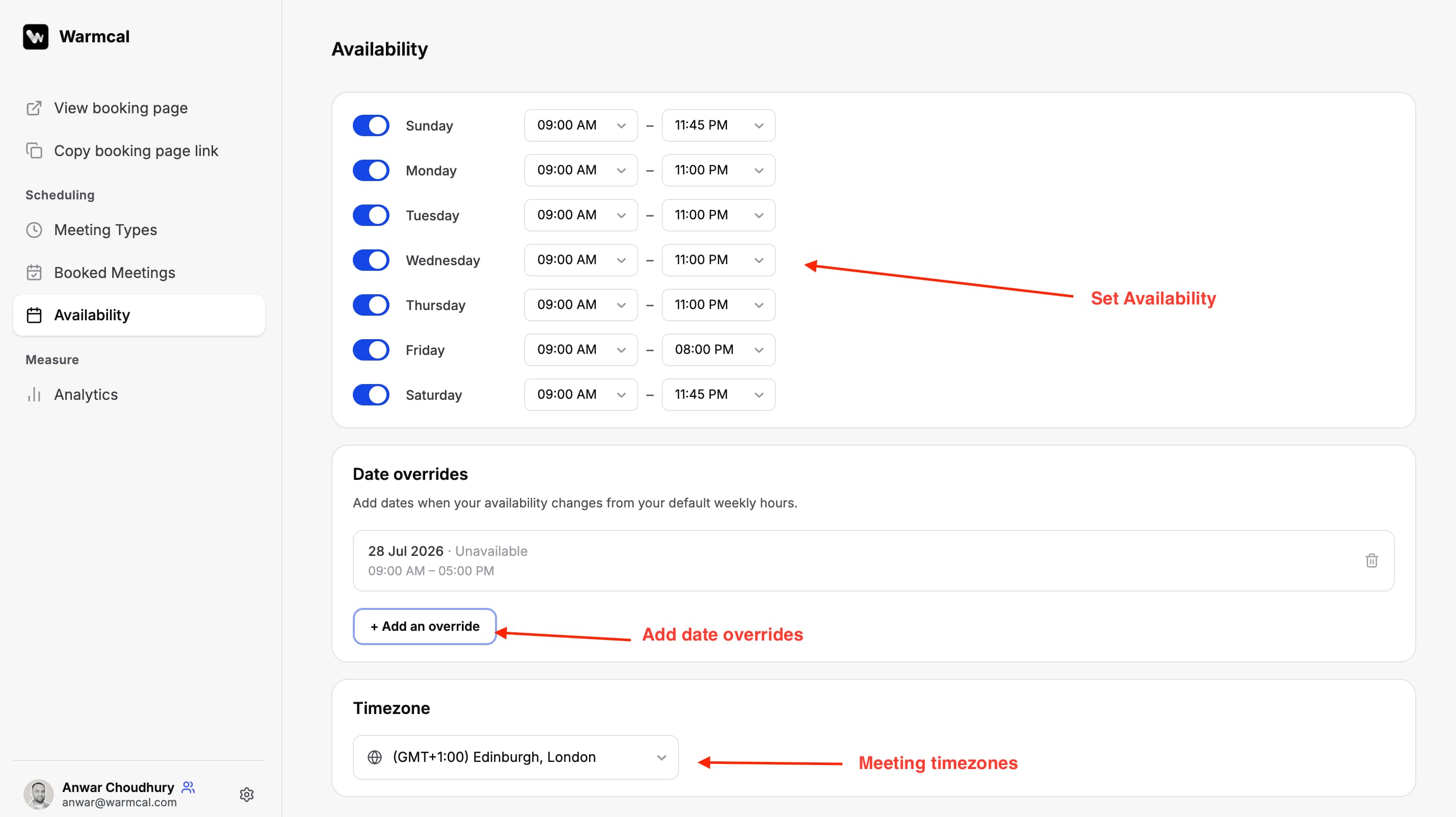
Warmcal gives you plenty of control over when people can book meetings. You can set your working hours, limit the number of bookings you accept each day, week or month and create overides.
I found the availability settings easy to understand and quick to configure. It sync with your calendar and blocks out unavailable days.
Warmcal Pros and Cons
Pros
Highly customizable booking pages with backgrounds, banners, videos and branding
Flat-fee pricing with no per-seat charges so adding team members doesn't increase the bill
Easy integrations with popular tools like Google Calendar, Zoom and Google Meet
Round Robin offers two distribution options, Meeting Load Distribution and Maximum Team Availability, giving more control than a single fixed method
Automated meeting reminders with flexible timing to reduce no-shows
Cons
If you only need a basic booking page for internal meetings, the extra customization blocks can feel like more setup than necessary.
No group polling feature for finding a time that works across multiple attendees
May require additional compliance checks for larger organisations or teams with strict security requirements
Not designed for large event scheduling or complex group coordination
Pricing

Which Scheduling Software Should You Choose?
The right scheduling tool depends on what you need from your booking experience.
Warmcal is right for you if...
You want your booking page to make a strong first impression
You want to create a professional and personalized experience from the first click
You want team scheduling with fixed monthly pricing rather than paying per user
You want a scheduling platform focused on the features businesses actually need without unnecessary complexity
You want fast support from real people when you need help
Calendly is right for you if...
You need a simple and reliable way to book meetings
Most people booking with you already know your business
You want a mature scheduling platform with a large feature ecosystem
You rely on advanced workflows and automations
You need a generous free plan to get started
Doodle is right for you if...
You regularly schedule meetings with multiple people
Finding a time that works for big groups is important
You frequently organize team meetings workshops or group sessions
You want to send polls instead of sharing your availability
Your scheduling process starts by finding a suitable time rather than inviting people to book directly
How We Evaluated Each Platform
For this guide, Calendly vs Doodle, I tested each platform using the same approach rather than relying only on feature lists or marketing claims. I created accounts, set up booking pages, connected calendars and tested the experience from both the business and customer perspective.
The areas I evaluated included:
How easy it is to create and customize a booking page
The overall booking experience from selecting a time to receiving confirmation
Calendar integrations and availability management
Team scheduling features such as Round Robin and shared calendars
Pre-meeting questions, lead qualification, and workflows
Meeting reminders and follow-up communication
Branding, customization and how professional the booking experience feels
Pricing structure and how costs scale for teams
I also reviewed user feedback from platforms such as G2, trust pilot and reddit to compare my own experience with common themes from real customers. This helped identify not only what each platform does well but also recurring issues users experience in day to day use.
FAQs
Which is the best Doodle alternative?
The best Doodle alternative depends on how you schedule meetings. If you regularly share your availability with clients, Calendly is a great choice. If you want a more personalized booking experience with branded booking pages and lead qualification, Warmcal is worth considering.
Calendly vs Doodle: Which one should you choose?
Choose Calendly if you want a dedicated scheduling platform with advanced availability, workflows and integrations. Choose Doodle if your main goal is finding a time that works for multiple people through scheduling polls.
Is Doodle free?
Yes, Doodle offers a free plan with basic scheduling features. However, some features such as advanced scheduling, branding and integrations are only available on paid plans.
Is Calendly better than Doodle?
Neither platform is better for everyone. Calendly is better for businesses that want clients to book meetings directly. Doodle is better when multiple people need to agree on a meeting time before it is confirmed.
Which scheduling software is best for teams?
The best scheduling software depends on your workflow. Warmcal is a good choice for teams that want personalized booking pages and fixed monthly pricing. Calendly is well suited to teams that need advanced scheduling and a large integration ecosystem. Doodle is ideal for teams that frequently organize meetings where several people need to agree on a time.