Introduction
Calendly and Google Appointment Scheduling both let people schedule meetings but they are designed for different purposes. Calendly is a scheduling platform built around booking meetings while Google Appointment Scheduling is primarily a calendar application that also includes appointment scheduling.
In this comparison, I tested both platforms to see how they perform across the features that matter most including booking pages, calendar integrations, team scheduling, customization, pricing and overall ease of use. I also compared my experience with feedback from real users and each platform's official documentation to provide a view of each platform.
By the end of this guide, you will have a clear understanding of where Calendly and Google Appointment Scheduling differ and which one is the better choice for your business or scheduling needs.
Calendly Vs Google Appointment Scheduling comparison at a glance
Category | Calendly | Google Appointment Scheduling | Warmcal |
|---|---|---|---|
Focus | One-to-one and team scheduling | Calendar platform with basic appointment scheduling features | Branded booking pages and team scheduling |
Best for | Internal teams, freelancers, Sales, recruiting, agencies, service businesses | Individual and Google Workspace users who need simple appointment booking | Client-facing teams, sales, marketers, recruiters, founders, consultants, agencies |
Free plan | Yes | Yes | Yes |
Team Paid Plan Monthly | ~$20/seat/mo team plan | ~ $16/seat/mo on standard plan | $99/mo Unlimited Seats (No seat pricing) or $35/mo for smaller teams up to 3. |
Team scheduling | Yes. Round-robin, collective scheduling, lead routing | Limited. Designed mainly for individual appointment scheduling with support for adding up to 20 co-hosts on eligible plans | Yes, Round robin, collective routing, syncing, designed for business teams |
Group scheduling | Yes. Group event types | Limited. Appointment schedules are mainly designed for individual bookings | Not a core focus |
Branding & customization | Limited: Logo, URL, Embed colour | Very limited customization | Strongest point: Banners, Wallpapers, intros, videos, social medial posts, much more |
Calendar sync | Google, Outlook, and other major calendars | Google Calendar focused | Google and Outlook support |
CRM integrations | HubSpot, Salesforce, and more | Limited | HubSpot |
Round robin scheduling | Yes, on the Teams plan | No | Yes |
Video conferencing integrations | Zoom, Google Meet, Microsoft Teams | Google Meet and some third-party integrations through Workspace | Zoom, Google Meet, Microsoft Teams |
Automation | Strong reminders, workflows, routing | Basic reminders and calendar notifications | Strong automation for lead routing, reminders and qualification |
Routing forms | Yes, on the Teams plan | No | Yes, qualify before booking page |
Analytics | Booking and workflow insights | Basic calendar and appointment insights | Page views, widget uses, team performance, and advanced booking insights. |
Learning curve | Moderate, easy to start but advanced features add complexity | Very easy for basic scheduling | Easy to use and customize your booking page |
Calendly: In-Depth Review
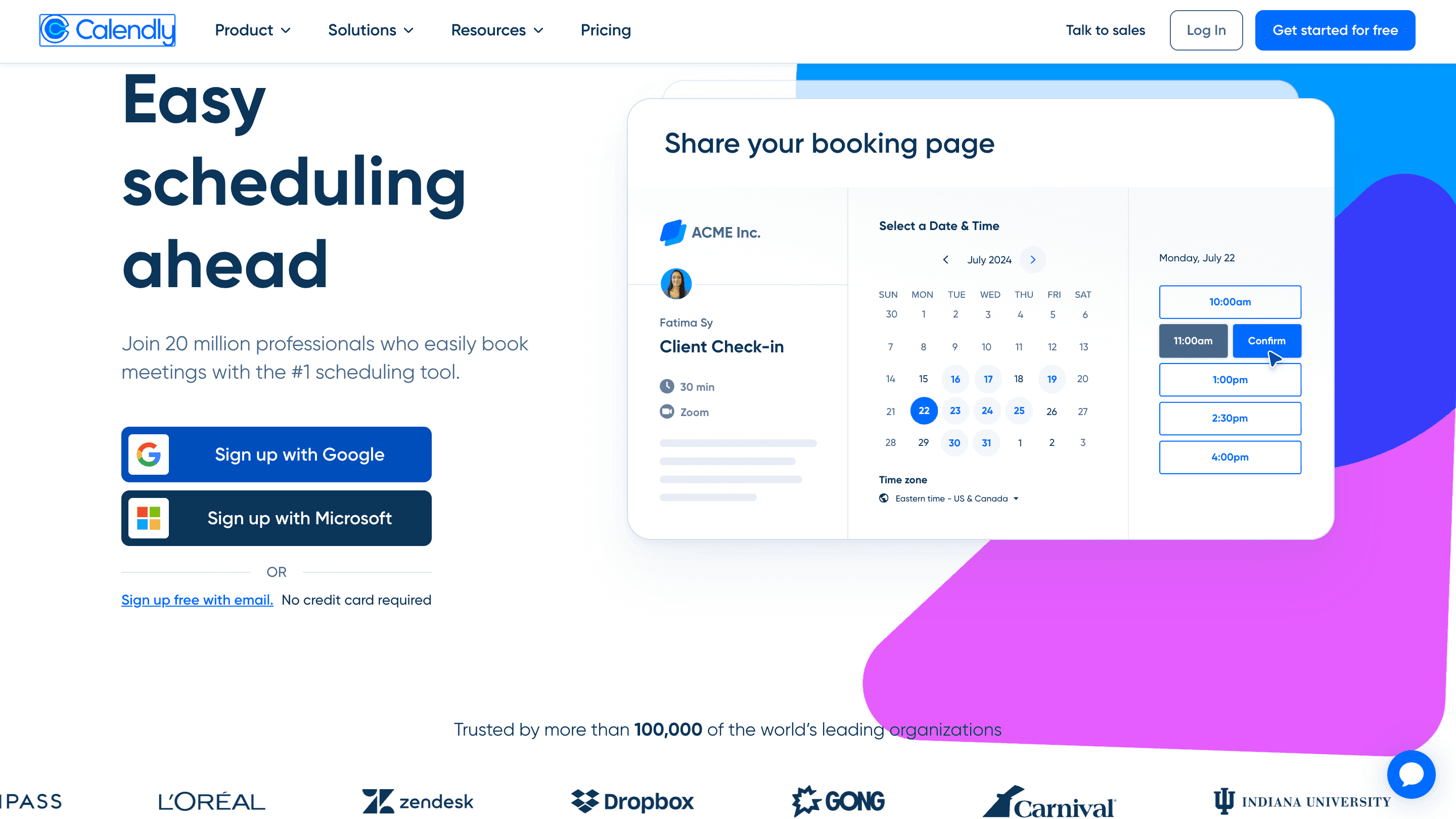
Calendly is a dedicated scheduling platform built to make booking meetings simple for both individuals and teams. Unlike basic calendar appointment tools, it focuses entirely on the scheduling experience with features designed around managing availability, automating bookings and reducing the back-and-forth involved in arranging meetings.
Beyond simple one-to-one bookings, Calendly offers team features such as Round Robin scheduling, routing forms, workflows, reminders and integrations with popular business tools. This makes it a popular choice for businesses that need more control over how meetings are scheduled and managed.
Features
1. Booking Page Experience
Calendly's booking page is built around simplicity and many people have vouched for that where one person on reddit mentioned “its super easy”. Setting up an event type, adding availability, and sharing a booking link is quick and straightforward. The clean layout makes it easy for guests to choose a time without any unnecessary steps.
Source: Reddit
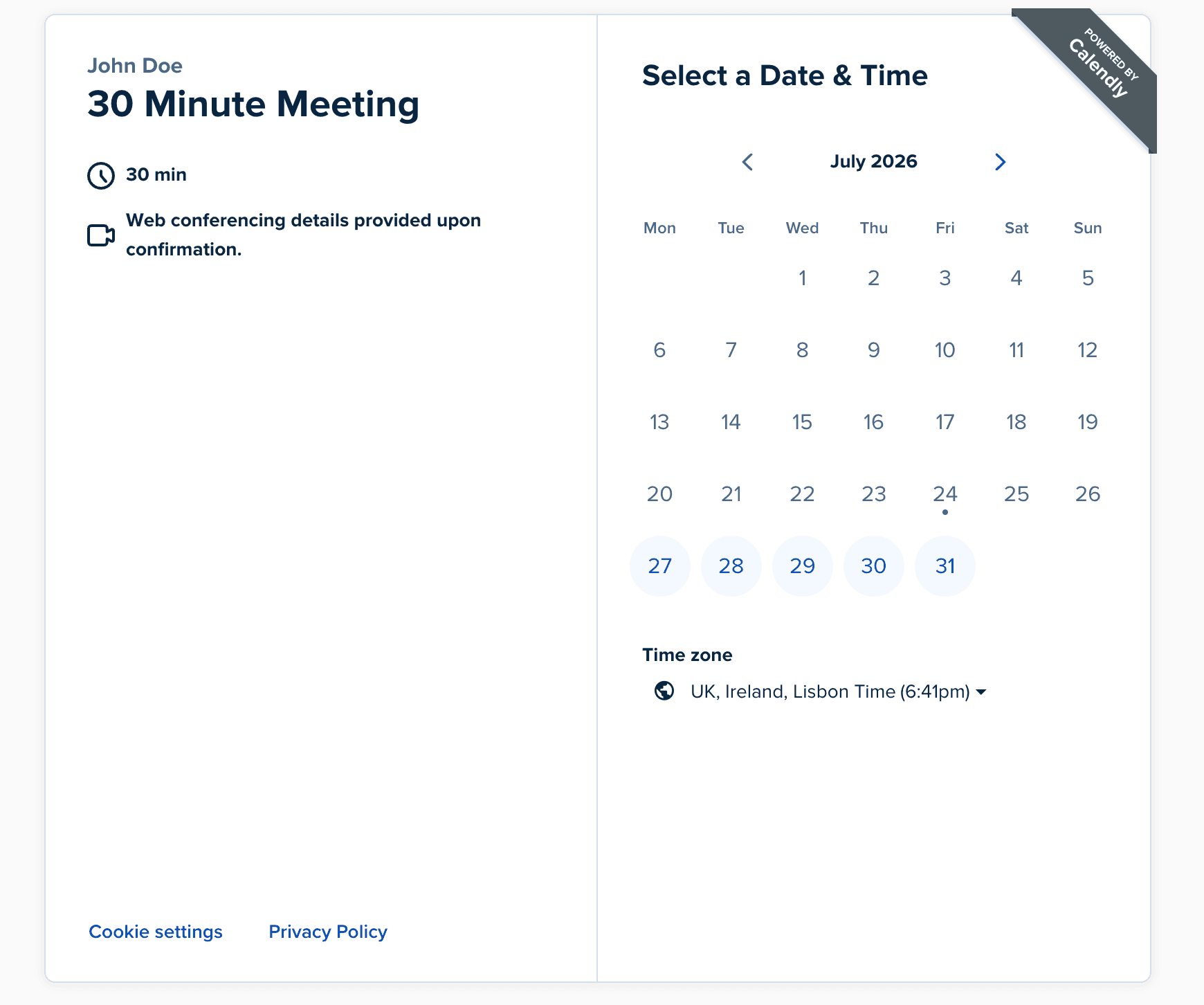
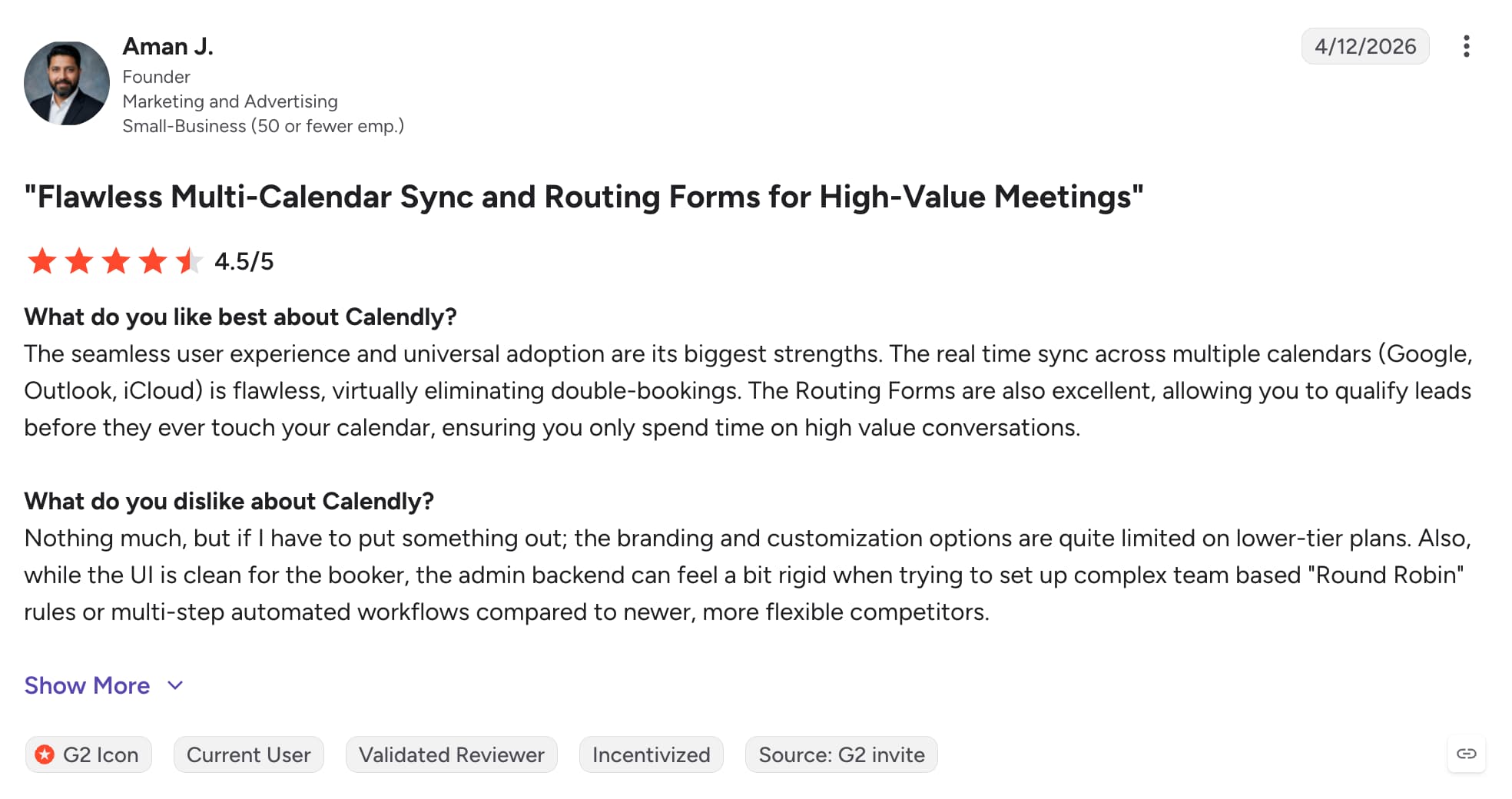
One area I noticed where Calendly is more limited is branding. While you can add a profile image, company logo, remove Calendly branding on paid plans and make some basic changes, the options are quite restricted if you want a fully branded booking experience.
I noticed several G2 reviews mentioning that the branding options feel limited. If having a booking page that strongly reflects your brand is important, this is something worth considering.
Source: G2
2. Integrations
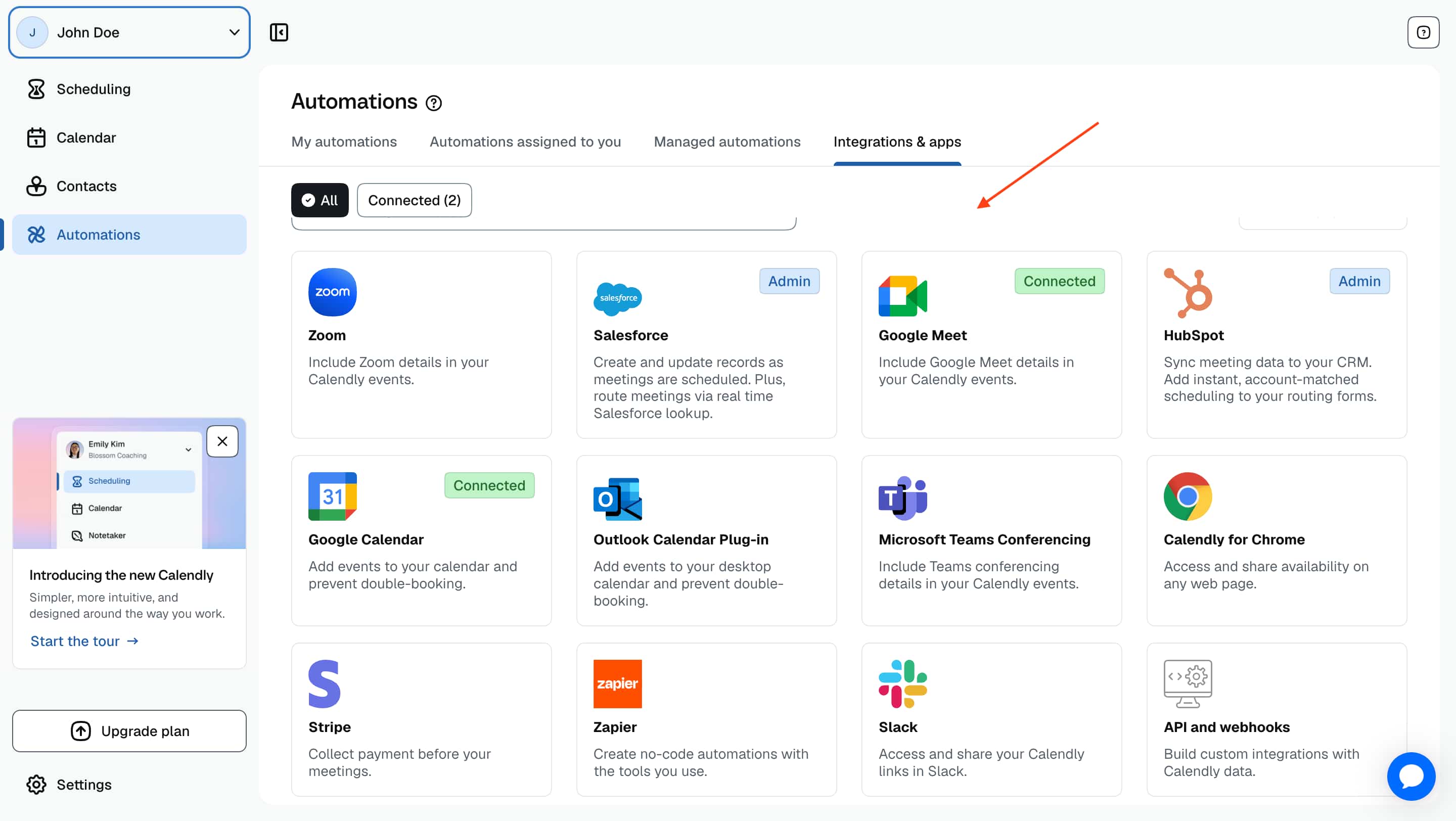
Calendly integrations are pretty strong that make connecting your existing tools simple. I tested connecting Zoom and Google Meet and the setup was very easy. Once connected, meeting links are automatically added when someone books. Calendly also connects with platforms like HubSpot, Salesforce, Zapier and many other tools.
3. Team Scheduling
Calendly offers several team scheduling features including Round Robin, collective meetings and group events. Round Robin is available on the Teams plan, which can become expensive as your team grows since every team member who takes meetings needs a paid seat. The setup is fairly straightforward although it takes a little time to understand how the different scheduling options work.
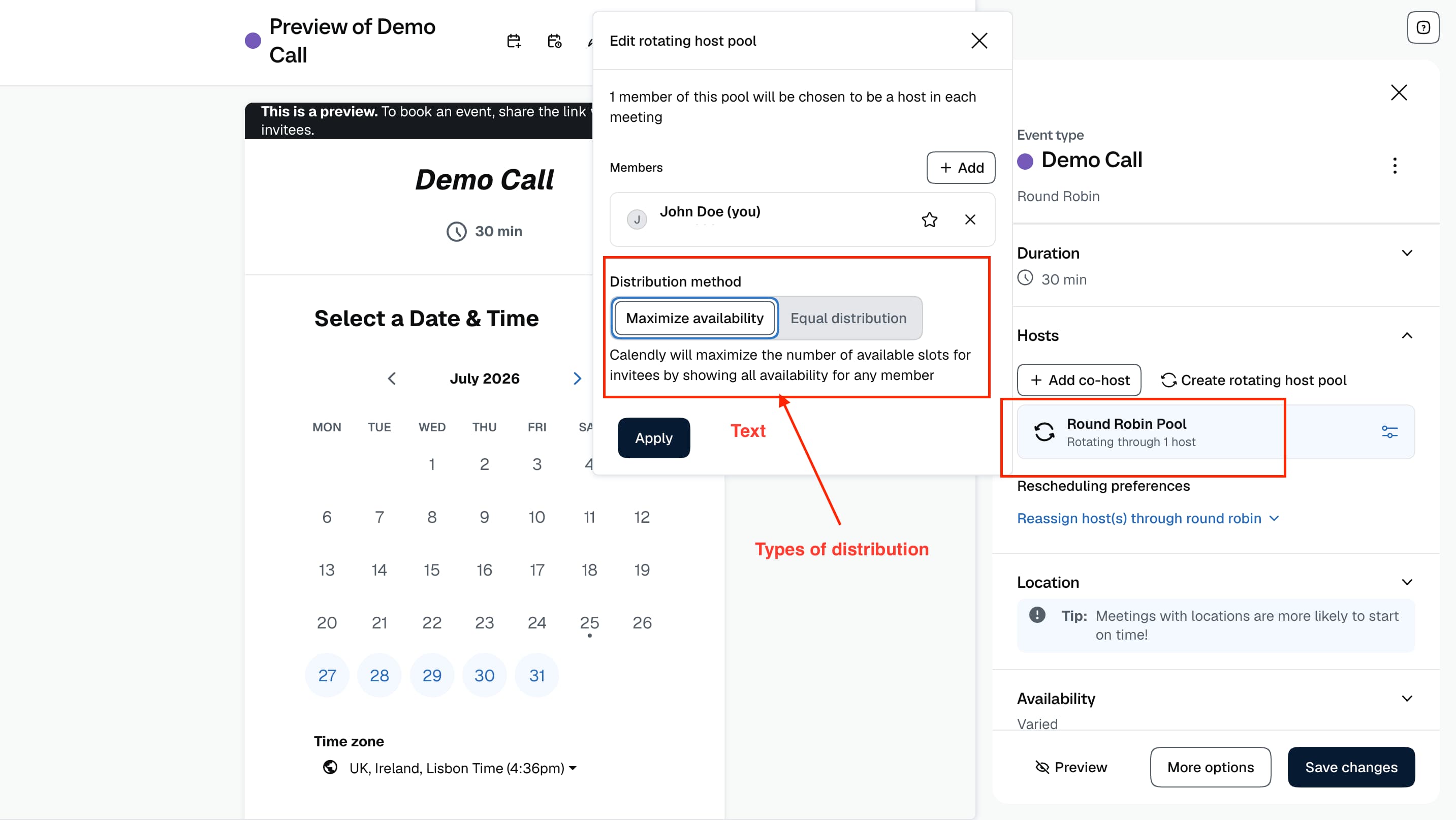
While testing, I found the feature worked well once everything was configured. I also came across a Trustpilot review where a user mentioned that Round Robin had been a game changer for their team, making their scheduling workflow much more streamlined and stress free.

Source: Trustpilot
4. Automated Workflows & Reminders
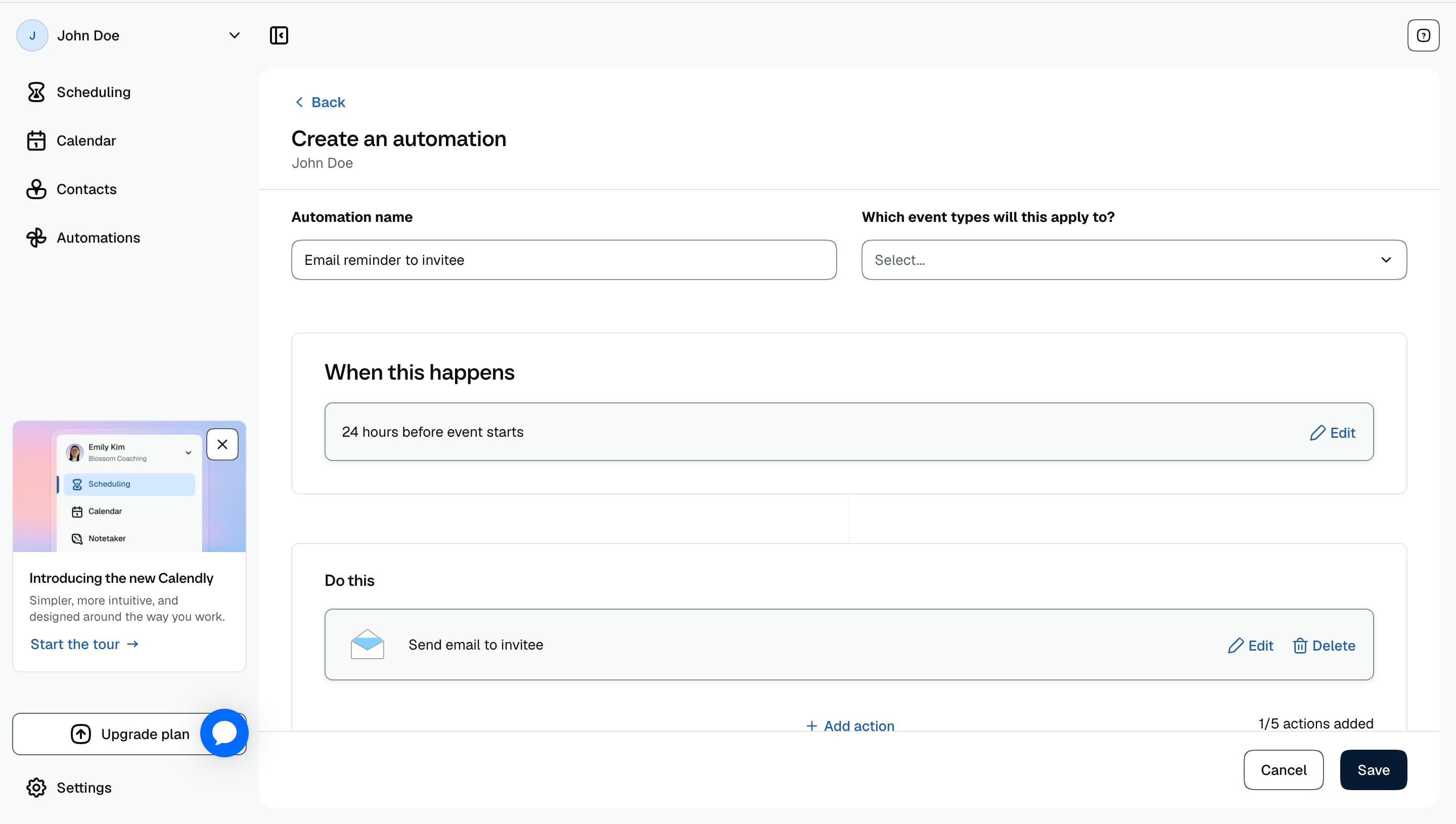
Calendly allows you to create automated emails and text notifications that can be triggered before or after an event, helping keep attendees informed without manually sending reminders.
The setup process was fairly straightforward for basic reminders. You can create workflows around different actions, such as sending a confirmation message after someone books, reminding attendees before a meeting starts or following up after an event has taken place.
However, compared to some scheduling platforms that focus heavily on sales engagement and lead nurturing, Calendly's workflows are primarily designed around meeting communication rather than deeper automation. Businesses looking for more advanced sequences, personalised follow-ups, or complex sales workflows may need additional tools alongside Calendly.
I also noticed they have no reminder feature on their free plans which many users have found annoying.
I tested Calendly's Workflows by setting up confirmation emails and reminder notifications for a booking page, this had to be done on a paid plan as its not available on the free plan. The setup was straightforward and I was able to choose exactly when each reminder would be sent before the meeting.
Once setup, everything ran automatically. Confirmation emails, reminders and follow-up notifications were sent without any manual input.
5. Routing
I tested Calendly's Routing Forms by creating a form with qualifying questions and routing rules. It took a little time to get my head around how everything worked, but once it was set up it was easy to see how useful it could be.
Instead of letting everyone book the same meeting, Routing Forms can direct people to the right team member or meeting type based on their answers. It's a useful feature for sales teams and larger businesses that want to qualify leads before someone reaches their calendar.

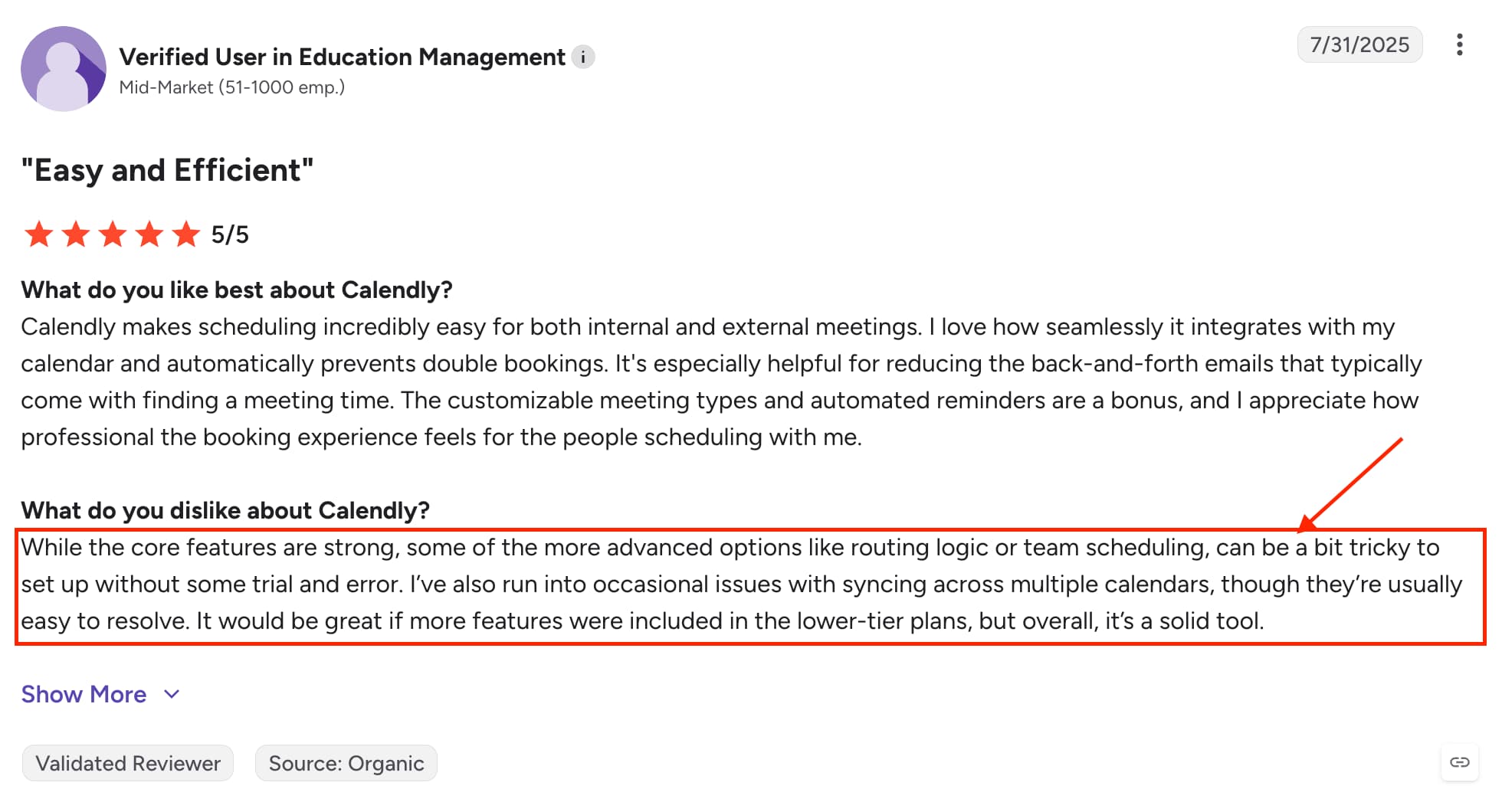
It took me a little while to get familiar with how the routing conditions and rules worked. There are quite a few options available which can make the initial setup feel less intuitive than some of Calendly's other features. I also noticed similar feedback on G2 review where several users mentioned there is a small learning curve before everything starts to make sense.
Source: G2
Calendly Pros and Cons
Pros
Simple and intuitive booking experience
Excellent calendar and video conferencing integrations
Strong team scheduling features including Round Robin and collective meetings
Automated workflows and reminders help reduce no-shows
Reliable platform that's easy to set up and use
Cons
Limited branding and booking page customization
Round Robin and Routing Forms require the Teams plan
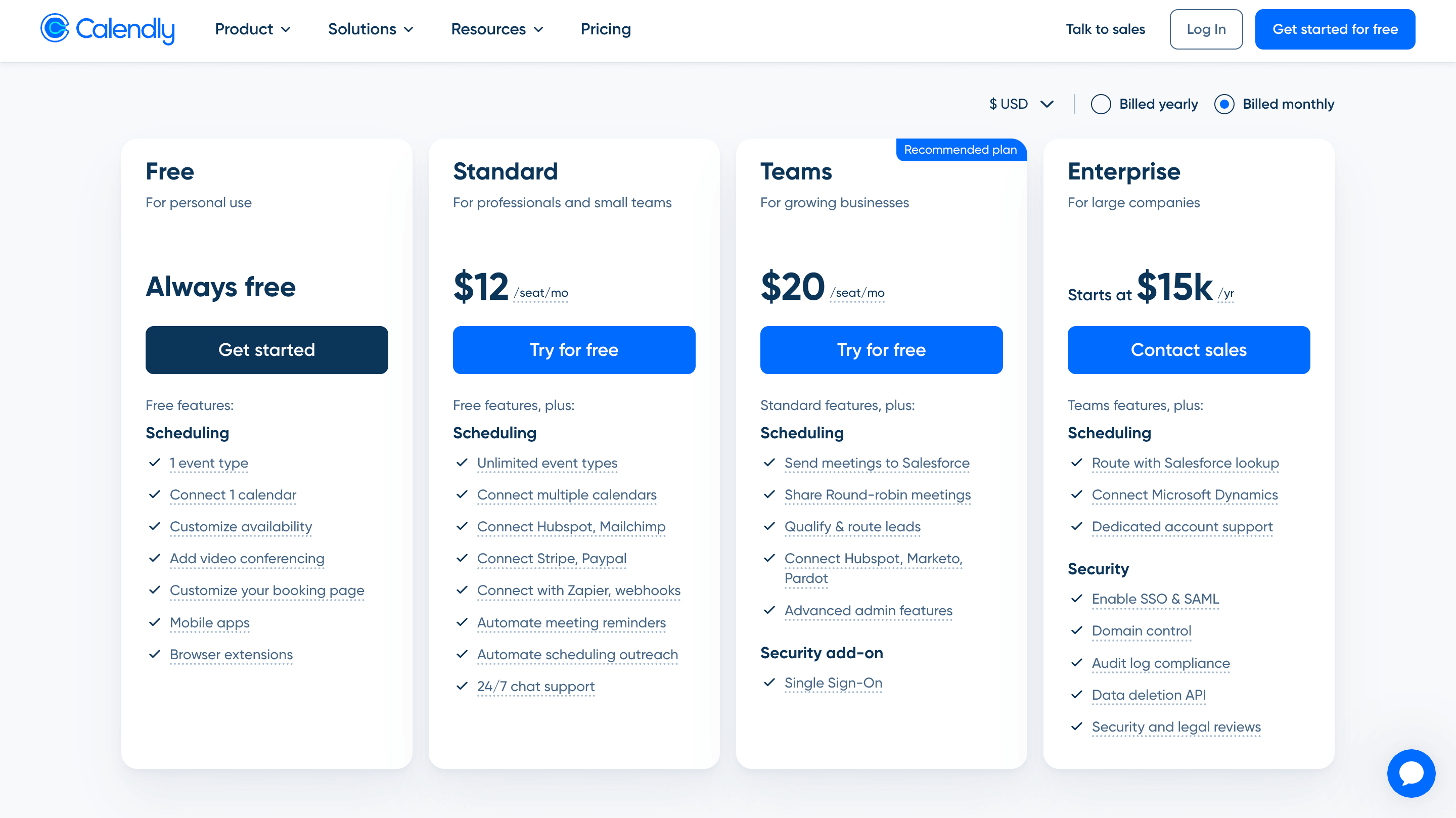
Per-user pricing can become expensive for growing teams
Customer support is a common complaint in user reviews
Advanced features can take a little time to understand and configure
Pricing
Google Appointment Scheduling
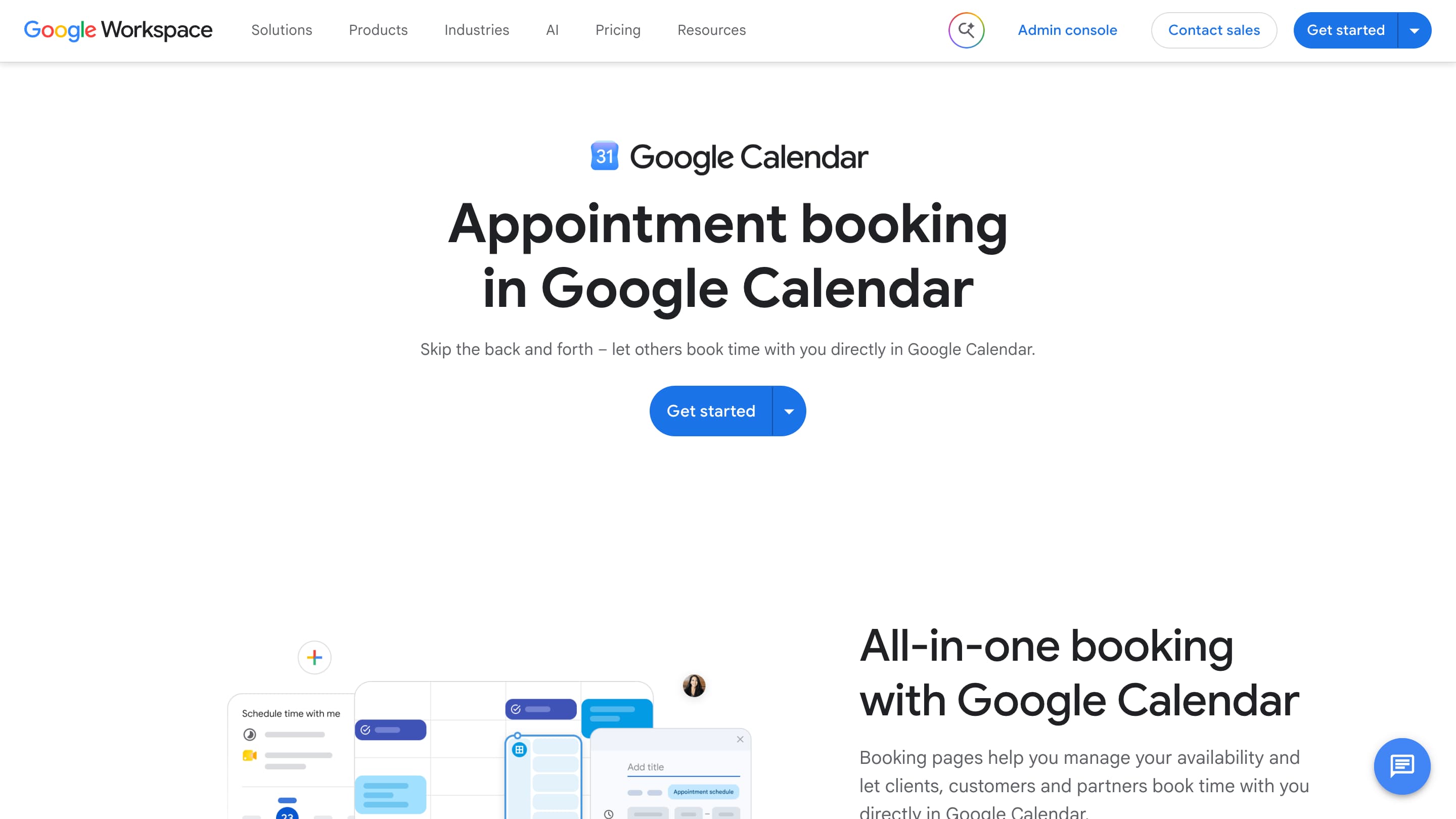
Google Appointment Scheduling is a calendar software that also includes appointment scheduling add on. Rather than being a dedicated scheduling platform, it's designed to help individuals and businesses manage their calendars while offering a simple way for others to book available time slots.
For users already working within Google Workspace, appointment scheduling feels like a natural extension of the calendar. It covers the basics well and is easy to get started with, although it lacks many of the advanced scheduling, team and customization features found in dedicated scheduling platforms.
Features
1. Appointment Scheduling
Google Appointment Scheduling feature is simple and easy to set up. You can create availability, share a booking link and let people book directly into your calendar while Google handles availability checks and time zones.
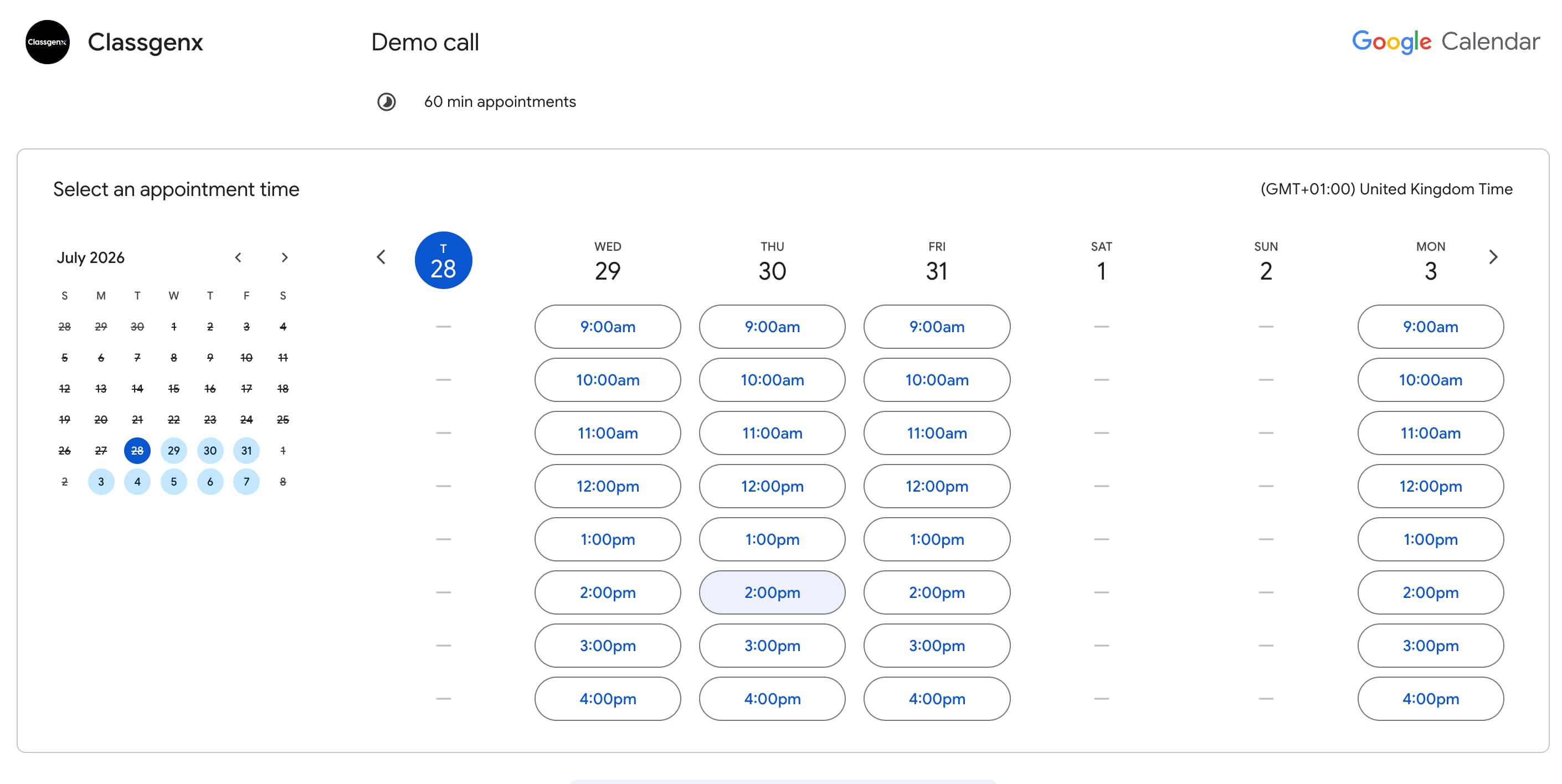
It works well for individuals or small teams already using Google Workspace. However, it feels more like an extension of Google Calendar rather than a scheduling platform. I noticed similar feedback on reddit from users who mentioned it covers the basics well but may feel limited if scheduling is a core part of your business.

Source: Reddit
2. Calendar Integration & Availability Management
Google Appointment Scheduling's biggest strength is that it works seamlessly within the Google ecosystem. If you already use Google Calendar, setting up appointment schedules feels natural as your availability, events, and bookings are all managed in the same place.
Availability management is simple, allowing you to set when people can book, add buffers between appointments, and control your booking window. I was also able to connect multiple calendars to my account, which is useful for managing different schedules.

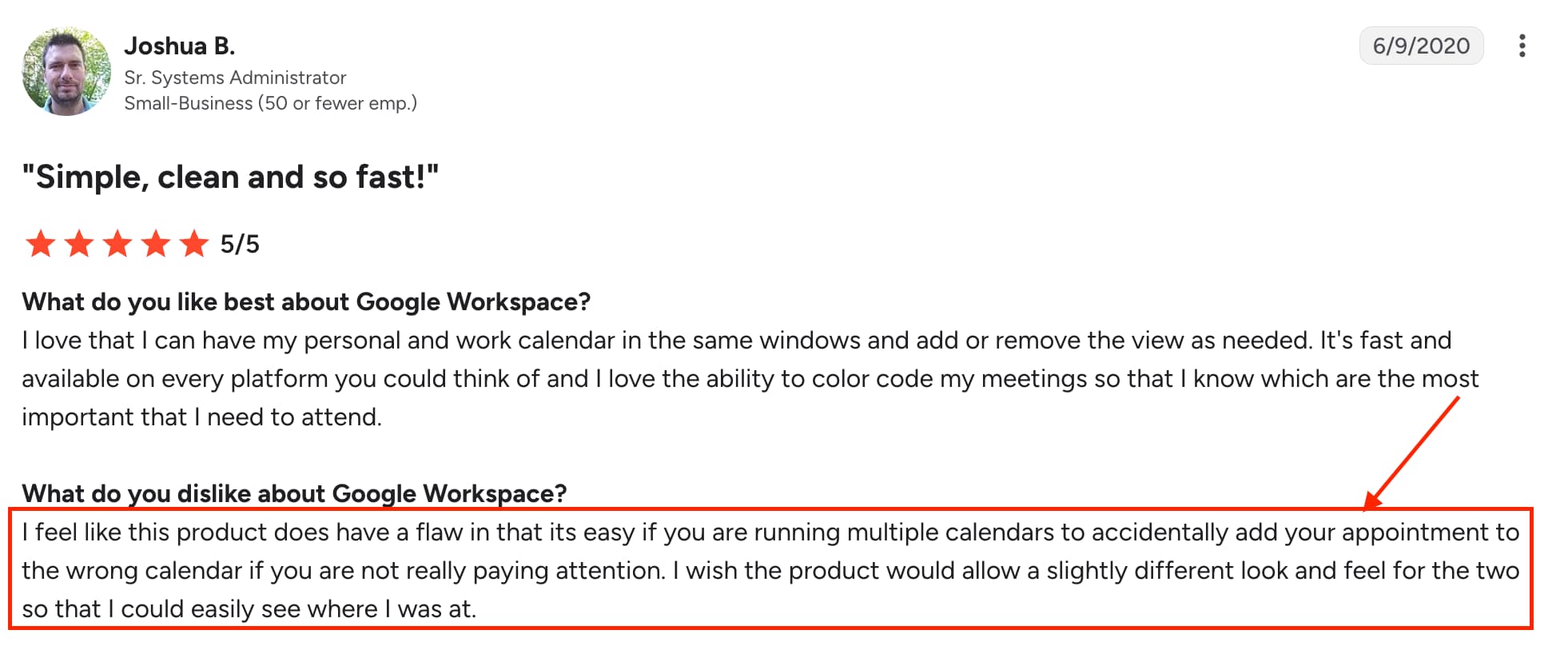
One thing to be cautious about is that adding multiple calendars can become confusing. It is easy to accidentally check or update the wrong calendar especially as the interfaces look very similar. I noticed this was also mentioned in some G2 reviews, where users highlighted confusion when managing multiple calendars.
Source: G2
3. Team Scheduling & Co-hosts
I tested Google Appointment Scheduler's team scheduling by creating an appointment schedule and adding co-hosts. The setup was straightforward and works well for simple team bookings where multiple people need to be involved.
The main limitation is that Google Calendar does not offer advanced team features like Round Robin or routing which can make it less suitable for teams managing a high volume of meetings.
4. Google Meet Integration
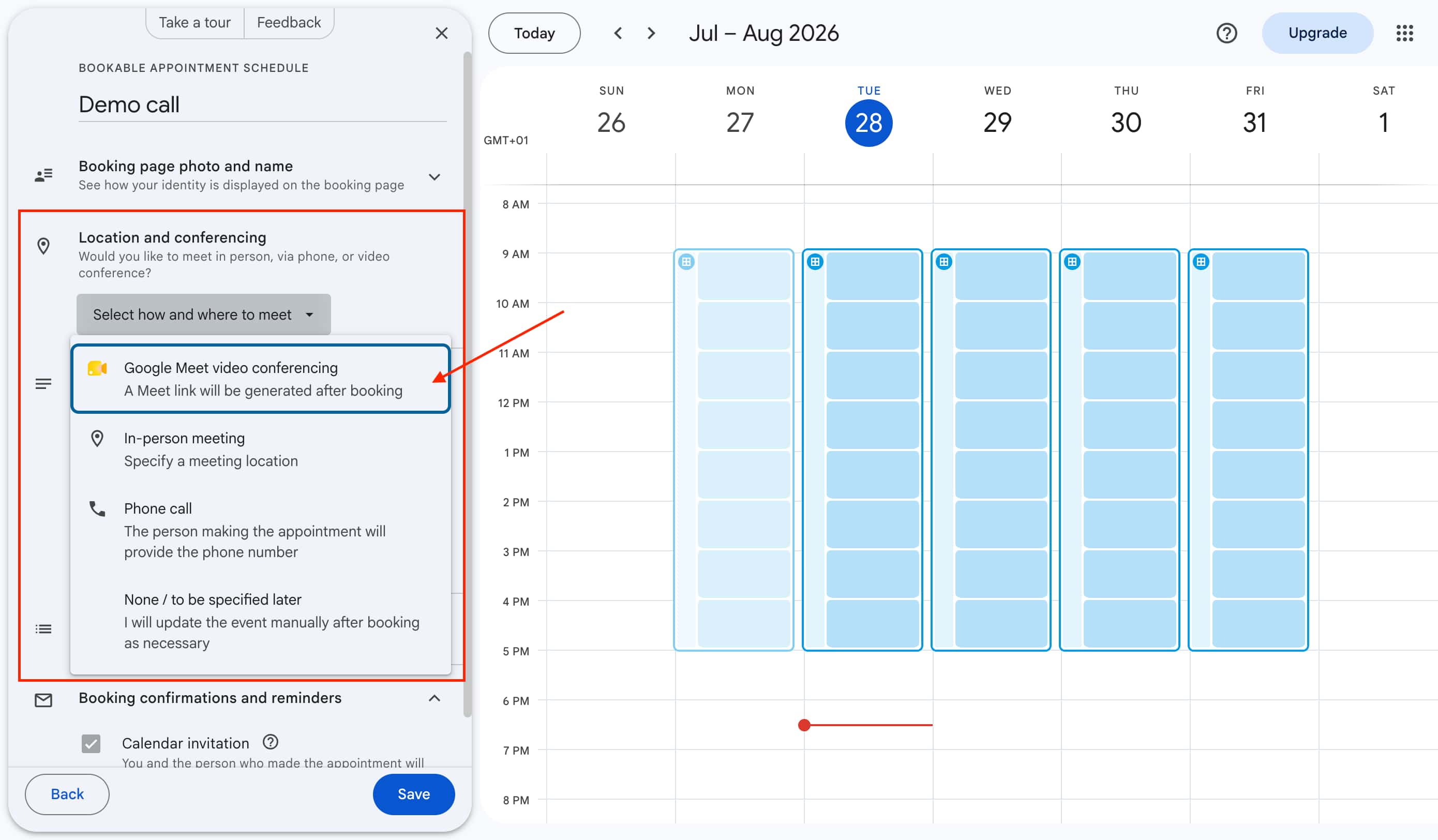
When I created an appointment, I selected Google Meet as the video conferencing option and it automatically created a meeting link after someone booked. It was very straightforward and required no extra setup.
5. Notifications & Reminders
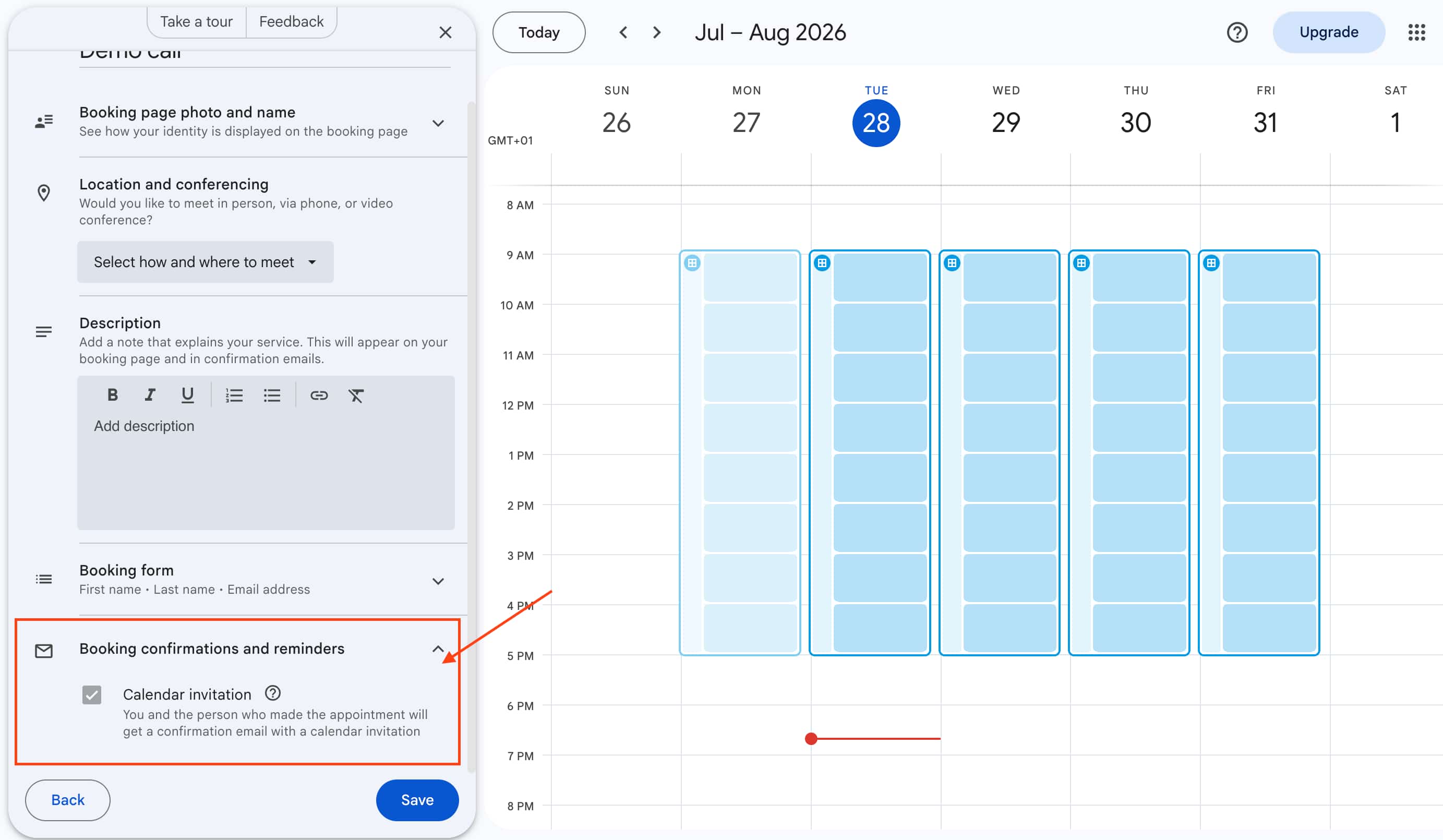
When a booking was made, both myself and the person who booked received a confirmation email with a calendar invitation. You can also set up additional reminders on paid Google Workspace plans.
There wasn't much more to this feature. It was simple and straightforward especially for someone managing one-to-one appointments.
Google Appointment Pros and Cons
Pros
Simple and easy to set up for basic appointment scheduling
Works seamlessly with Google Calendar and Google Workspace
Google Meet integration makes creating video meetings effortless
Free option available for basic scheduling needs
Familiar interface for users already using Google's ecosystem
Good option for one-to-one meetings and simple bookings
Cons
Limited branding and customization options for booking pages
Lacks advanced team scheduling features like Round Robin and routing
Not designed for teams managing high volumes of meetings
Limited automation compared to dedicated scheduling platforms
Managing multiple different calendars can become difficult
Fewer integrations and workflow options
Not many advanced appointment features
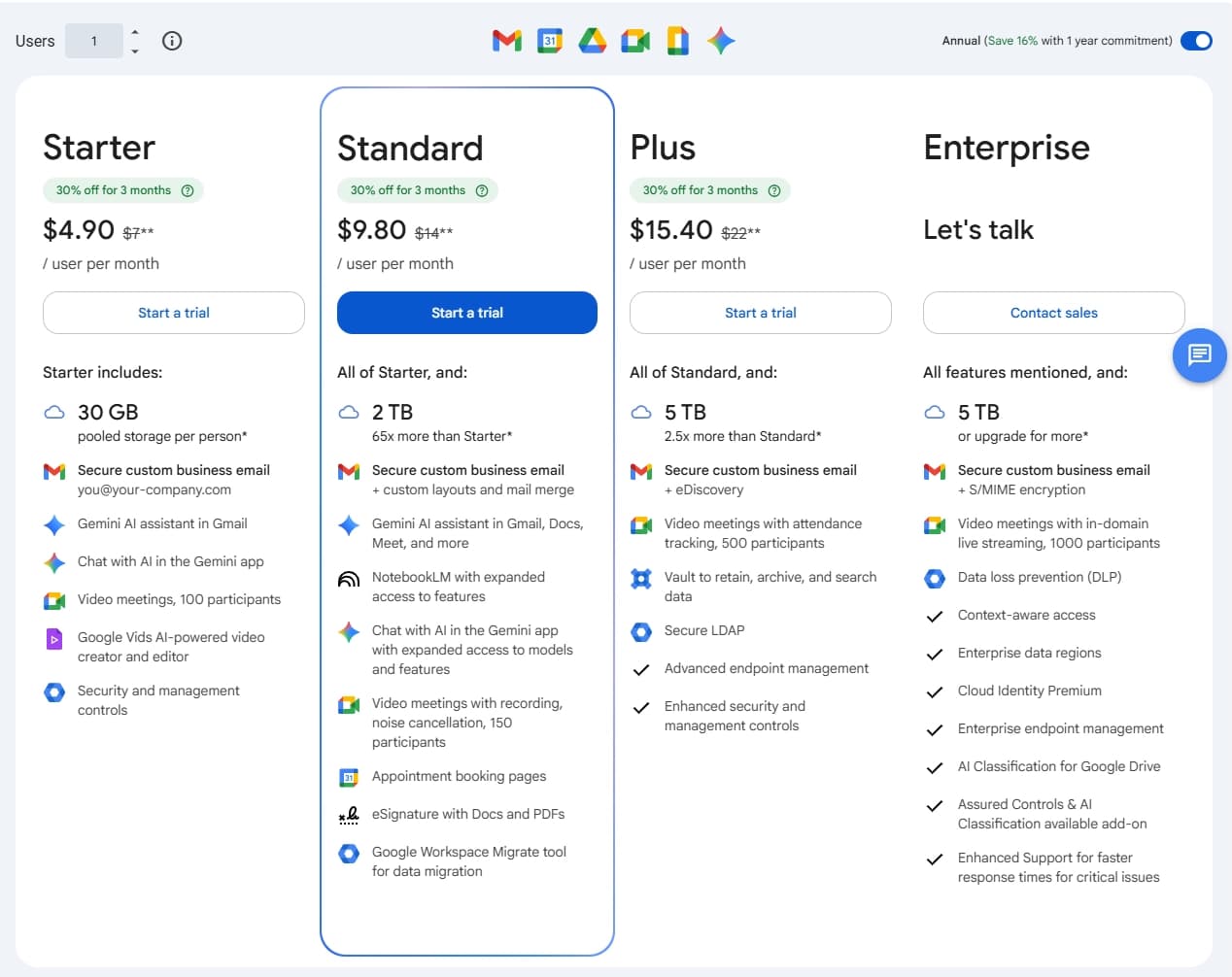
Pricing
Warmcal
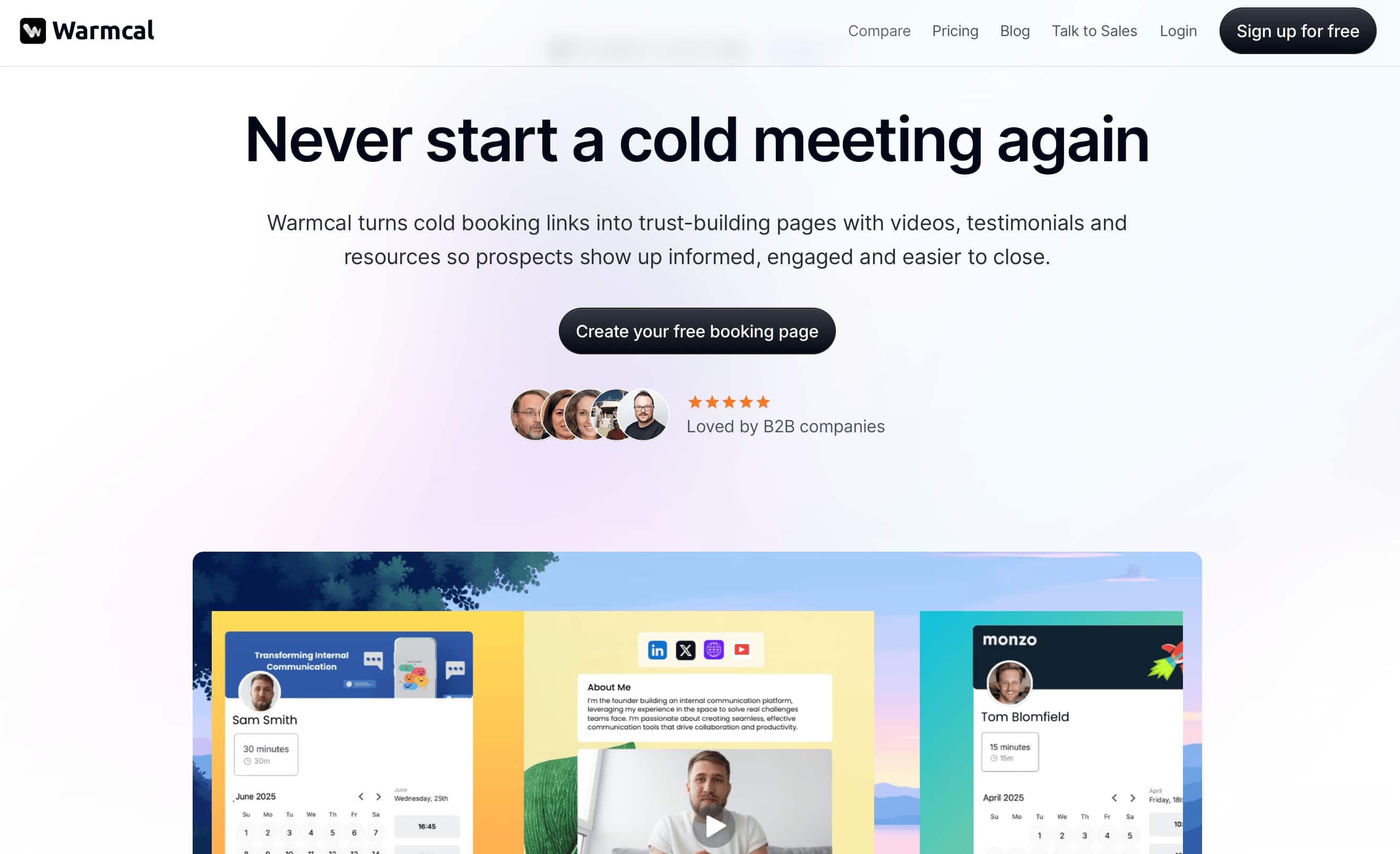
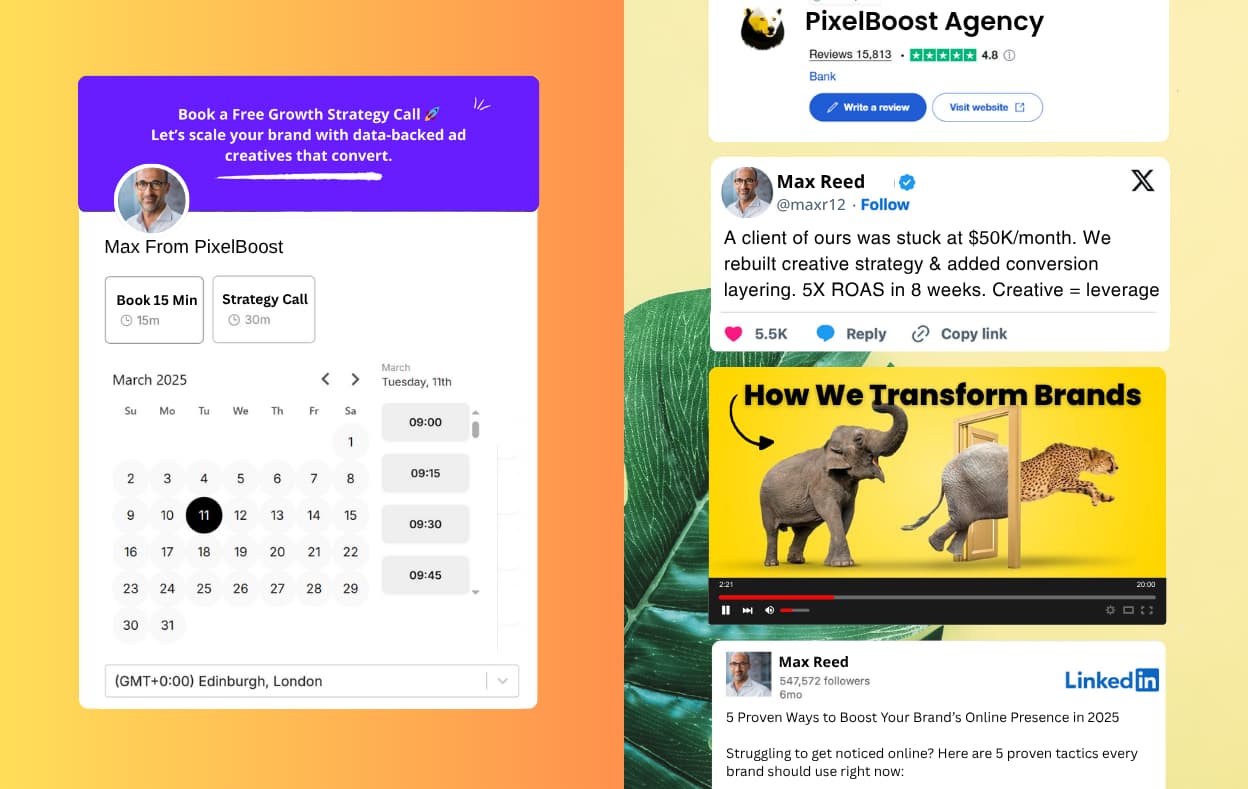
Warmcal takes a different approach to scheduling by focusing on the booking experience itself. When you land on a Warmcal booking page, the first thing that stands out is how much control you have over the design. Instead of a standard calendar layout, businesses can create a more personalized booking experience with custom backgrounds, banners, videos, images and branding elements.
Another difference is Warmcal's flat-fee pricing model, which avoids charging per user. This can make it easier for growing teams to give access to everyone who needs it without having to decide which team members should be included or worry about increasing costs as the team grows.
Alongside customization, Warmcal includes core scheduling features such as calendar integrations, team scheduling and Round Robin booking, making it a complete scheduling solution for businesses that want more control over how prospects experience the booking process.
Features
1. Booking Page Experience
Warmcal's booking page experience is one of the most unique features you will feature find in a scheduling tool. Instead of sending people to a simple calendar link, Warmcal turns your booking page into a personalized experience that reflects your brand.
You can build an on brand booking page that tells clients, prospects and candidates more about you and your business before they book a meeting. This helps build trust before someone even reaches your calendar. It is especially useful for sales teams, consultants, agencies and service businesses where first impressions matter.
The goal is not just to make scheduling easier but to create a booking experience that feels more professional and personalized.
2. Team Scheduling
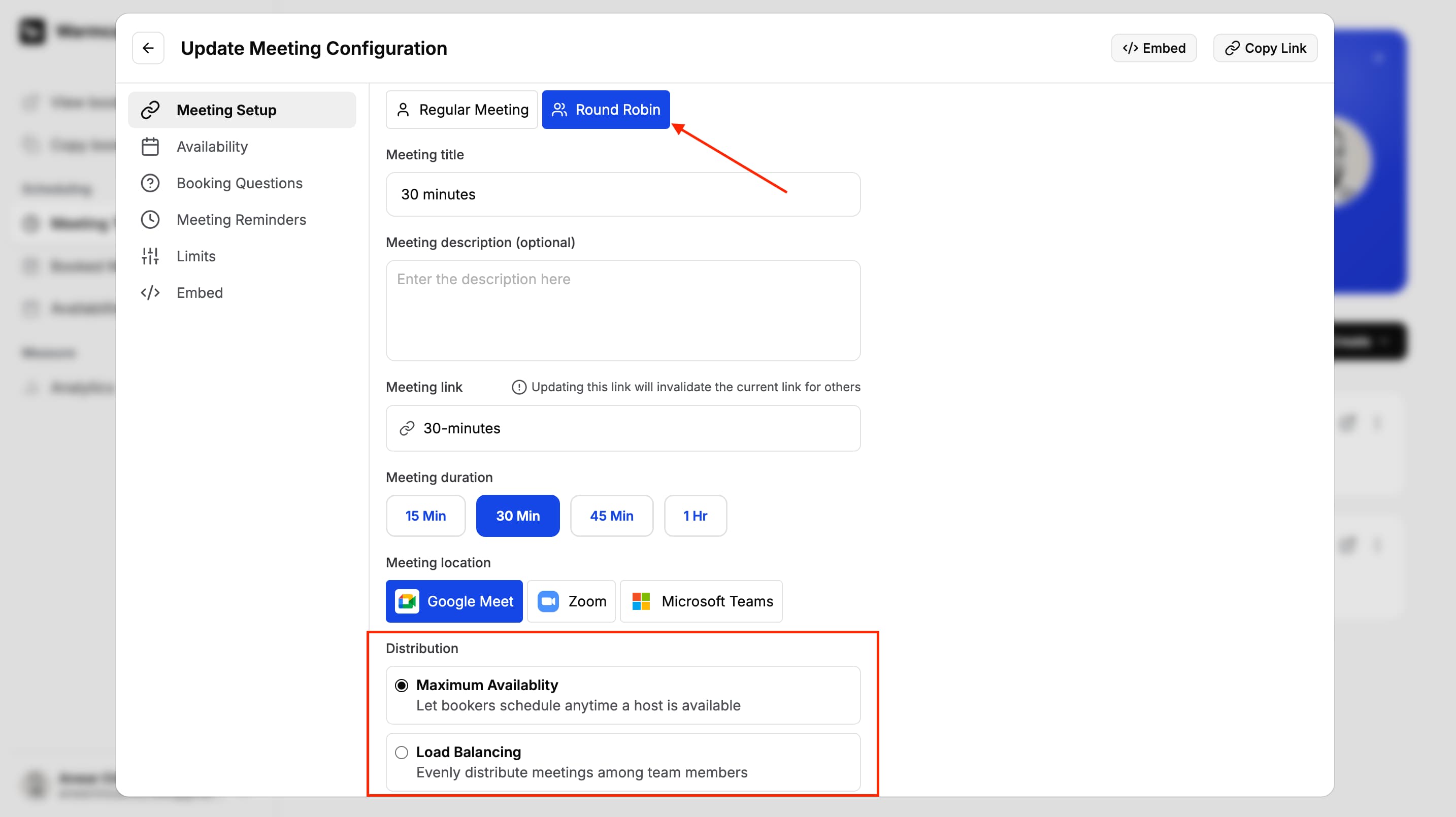
Warmcal includes team scheduling features such as Round Robin and shared availability. I tested adding team members and setting up scheduling rules which was straightforward to configure.
One advantage is that team members can be added without paying per seat. This makes it easier for businesses with larger teams to give everyone access without worrying about the cost increasing as the team grows.
For teams that regularly handle client meetings or sales calls, Warmcal helps make the scheduling process more organized while keeping the setup simple.
3. Pre-Meeting Question
I really love this feature of Warmcal, It allows you to ask questions before someone books a meeting with you. I found this useful because it helps collect important information upfront instead of spending time finding out the details after the meeting is already booked. It also helps get prepared for the meeting.
You can use these questions to qualify people before giving them access to your calendar. This is especially useful for sales teams, consultants and businesses that want to make sure the person booking has a genuine reason for meeting.

4. Meeting Reminders
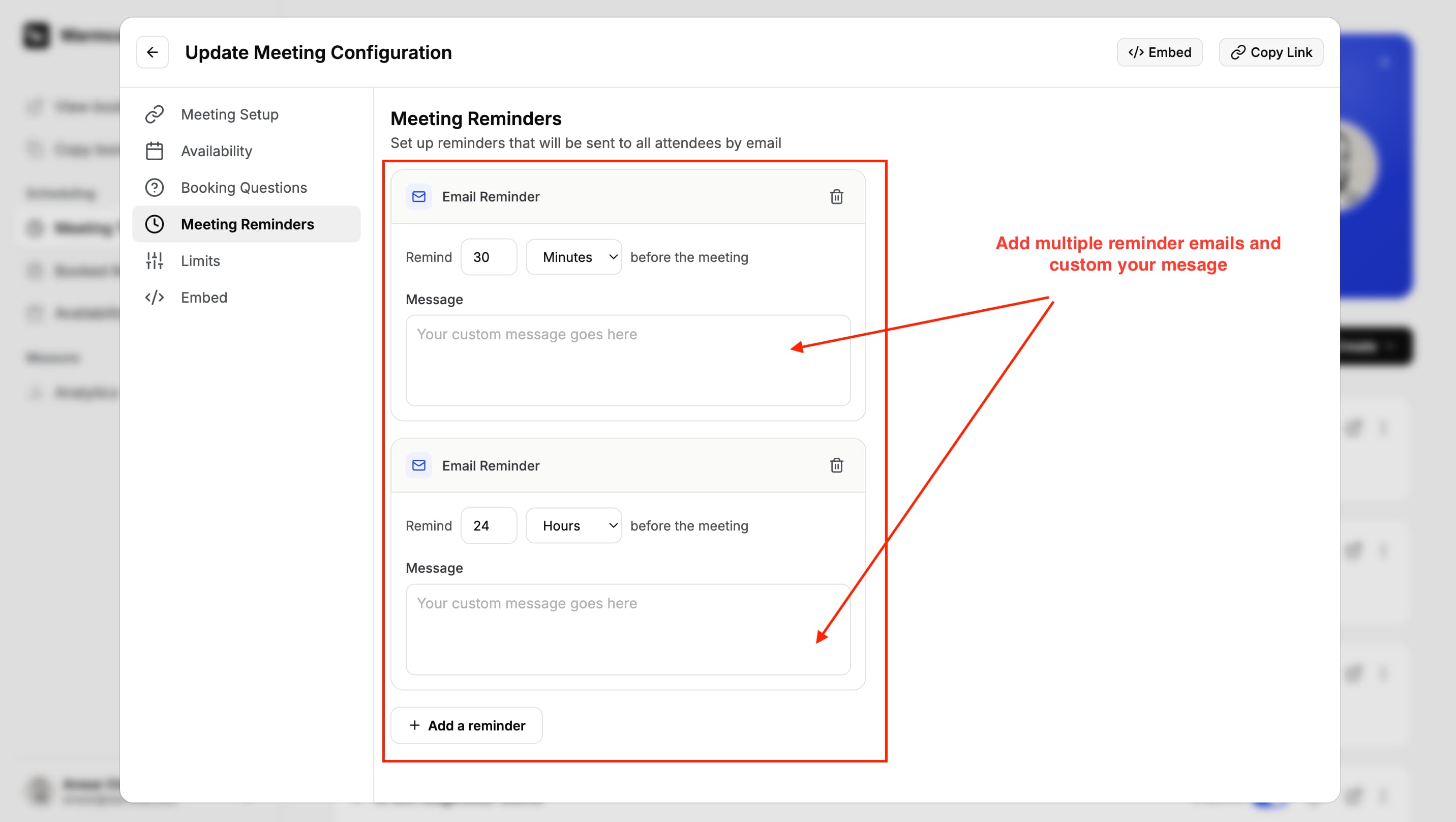
Testing this feature, I found that meeting reminders are available on the free plan. If you want more control over when reminders are sent, custom reminder timings are available on the Pro plan.
The setup is simple and it works well for keeping guests informed before a meeting.
5. Analytics
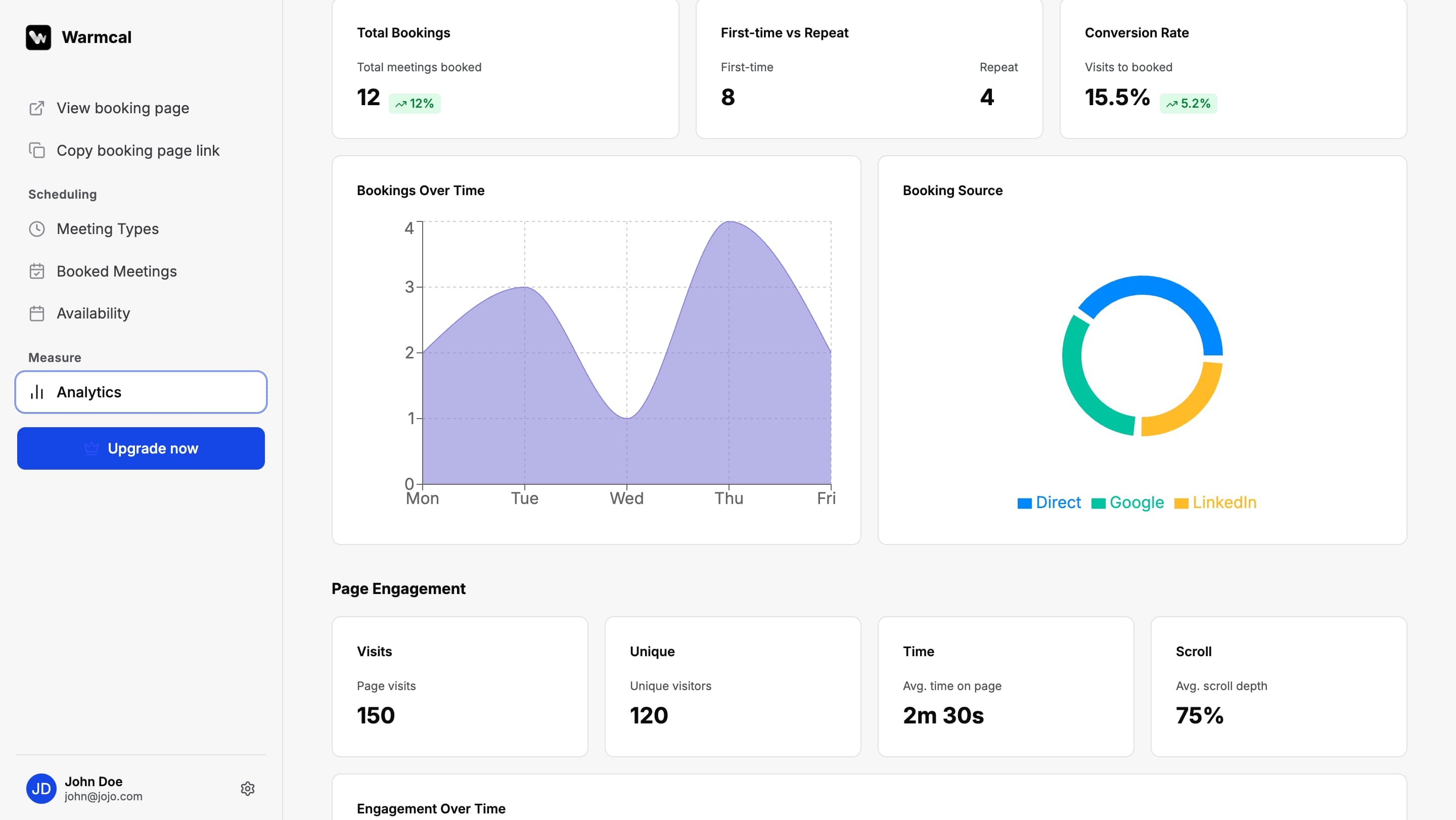
Warmcal provides insights into how your booking pages are performing. You can see data such as page views, bookings and how people interact with your scheduling pages.
I found this useful because it gives businesses a better understanding of whether their booking page is converting visitors into meetings. For teams using scheduling links as part of their sales process, these insights can help identify areas to improve.
Warmcal Pros and Cons
Pros
Branded booking pages with backgrounds, banners, videos and more
Designed to create a more professional and personalized booking experience
No per-seat pricing makes it more affordable for growing teams
Team scheduling features including Round Robin and shared availability
Simple setup with the main scheduling features businesses need
Easy integrations with popular tools like Google Calendar, Zoom and Google Meet
Automated meeting reminders with flexible timing to reduce no-shows
Cons
If you only need a simple personal booking link with the cleanest possible interface, a more minimal scheduling tool may be a better fit.
Multi-team and multiple event setups can feel a little dense until you understand how the structure works.
Some configurations may not be immediately obvious during the first setup.
Still growing its feature set compared to more mature scheduling platforms.
Pricing

Which Scheduling Software Should You Choose?
Warmcal is right for you if...
You want your booking page to make a strong first impression
You want to look professional and credible from the first touch
You want meeting someone where building trust is important
You want a simple scheduling tool without bloated complex features
You want team scheduling with fixed monthly pricing instead of paying per user
Calendly is right for you if...
You need an easy way to share your availability and let people book meetings
You do not need a highly customized booking experience
You need advanced workflows, automations and integrations
Enterprise security and compliance are important to your organization
You want a scheduling platform with a generous free plan
Google Appointment Scheduler is right for you if...
You already use Google Workspace every day
You only need simple appointment scheduling
You want meetings to work seamlessly with Google Calendar and Google Meet
You do not need advanced routing, branding or automation
You mainly book one to one meetings and do not need team scheduling features
How We Evaluated Each Platform
For this Calendly vs Google Appointment Scheduling guide , I tested Calendly, Google Calendar and Warmcal using the same process to keep the comparison fair. I created accounts, set up booking pages, connected calendars and tested the full booking journey from both the business and customer perspective.
I looked at areas that matter most when choosing scheduling software, including:
Creating and customizing booking pages
The booking experience from choosing a time to receiving confirmation
Calendar syncing and availability management
Team scheduling features and how multiple users can manage meetings
Pre-meeting questions and lead qualification
Reminders and meeting follow-ups
Branding options and how professional the booking experience feels
Pricing and how each platform works for growing teams
Alongside my own testing, I reviewed feedback from platforms such as G2, Trustpilot, and Reddit to identify common themes from real users. This helped highlight both the strengths of each platform and the issues users regularly experience.
FAQs
What is the best Calendly alternative for businesses?
The best Calendly alternative depends on what you need from your scheduling tool. Google Calendar works well for simple appointment scheduling, especially for users already using Google Workspace. Warmcal is a strong option for businesses that want more personalized booking pages, lead qualification, and team scheduling without paying per seat.
Is Google Calendar enough for business scheduling?
Google Calendar is enough for individuals and small teams that need basic appointment scheduling. It handles availability, bookings, and Google Meet integration well. However, businesses that need features like Round Robin, routing, advanced workflows, and branded booking pages may need a dedicated scheduling platform.
Calendly vs Google Calendar: which one should you choose?
Calendly is better suited for businesses that need a dedicated scheduling platform with advanced features such as team scheduling, routing, reminders, and integrations. Google Calendar is better for users who want a simple appointment scheduling solution that works inside the Google ecosystem.
Is Calendly and Google Calendar the same?
No, Calendly and Google Calendar are different tools built for different purposes. Google Calendar is primarily a calendar application that includes appointment scheduling features, while Calendly is a dedicated scheduling platform built around booking meetings, team scheduling, workflows, and integrations.
Is Google Calendar free?
Yes, Google Calendar is free to use with a Google account. It includes core calendar features and basic appointment scheduling. Businesses that need additional Google Workspace features, storage, and advanced scheduling options may need a paid plan.
Which scheduling tool is best for businesses?
The best scheduling tool depends on what you need from your booking process. Calendly is a strong choice for businesses that need advanced scheduling features, team management, and integrations. Google Calendar works well for businesses that want simple appointment scheduling within the Google ecosystem. Warmcal is a good option for businesses that want a more personalized booking experience with branded pages, qualification questions, and team scheduling features.