Introduction
If you have ever spent time chasing people through emails trying to find a meeting time, you already understand why scheduling tools have become so popular. But when comparing Calendly vs HubSpot, which one actually gives you the better scheduling experience and fits your workflow?
In this in depth review of Calendly vs HubSpot comparison, I tested both platforms to see how they handle the areas that matter when choosing scheduling software, including booking pages, calendar availability, team scheduling, automation, integrations and the overall booking experience.
I also looked at user feedback from platforms such as G2, Trustpilot, Capterra and Reddit to understand not only what each tool does well but also the common issues users experience.
Calendly Vs HubSpot comparison at a glance
Category | Calendly | HubSpot | Warmcal |
|---|---|---|---|
Focus | One-to-one and team scheduling | Meeting scheduling built into the HubSpot CRM | Branded booking pages and team scheduling |
Best for | Internal teams, freelancers, Sales, recruiting, agencies, service businesses | Sales, Team and Businesses already using HubSpot Suite | Client-facing teams, sales, marketers, recruiters, founders, consultants, agencies |
Free plan | Yes | Yes | Yes |
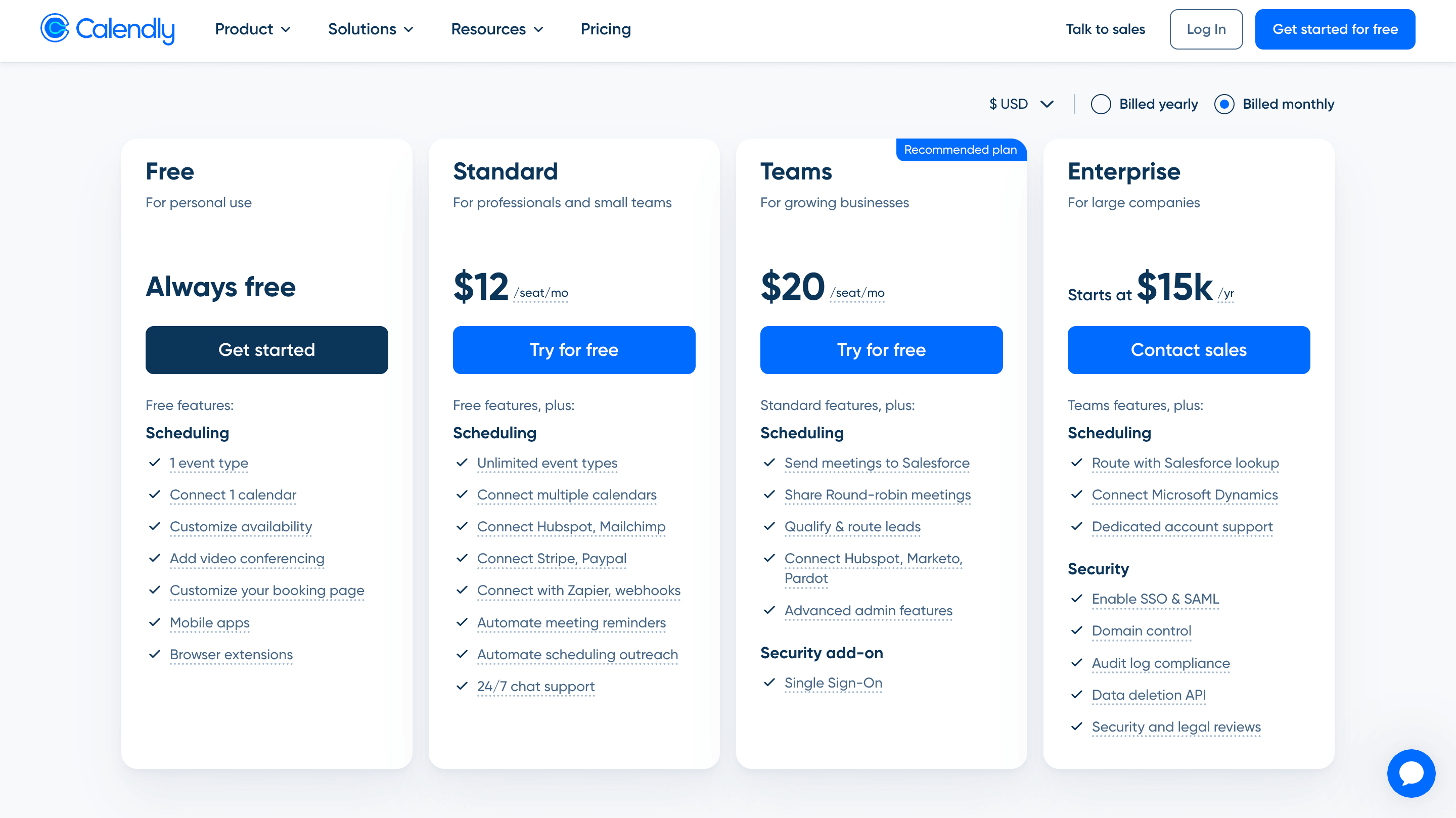
Team Paid Plan Monthly | ~$20/seat/mo team plan | Included with HubSpot paid plans | $99/mo Unlimited Seats (No seat pricing) or $35/mo for smaller teams up to 3. |
Team scheduling | Yes. Round-robin, collective scheduling, lead routing | Yes. Round Robin and team availability on higher plans | Yes, Round robin, collective routing, syncing, designed for business teams |
Branding & customization | Limited: Logo, URL, Embed colour | Limited branding options | Strongest point: Banners, Wallpapers, intros, videos, social medial posts, much more |
Calendar sync | Google, Outlook, and other major calendars | Google Calendar and Outlook | Google and Outlook support |
CRM integrations | HubSpot, Salesforce, and more | Native HubSpot CRM integration | HubSpot |
Round robin scheduling | Yes | Yes | Yes |
Video conferencing integrations | Zoom, Google Meet, Microsoft Teams | Zoom, Google Meet, Microsoft Teams | Zoom, Google Meet, Microsoft Teams |
Automation | Yes | Yes | Yes |
Routing forms | Yes | Yes | Yes, qualify before booking meeting |
Analytics | Booking and workflow insights | Meeting activity and CRM reporting | Booking page views, team performance, and booking insights |
Learning curve | Moderate, easy to start but advanced features add complexity | Easy if you already use HubSpot but can feel overwhelming for new users | Easy to use and customize your booking page |
Calendly: In-Depth Review
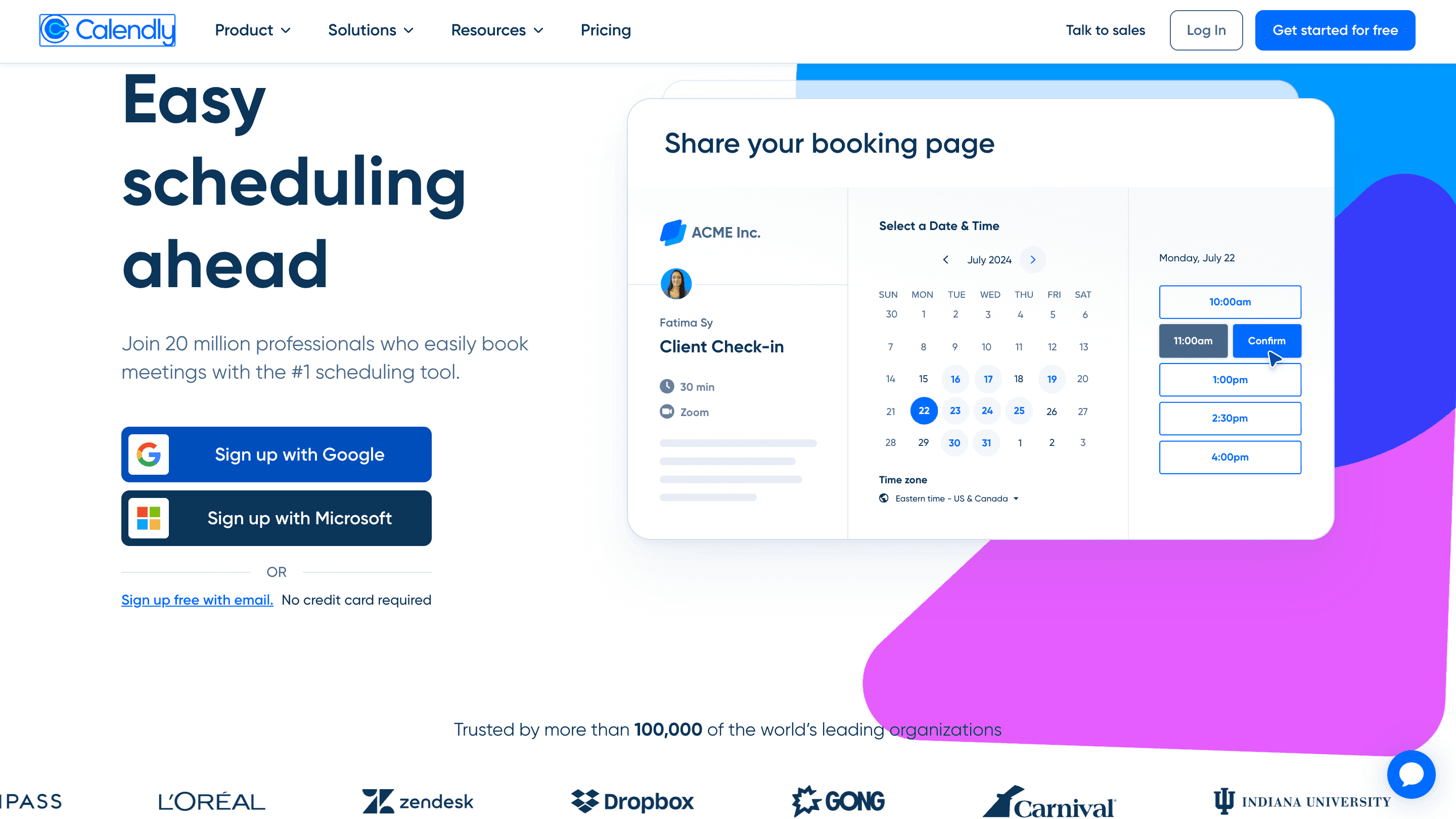
Calendly is one of the most established scheduling platforms and is used by businesses to simplify how meetings are booked and managed. Instead of spending time coordinating availability through emails, users can share a scheduling link where people can select a suitable time based on their calendar.
The platform focuses on making the scheduling process efficient with features such as calendar integrations, team scheduling, workflows and automated reminders. Its simple setup and reliable booking experience have made it a popular choice for individuals and businesses managing regular meetings.
Features
1. Calendar Connections
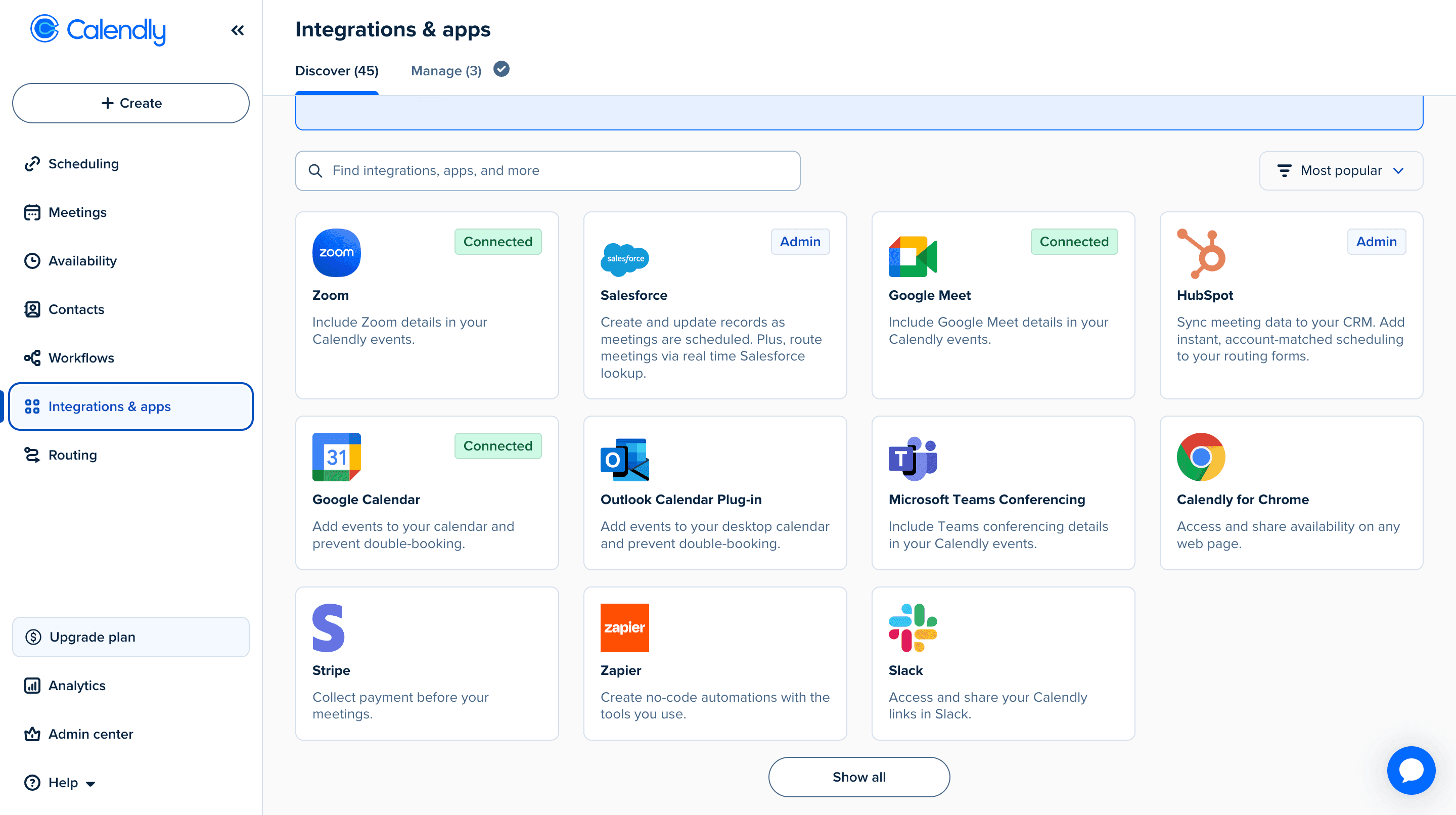
Calendly supports connections with popular calendar providers including Google Calendar, Outlook, Microsoft Exchange and Apple Calendar. During testing, connecting my calendar was straightforward and the setup only took a few steps.
Once connected, Calendly automatically checks your availability and updates your calendar when a meeting is booked. This helps keep your schedule organized and makes it easier to manage meetings across different calendar systems.
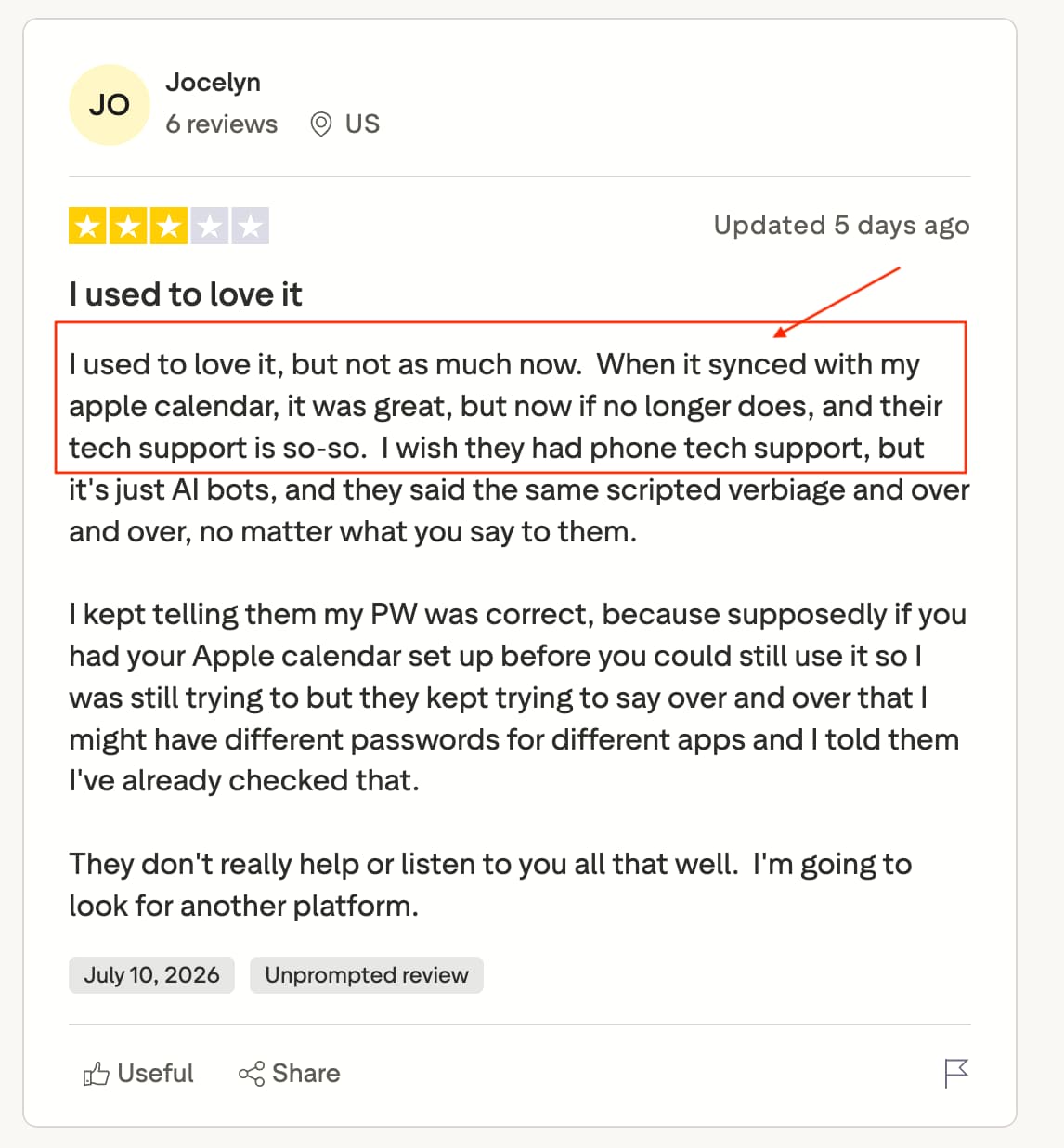
While testing Calendly and reviewing Trustpilot user feedback, I noticed some concerns around Apple Calendar compatibility. This was also a discussion on reddit forum. If you mainly use Google Calendar or Outlook, the experience appears to be smoother. However, Apple Calendar users may want to check compatibility before committing.
Source: Trustpilot & Reddit
2. Round Robin
During testing, setting up Round Robin was fairly straightforward, although it did take some time to understand the different options and routing settings available. It works well for teams that need to share incoming meetings without manually checking who is available.
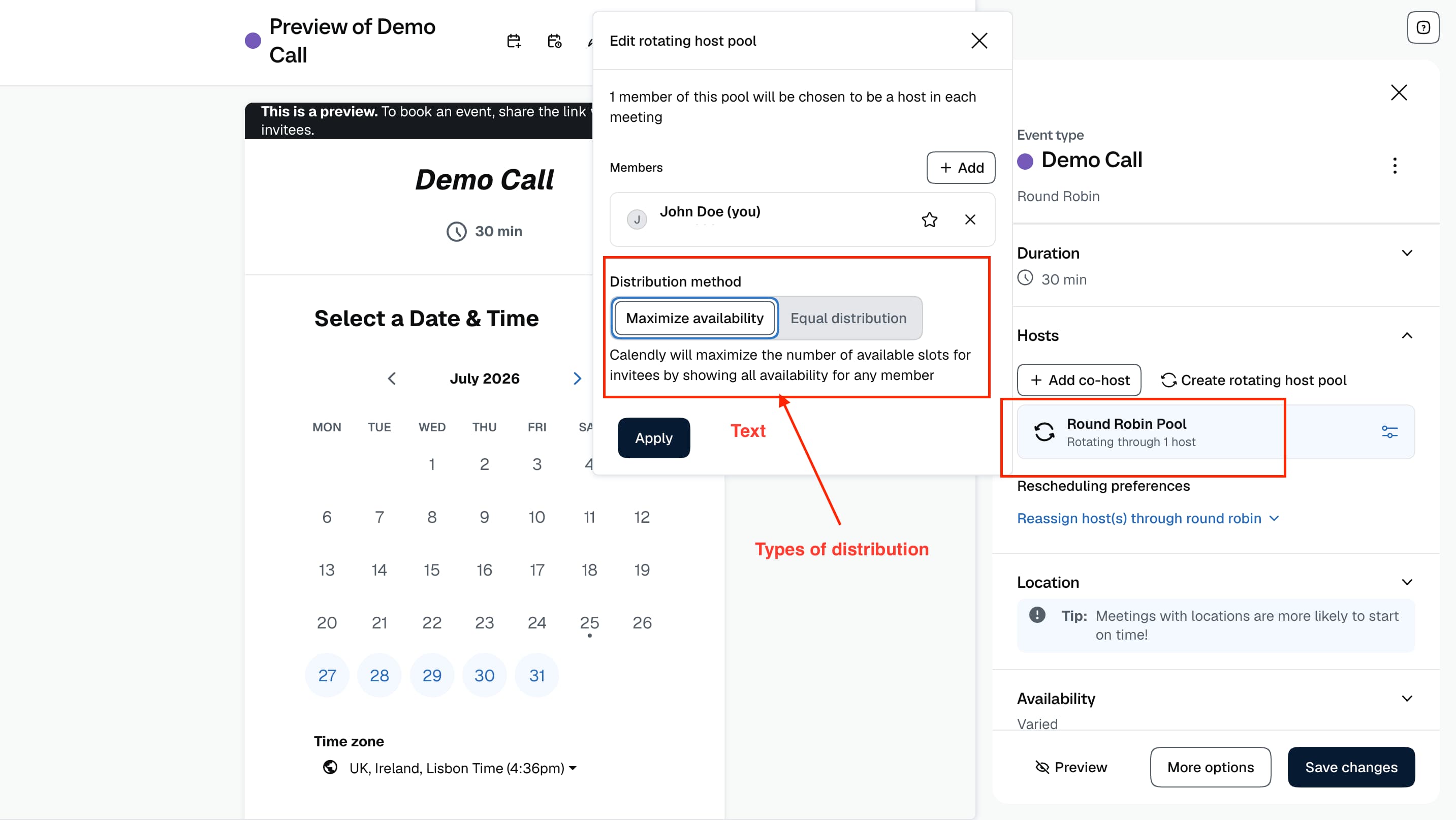
One thing to consider is that Round Robin is only available on higher tier pricing plans, which can make the cost increase as more team members need access to advanced scheduling features. I noticed several G2 reviews mentioning concerns around pricing, especially for larger teams where costs can quickly add up. cheese
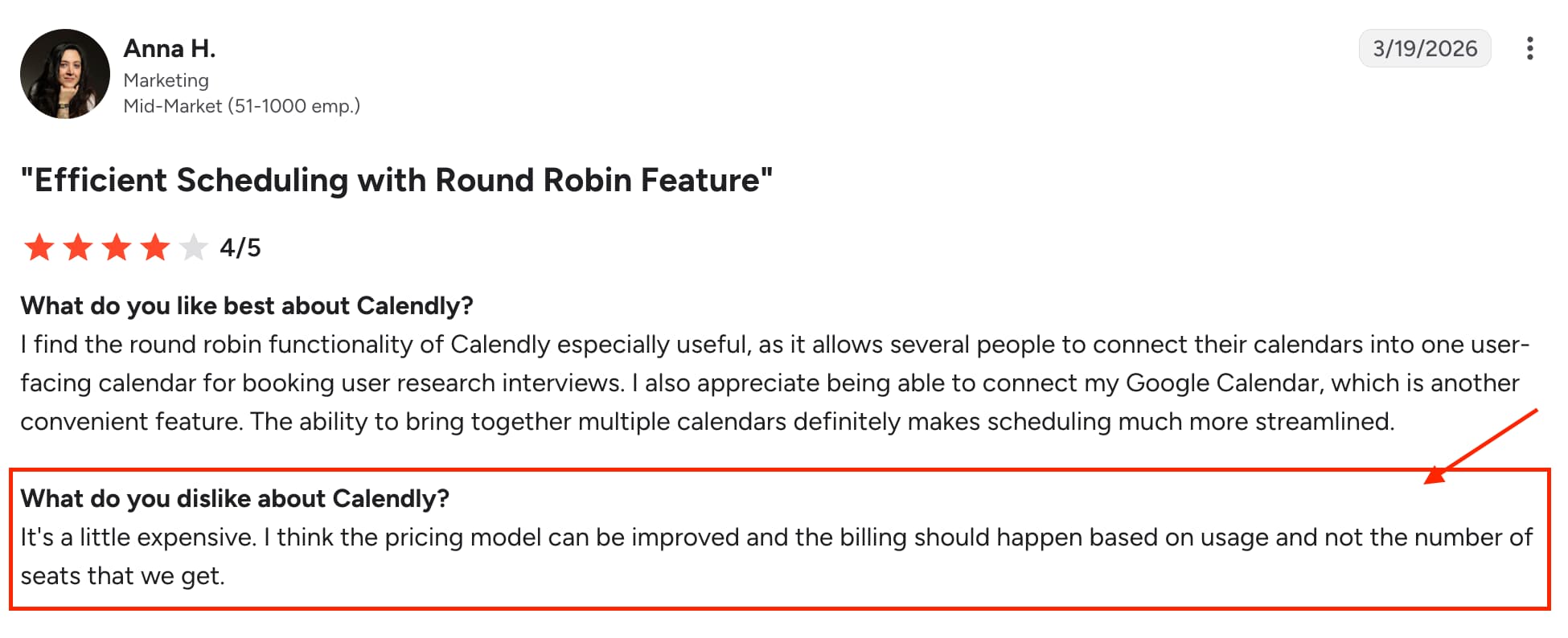
Source: G2
3. Availability
Availability controls help users protect their schedule by deciding when and how people can book meetings. Users on G2 reviews have mentioned that features like setting working hours, adding buffers between meetings, creating different availability rules for event types and setting booking limits help them manage their time more effectively.
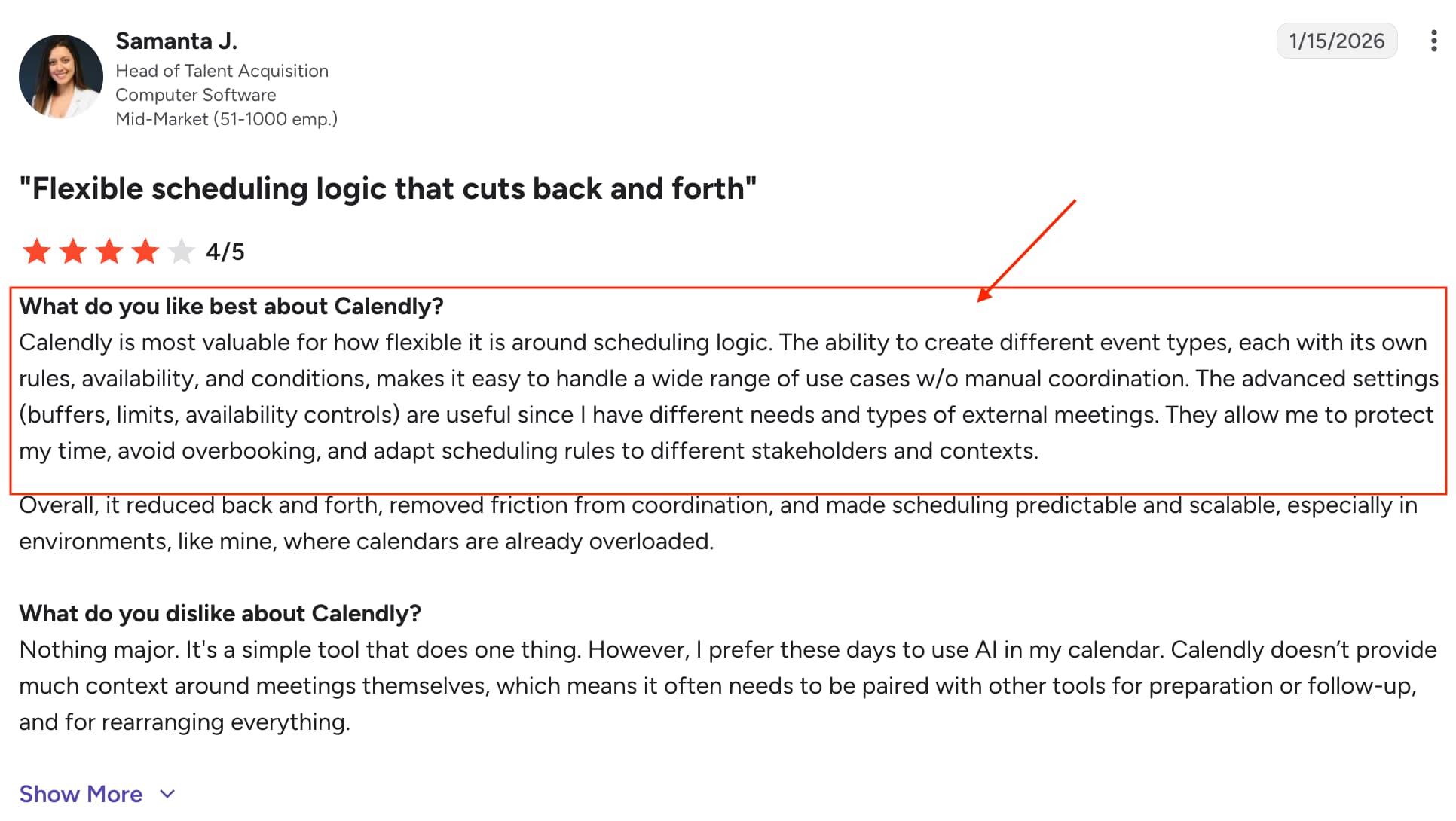
Source: G2
4. Workflows & Reminders
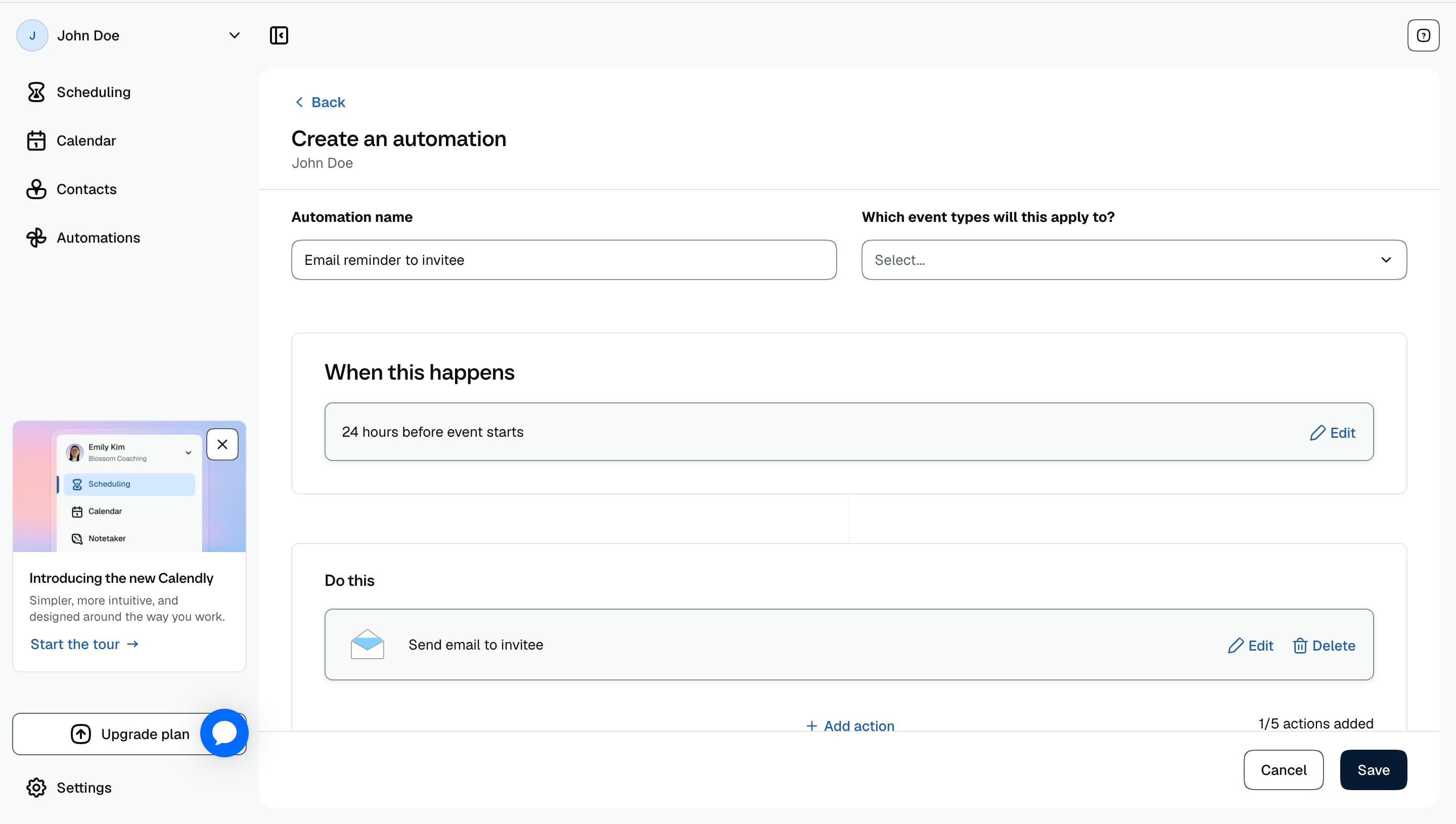
Calendly allows you to send confirmation emails, reminders and follow-up messages through workflows.
Setting up basic reminders was pretty easy. However, as I went deeper into the settings it became slightly more complicated to find certain options and understand how everything worked.
This is a great feature for teams that manage a high volume of meetings and want to keep attendees informed. Automated reminders help reduce missed meetings and make the overall scheduling process smoother.
5. Booking Page
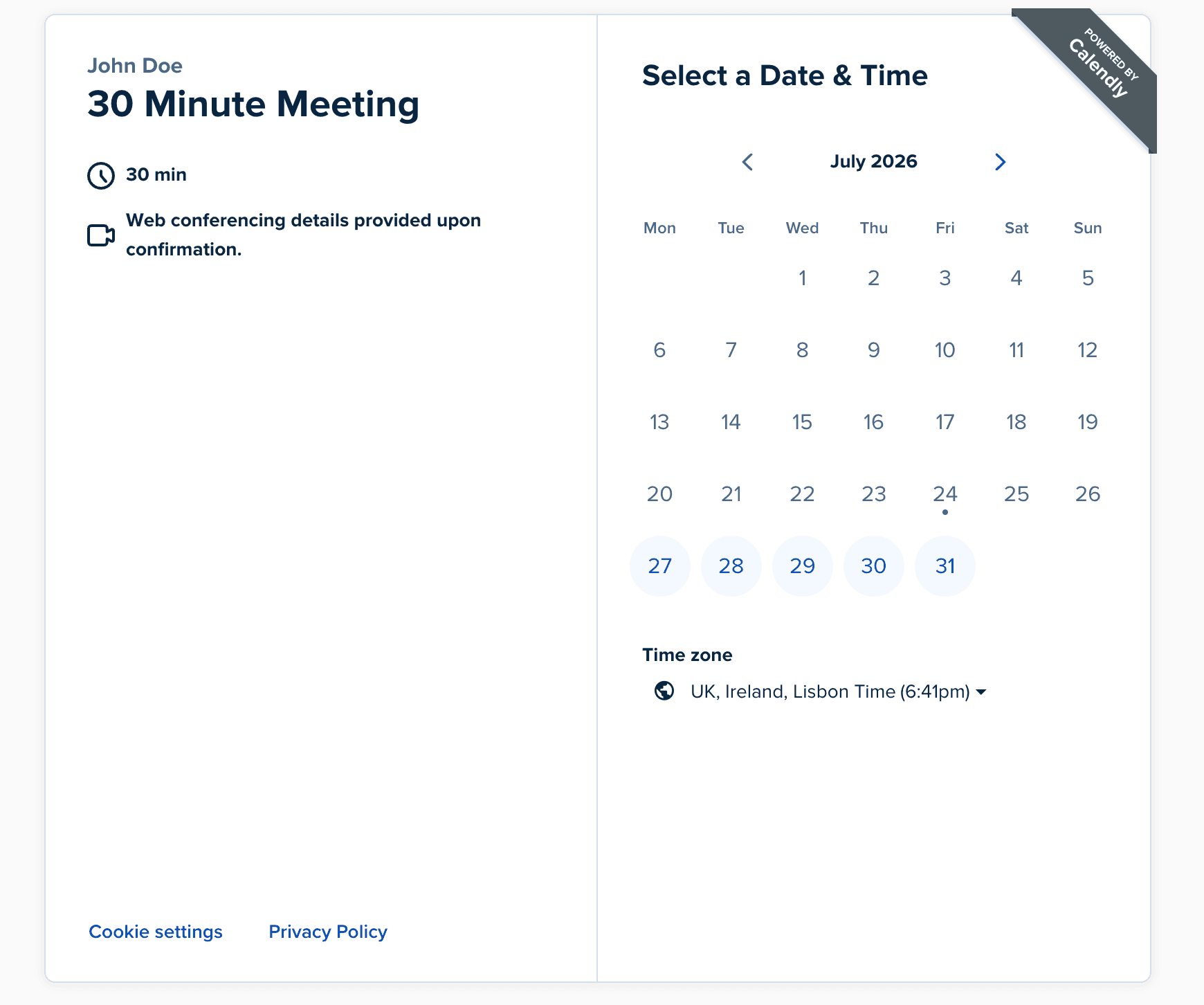
Calendly's booking page is designed around simplicity. When someone opens your scheduling link they can see your meeting details, select an available time and confirm their booking without any unnecessary steps.
The overall experience feels clean and easy which is one of the reasons Calendly has become so popular. However, the customization options are quite limited if you want to create a more branded experience.
Calendly Pros and Cons
Pros
Simple and easy booking experience
Strong team scheduling features including Round Robin
Wide range of calendar and business integrations
Reliable workflows and automated reminders
Easy for customers to book meetings
Cons
Limited branding and customization options
Advanced features are locked behind higher plans
Pricing can become expensive for teams
Some advanced settings can take time to understand
Less flexibility for businesses wanting highly personalized booking experiences
Pricing
HubSpot Meetings: In-Depth Review
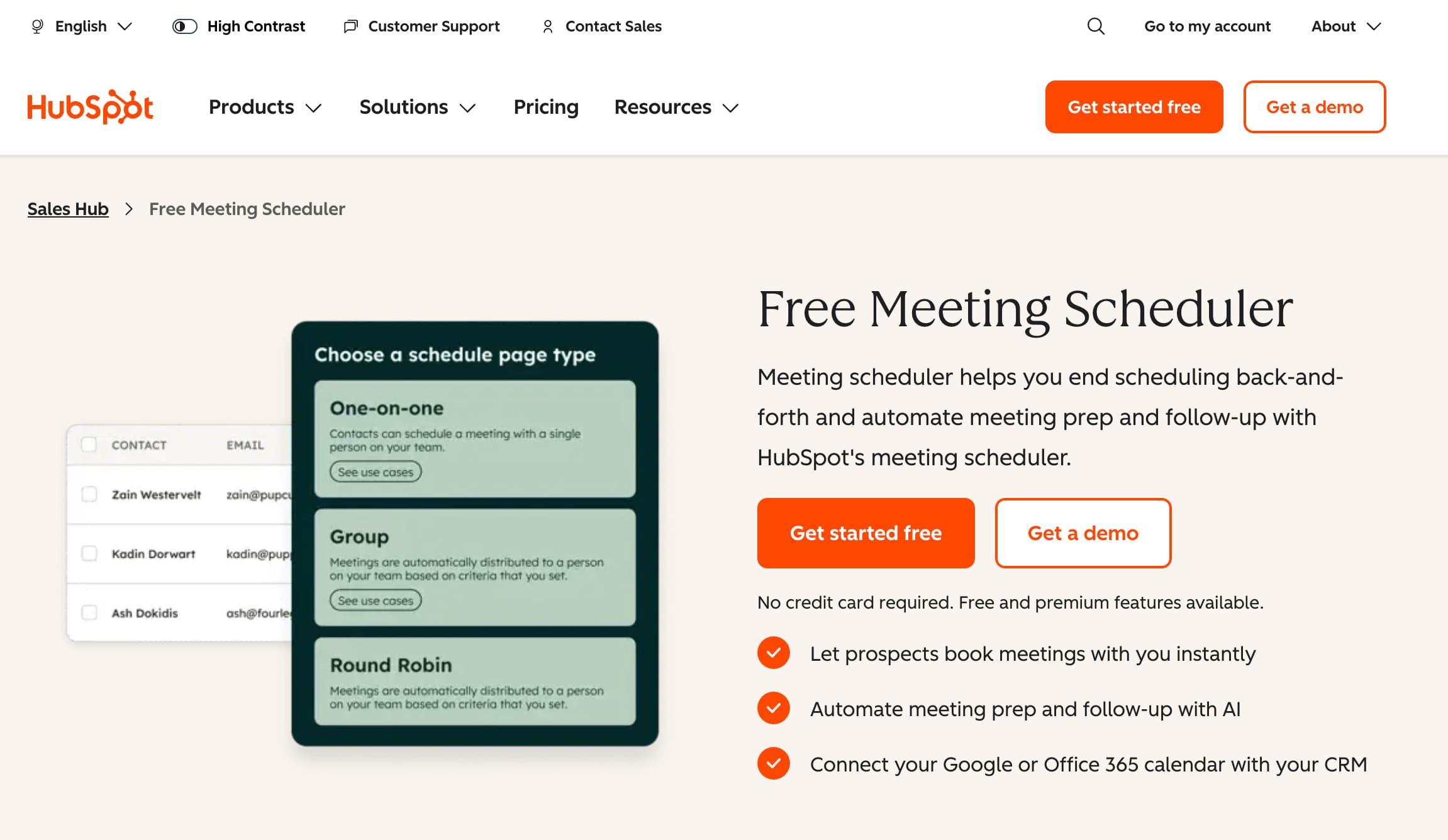
HubSpot Meetings is HubSpot's built in scheduling tool that helps people book meetings without the usual back and forth emails. Since it is part of the wider HubSpot platform it is designed to work closely with your CRM making it easy to connect meetings with contacts deals and sales activities.
While it includes the core scheduling features most businesses need its biggest advantage is how well it fits into the HubSpot ecosystem. For businesses already using HubSpot it provides a simple way to manage meetings without needing a separate scheduling platform.
Features
1. Meeting Schedule
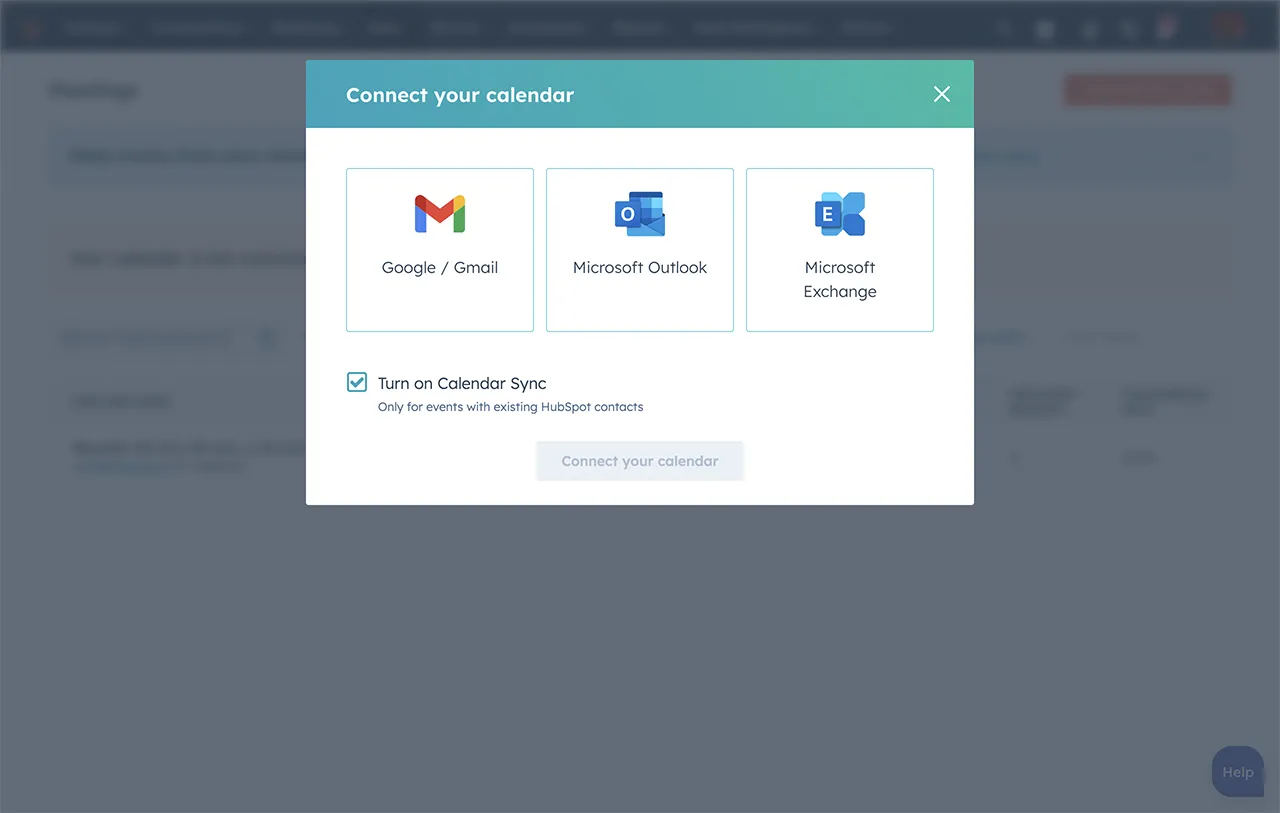
HubSpot Meetings connects with your calendars, Google Calendar, Outlook and Microsoft 365 to keep your availability up to date. Once I connected my Google Calendar any existing events were automatically marked as busy and every new booking appeared on my calendar instantly.
If you are setting this up for the first time, HubSpot has a useful guide on how to connect your calendar to HubSpot which walks through the setup process.
2. Meeting Schedule
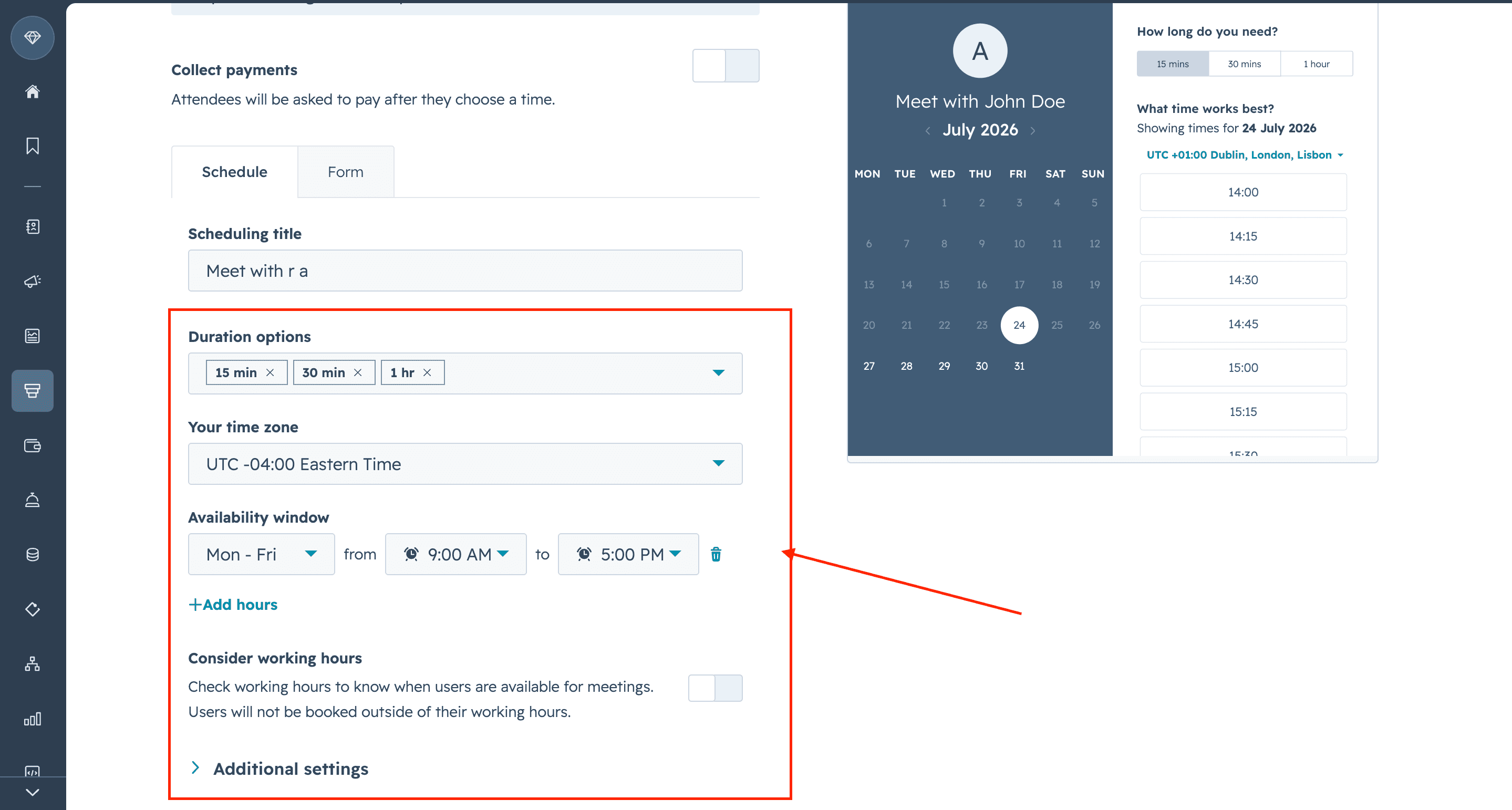
Setting up a meeting scheduler was fairly straightforward but I found the overall UI a little cluttered. Choosing the meeting duration was simple as you can quickly select the length of the meeting. However, setting availability became quite time consuming when I wanted different working hours throughout the week.
At one point it looked like the scheduling page had been created but it also hadn't which left me confused about what was happening. Overall it worked but the experience felt dated. It almost felt like I was using an older meeting scheduler hidden inside a much larger piece of software rather than a product built specifically for scheduling.
I also noticed some Trustpilot reviews from users mentioning issues with meetings not working as expected or problems with the scheduling experience. While this was not my experience, it is something worth being aware of.

Source: Trustpilot
3. Round Robin
HubSpot Meetings allows teams to create scheduling pages where multiple team members can be included. This helps distribute meetings across a team while keeping availability synced between different users.
The setup works well for businesses already managing their sales process inside HubSpot. Team members can connect their calendars and allow prospects to book time with the right person without needing manual coordination.
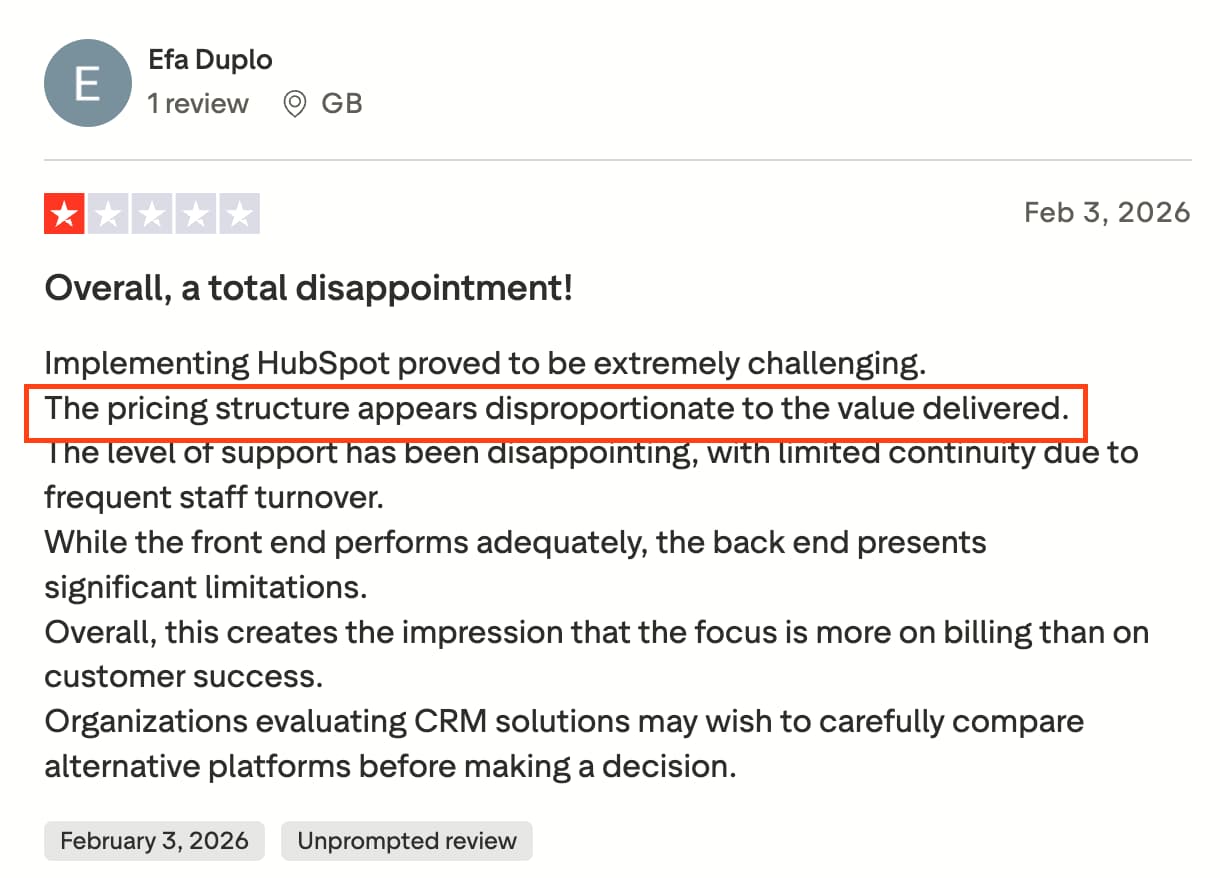
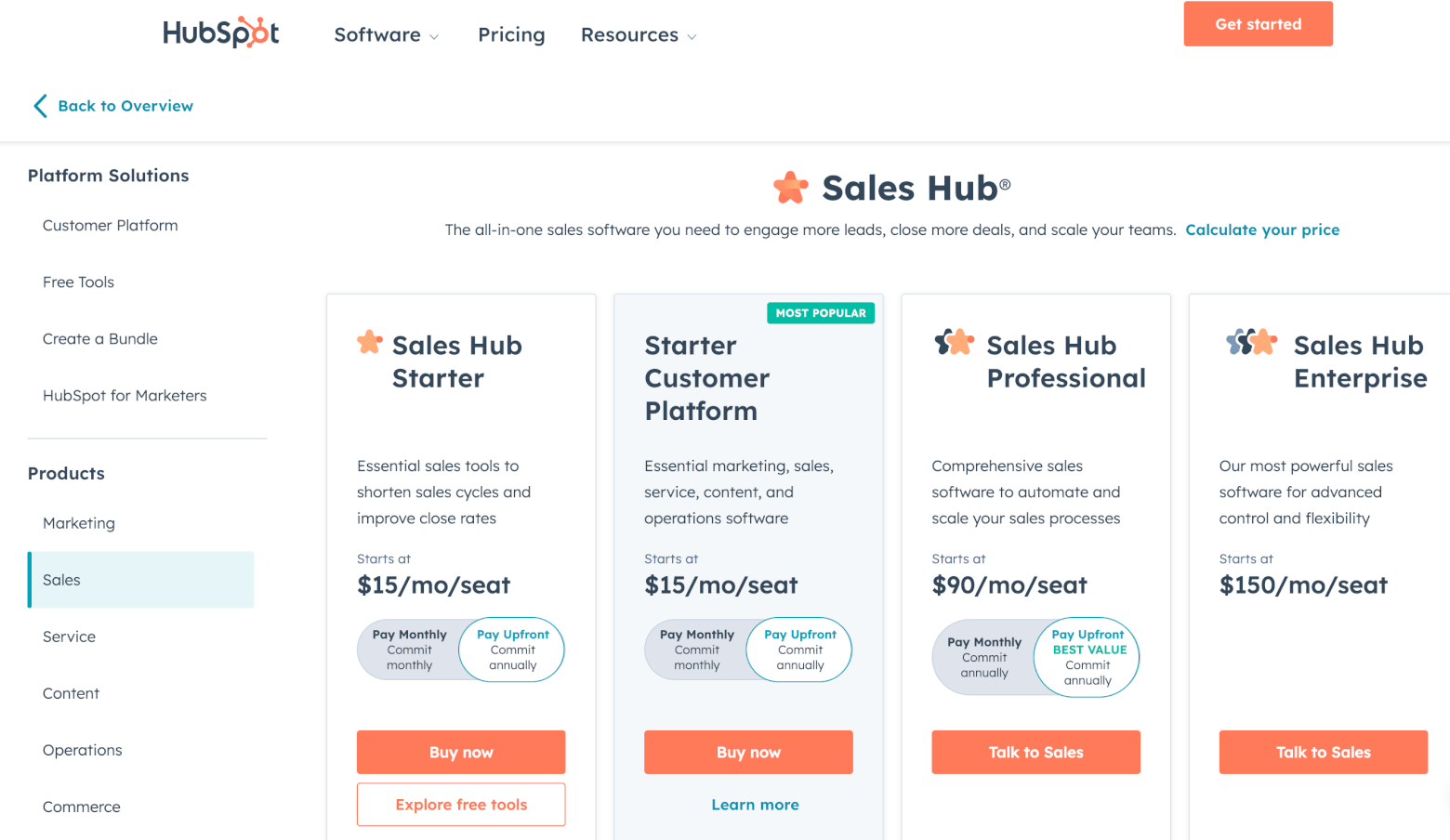
One thing to be aware of is that some advanced scheduling features are only available on HubSpot sales hub professional pricing plan which costs approx $100 per seat which is very expensive when you have a team.
I noticed several discussions on forums and Trustpilot reviews mentioning that HubSpot can become expensive as you add more users.
Source: Trustpilot
4. Booking Page
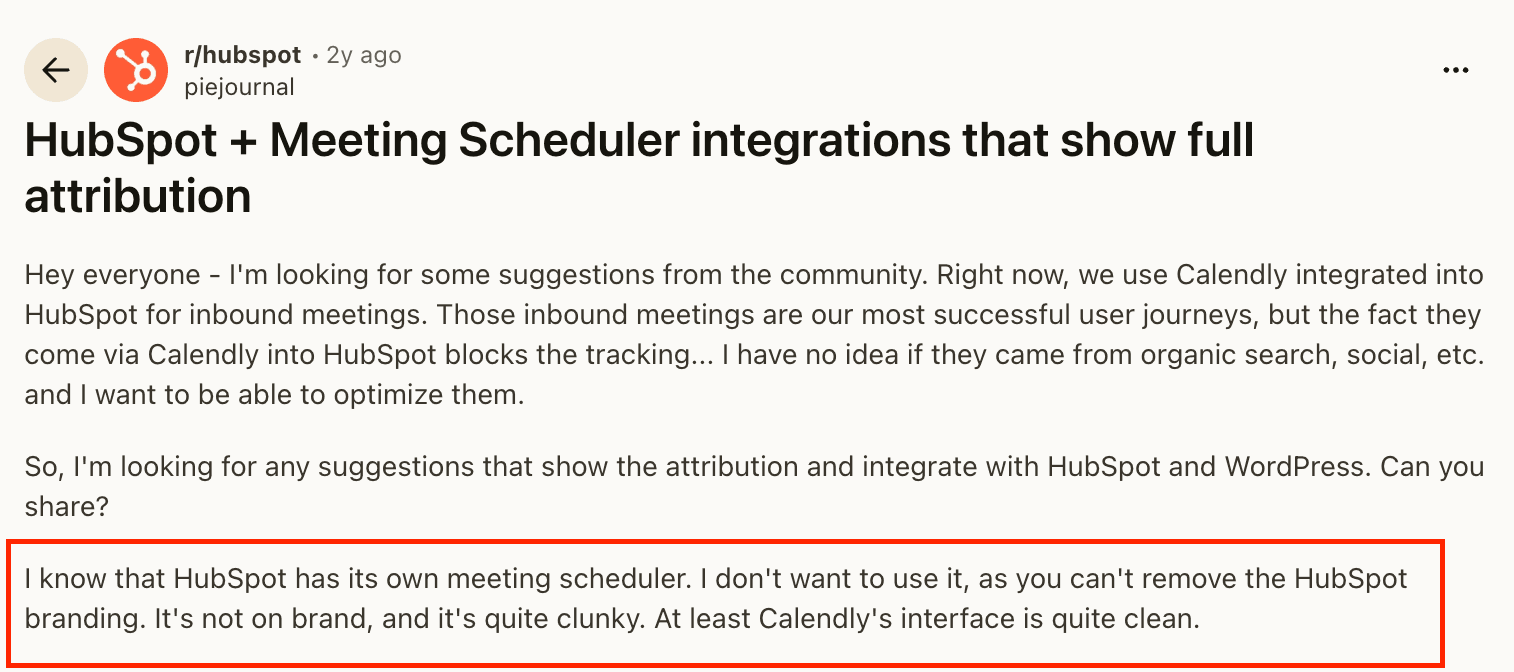
HubSpot's booking page overall experience felt quite basic. The design feels off brand and there are limited options to customise the page to match your branding. It also felt a little clunky and less personalised.
For businesses that care about creating a branded experience before a meeting takes place, this is something to consider. I found this reddit post who mentioned exactly what i had experienced.
Source: Reddit
5. Automation
HubSpot lets you automate much more than just meeting reminders. Once a meeting is booked you can automatically update contact records, create tasks, assign owners and trigger workflows based on the booking.
I found this to be one of HubSpot's strongest features. Everything is connected inside the CRM so there is very little manual work once your automations are set up.
The downside is that some of the more advanced automation features are only available on higher HubSpot plans. If you only need simple reminders and confirmations you may find HubSpot offers more than you actually need.
Calendly Pros and Cons
Pros
Seamlessly works as part of the HubSpot sales hub
Calendar syncing works well with Google Calendar Outlook and Microsoft 365
Flexibility to build a ecosystem in one place
Automation saves time by keeping meetings and contacts in sync
Cons
Meeting scheduler can feel cluttered and dated
Booking pages have limited branding and customization
Advanced scheduling features require higher priced plans
Can become expensive as your team grows
Best experience is tied to the wider HubSpot ecosystem
Pricing
Warmcal: In-Depth Review
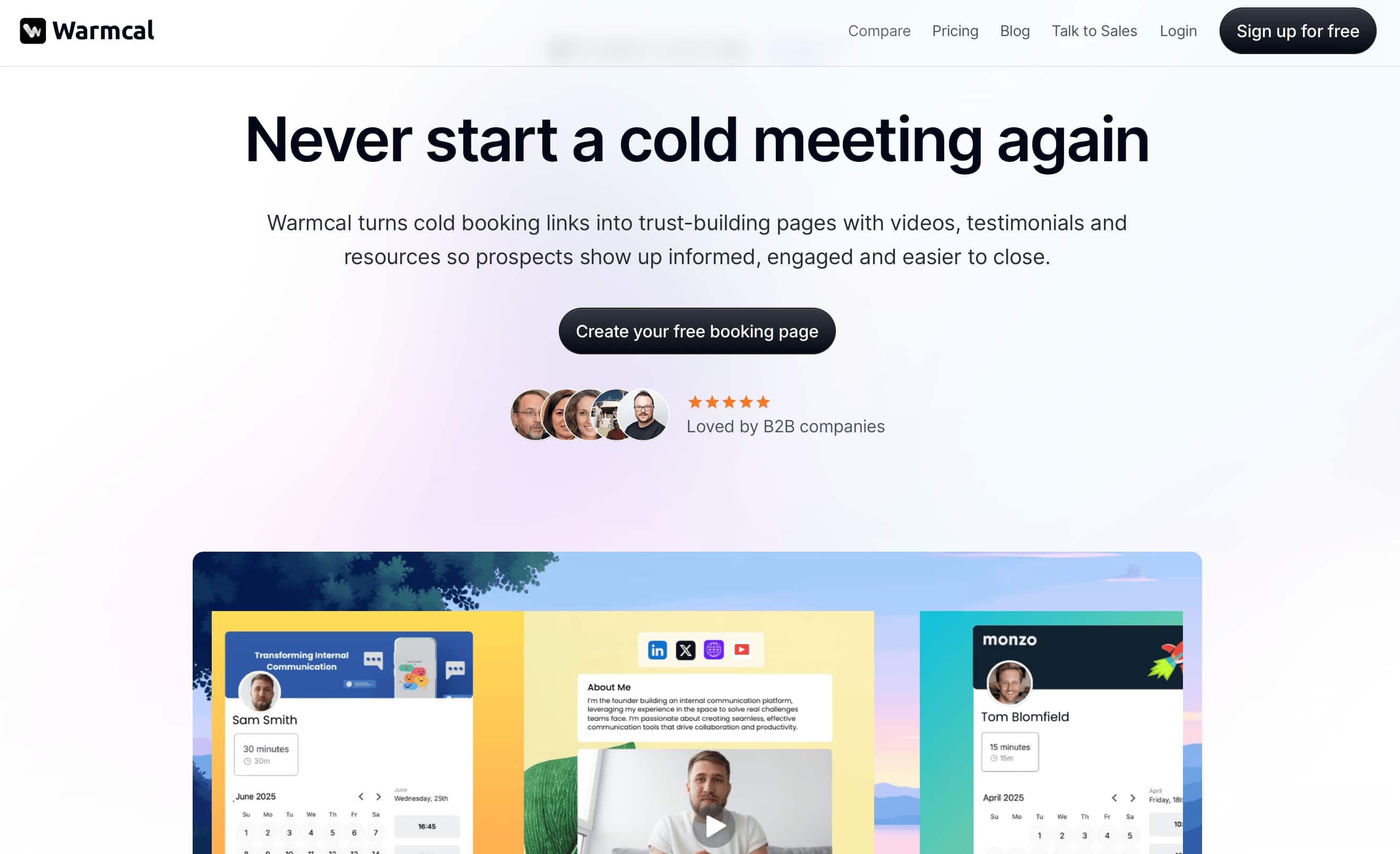
Warmcal is a low cost alternative to Calendly and HubSpot Meetings designed for businesses that want more than a basic booking link. Instead of focusing only on scheduling meetings, it helps businesses create a more engaging booking experience through personalized booking pages, lead qualification and team scheduling features.
The platform is built for businesses that want to showcase their brand before a meeting takes place while still keeping the scheduling process simple. With features such as customizable booking pages, pre meeting questions, team scheduling and integrations, Warmcal helps businesses create a more personalized experience from the moment someone clicks their booking link.
Features
1. Booking Page
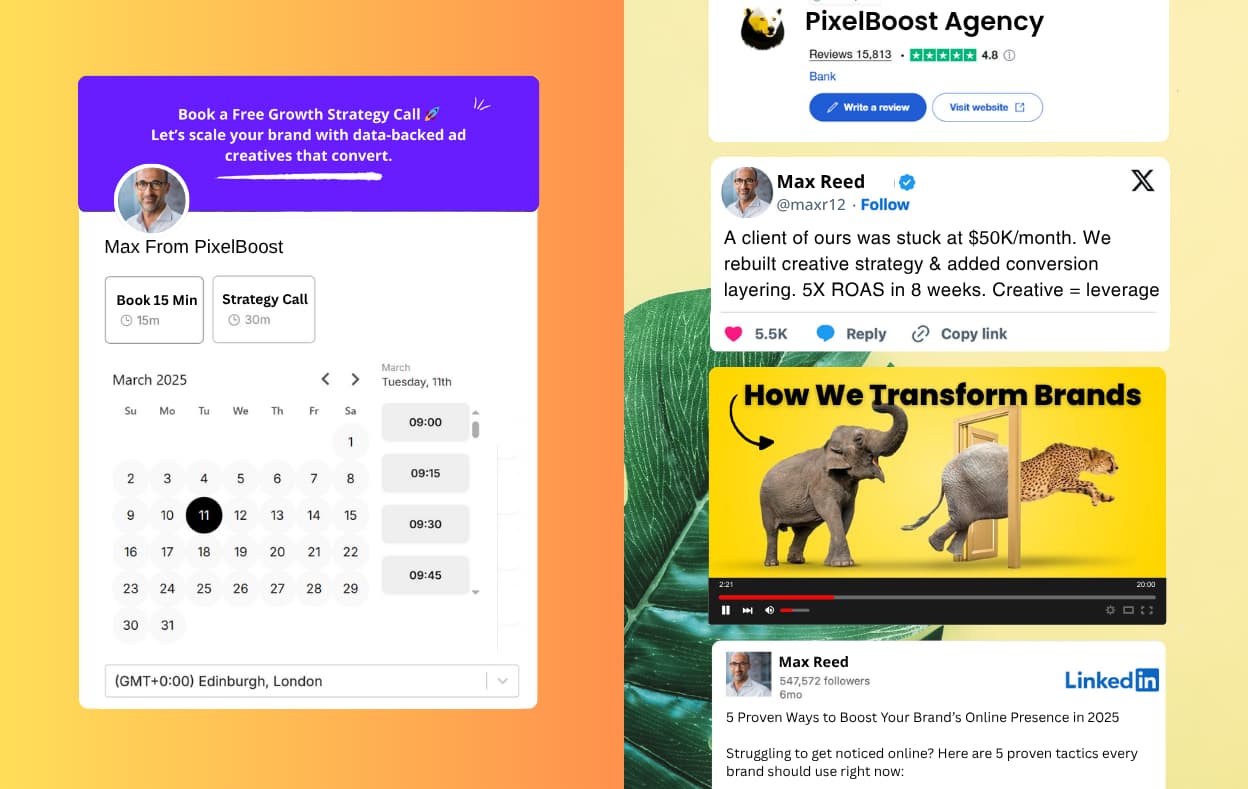
When I look at Warmcal, the first thing that stands out is the booking page experience. Instead of sending someone to a basic calendar with available times, businesses can create a more personalized page that helps build trust before someone books a meeting.
You can add branding elements such as images, videos, banners and social proof to give visitors more context about who they are booking with. This helps create a better experience for potential customers who may not know much about the business before clicking the link.
The idea behind Warmcal is simple. The booking page becomes part of the sales process rather than just a place to select a time. By giving prospects more information before the meeting, businesses can create a stronger first impression, improve the quality of booked meetings and reduce no-shows.
2. Round Robin Scheduling
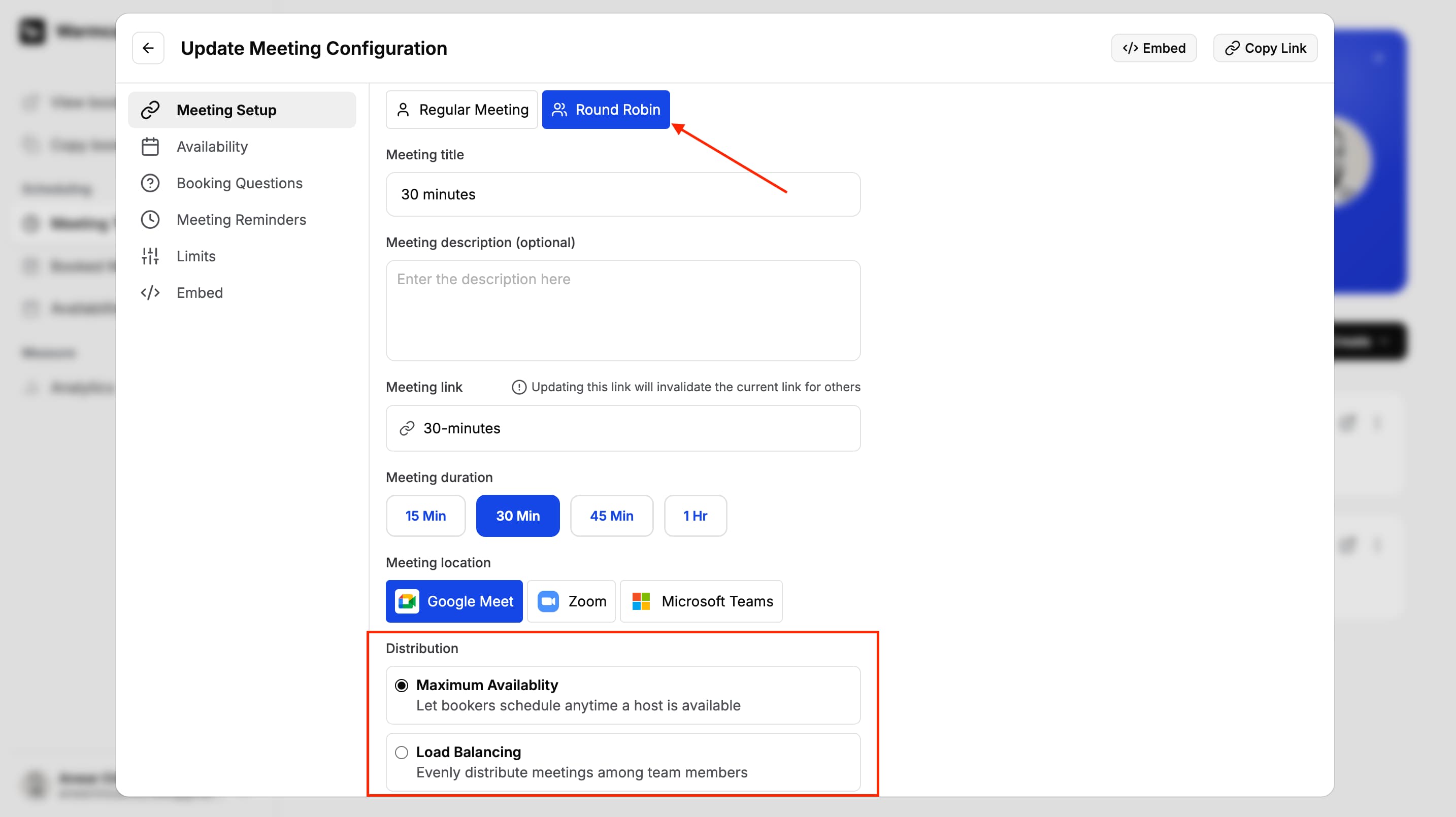
Warmcal's Round Robin scheduling helps teams automatically distribute meetings between team members based on availability. Instead of every meeting going to one person, bookings can be shared across the team to make sure the right person is available.
The setup was straightforward and easy to understand. You can add team members, connect calendars and allow prospects to book without needing to manually check everyone's availability.
One thing that stands out is the pricing model. Warmcal offers a fixed monthly cost regardless of how large your team grows. For teams, this can work out cheaper compared to tools like Calendly where costs can increase as you add more users.
3. Pre-Meeting Questions
One feature I found really useful was the pre meeting questions. Instead of only collecting a name and email address, Warmcal lets you ask custom questions before someone can book a meeting.
I liked this because it gives you more context before the meeting even gets booked. You can understand what the person needs, prepare in advance and avoid spending the first few minutes asking basic questions.
You can also use these questions to qualify people before they reach your calendar. This is a great feature for businesses that want to make sure meetings are relevant and worth everyone's time.

4. Meeting Links
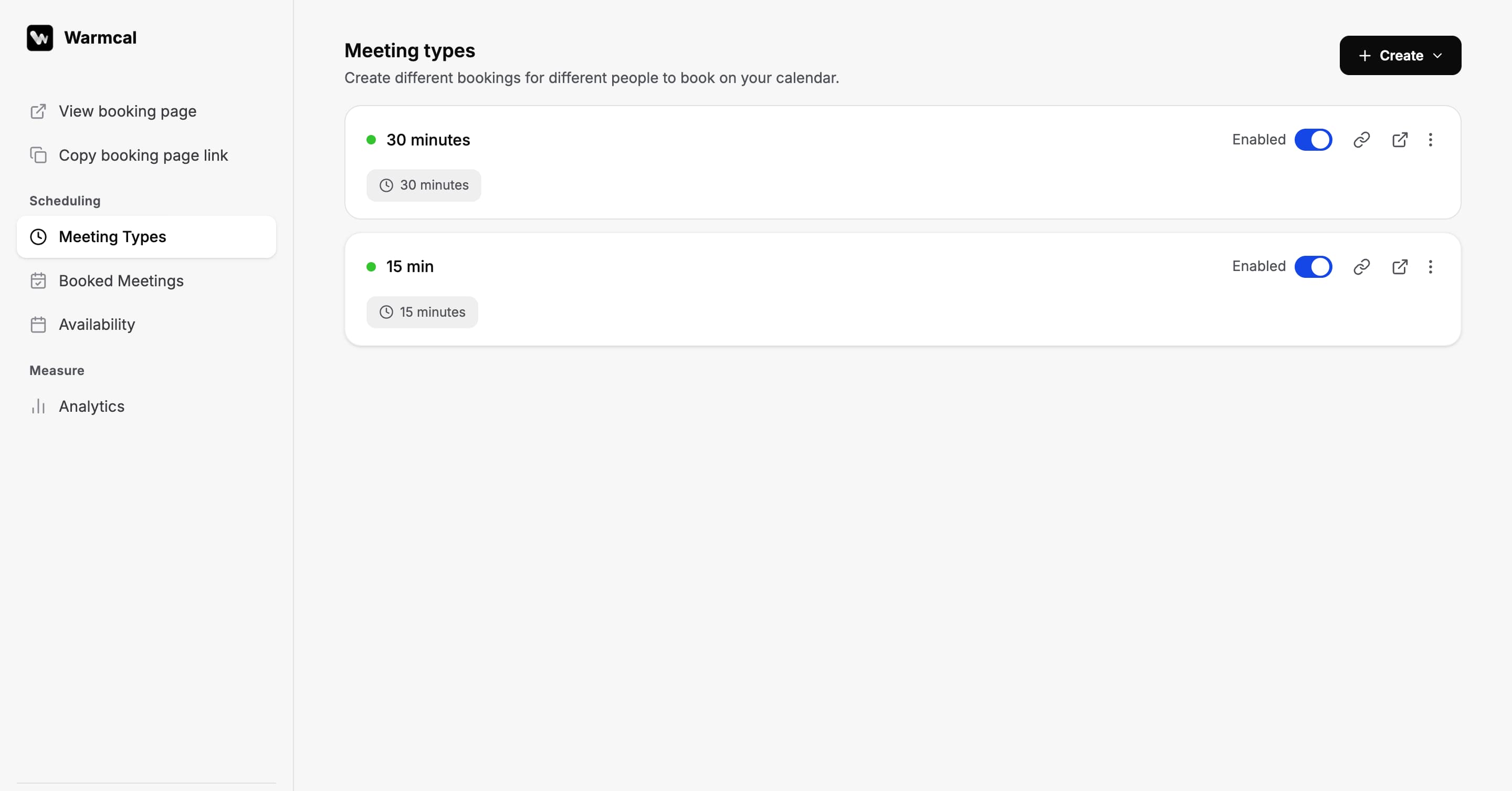
Creating a meeting link in Warmcal was really easy. You can choose between a one on one meeting or a Round Robin meeting. Within each meeting link you can configure settings such as the meeting duration, name, booking limits and reminders before sharing the link within minutes.
Unlike a standard scheduling link, Warmcal lets you customize the page before sharing it. You can add your branding and other content so visitors know more about you before they book a meeting.
Overall the process felt simple and the meeting link looked much more professional than a basic booking page.
5. Integrations
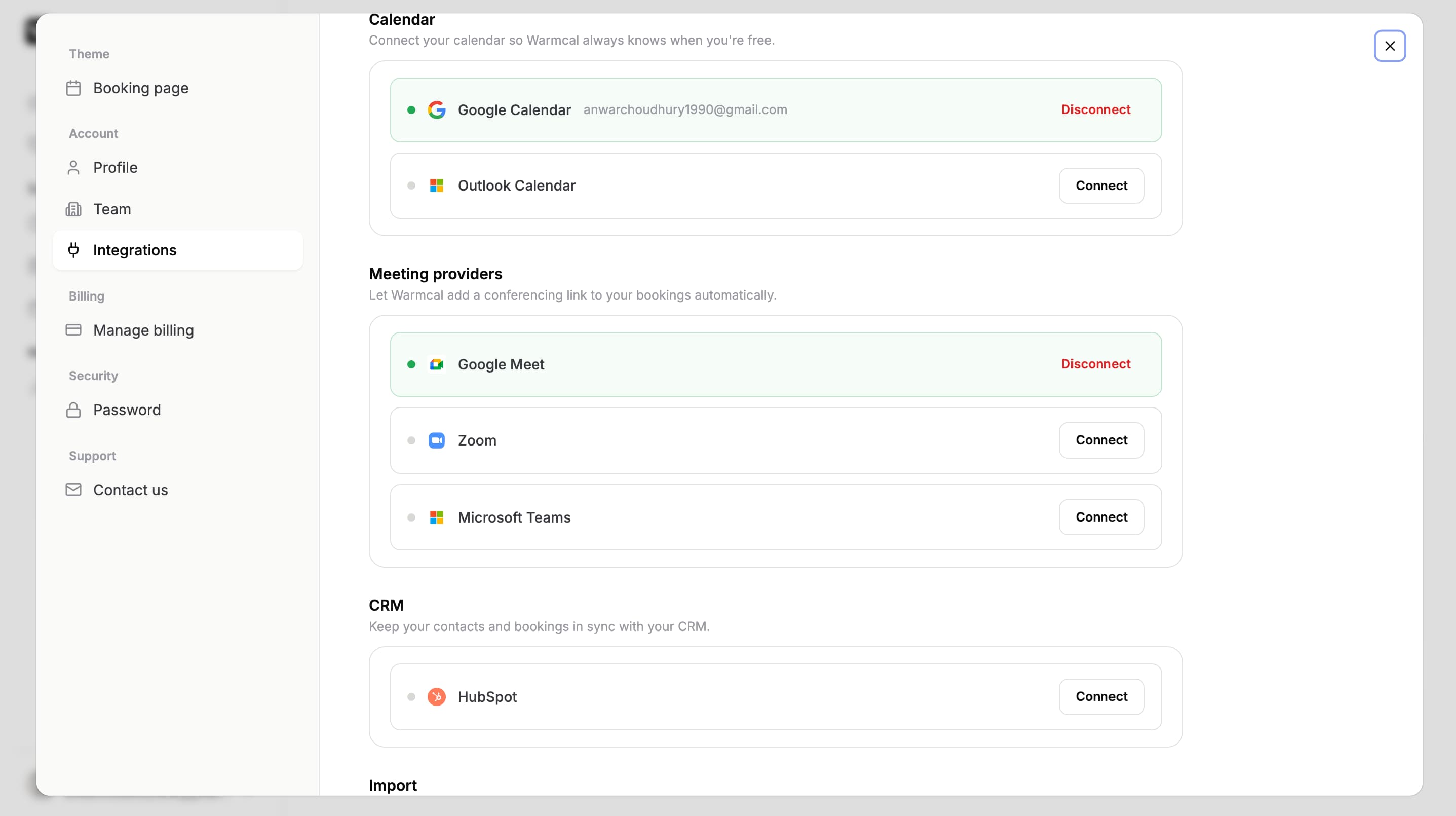
Warmcal supports the integrations most businesses need to get started. You can connect Google Calendar and Outlook to keep your availability up to date and avoid double bookings. Video conferencing integrations automatically generate meeting links while the HubSpot integration keeps your meetings connected with your CRM.
One feature I found particularly useful is the ability to import your existing Calendly settings. Instead of setting everything up from scratch you can bring across your meeting types and settings which makes switching much quicker.
While Warmcal doesn't have as many integrations yet, the roadmap includes several planned integrations such as Zapier, Stripe, Salesforce, APIs, webhooks and more. If the team continues shipping features at its current pace, the integration library should continue to grow really fast.
Warmcal Pros and Cons
Pros
Highly customizable booking pages that help create a stronger first impression
Fixed monthly pricing that does not increase as you add more team members
Pre meeting questions help collect information and qualify bookings
Simple Round Robin scheduling for teams
Ability to import Calendly settings making it easier to switch
Cons
Smaller integration ecosystem as Warmcal is still building and shipping new integrations fast
Better suited for businesses that value personalized booking experiences rather than users looking for the simplest possible scheduling link
Pre meeting questions can become overwhelming if you add too many and do not keep them focused
Teams with strict compliance requirements should verify policies before fully adopting the platform
Pricing

Which Scheduling Software Should You Choose?
The right scheduling software depends on what you need from your booking experience. Calendly, HubSpot Meetings and Warmcal all approach scheduling differently so the best choice depends on your workflow, team size and the type of experience you want to create.
Warmcal is right for you if...
You want your booking page to make a strong first impression
You want to create a professional and credible experience from the first click
You want to collect information before meetings to better understand prospects
You want team scheduling with fixed monthly pricing rather than paying per user
You want a scheduling platform focused on the features businesses actually need without unnecessary complexity
You want instant help from real humans when something breaks
Calendly is right for you if...
You need a simple scheduling link
Most people booking with you already know your business
You rely on advanced workflows, automations and integrations
Enterprise security and compliance are important to your organization
You prefer a mature platform with a generous free plan
HubSpot Meetings is right for you if...
You already use HubSpot CRM and want scheduling connected with your customer data
You want meetings, contacts and sales activity managed in one place
Your team already relies heavily on the HubSpot ecosystem
A basic meeting scheduler is enough for your needs
You want scheduling as part of a wider sales and CRM platform
How We Evaluated Each Platform
For this Calendly vs HubSpot comparison, I tested each platform using the same approach rather than relying only on feature lists or marketing claims. I created accounts, set up scheduling pages, connected calendars and tested the experience from both the business and customer perspective.
The areas I evaluated included:
How easy it is to create and manage meeting links
The overall booking experience from selecting a time to receiving confirmation
Calendar connections and availability management
Team scheduling features such as Round Robin and shared availability
Meeting reminders and workflow automation
Integrations with calendars, video conferencing tools and CRMs
Customization options and how professional the booking experience feels
Pricing structure and how costs scale as teams grow
I also reviewed feedback from platforms such as G2, Trustpilot and Reddit to compare my own experience with common themes from real users. This helped identify not only what each platform does well but also recurring issues users experience when using these tools day to day.
FAQs
How do I choose the right meeting scheduling software for my business?
The right meeting scheduling software depends on what you need from the booking experience. If you only need a simple way for people to book meetings, tools like Calendly work well. If you need scheduling connected to your CRM, HubSpot Meetings may be a better fit. If creating a more personalized booking experience and collecting information before meetings is important, Warmcal is worth considering.
Calendly vs HubSpot Meetings: which one should you choose?
Calendly and HubSpot Meetings are built for different types of users. Calendly is focused on scheduling with features like calendar connections, Round Robin and workflows. HubSpot Meetings is better suited for businesses already using HubSpot CRM because meetings are connected with contacts, deals and automation. The best choice depends on whether you need a dedicated scheduling tool or a wider CRM platform.
Is HubSpot Meetings free?
Yes, HubSpot Meetings has a free version with basic scheduling features. However, businesses that need more advanced CRM features, adding team members, automation and sales tools will need to upgrade to paid HubSpot plans.
Which is the best scheduling tool for sales teams?
The best scheduling tool for sales teams depends on how your team manages meetings.
Warmcal is designed for teams that want to create a stronger booking experience, qualify leads before meetings and not worry about pricing as team grows.
Calendly is a strong option for teams that need reliable scheduling and routing.
HubSpot Meetings works well for sales teams already using HubSpot CRM.