






Scheduling gets harder as your client base grows
Managing a few consultations through email and your calendar is easy enough at first. But as you take on more clients, coordinating availability, rearranging meetings and keeping track of consultations can quickly become a drain on your time.
You end up with:
Too much back-and-forth
Clients email to ask when you're available, then follow up again when plans change. Simple scheduling turns into unnecessary conversations.
Generic booking experiences
A basic booking page gives clients little sense of who you are, what you offer or what to expect. The experience can feel disconnected from the professional service you're providing.
Unprepared consultations
Clients book without sharing enough context, leaving you to spend valuable meeting time figuring out what they actually need.
Wasted calendar slots
Cancellations and no-shows leave gaps in your day that could have been used for client work or other opportunities.
Give clients a better way to book your time
Make it easy for clients to schedule consultations while giving them more context about your services and helping you stay in control of your time.
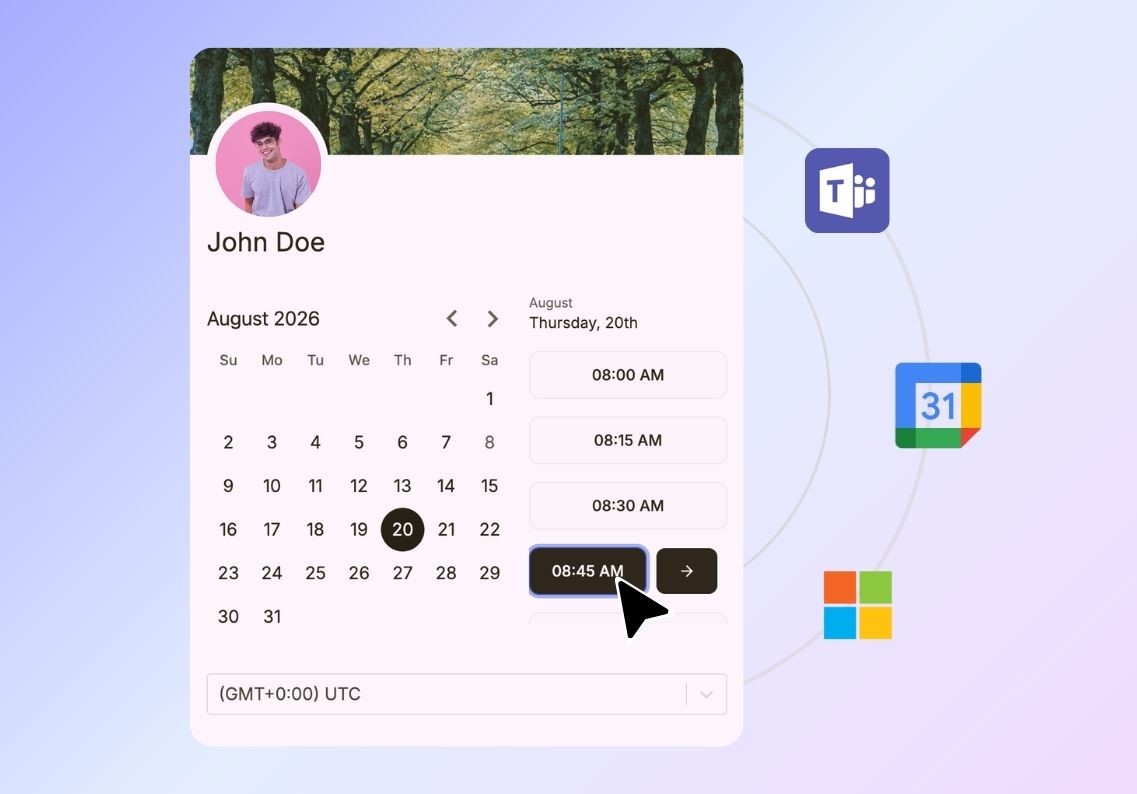
Manage your availability
Set when clients can book with you based on your working hours, existing commitments and the type of consultation they want.
Connect your video meeting tools
Connect Zoom, Google Meet or Microsoft Teams so meeting details are automatically created when a client books and shared with them before the consultation.
Keep your calendar in sync
Connect your Google or Microsoft calendar to show your real availability, prevent double bookings and automatically update your calendar when a client books.
Create different consultation types
Create separate booking options for discovery calls, consultations, reviews and follow-ups, each with their own availability, duration and meeting settings.

Send automated confirmations & reminders
Keep clients informed with automated email confirmations and reminders before the consultation, helping reduce missed meetings and last-minute cancellations.
Gather client information upfront
Ask clients questions when they book so you can understand their needs, goals and expectations before the consultation begins.
Protect your time
Set daily, weekly or monthly limits on bookings so you can control how many consultations you take and leave enough time for focused client work.
Qualify consultation requests
Use booking questions to understand what a potential client needs before giving them access to your calendar, helping you focus your time on the right opportunities.

Manage team scheduling
If you work with other consultants or a team, use round-robin scheduling to distribute meetings automatically and keep workloads balanced.
Track your booking activity
See meeting volumes and booking page performance to understand how clients are using your scheduling experience and where you can improve.
Let clients book wherever they find you
Add scheduling to your website, landing pages or other places where clients are ready to get in touch. You can also share your booking link directly through email, social media or other channels.
Personalize your booking page
Add your branding, images, videos, documents and other content to create a professional experience that reflects your expertise.